How to Set Up Your iPhone for Maximum Productivity
TL;DR
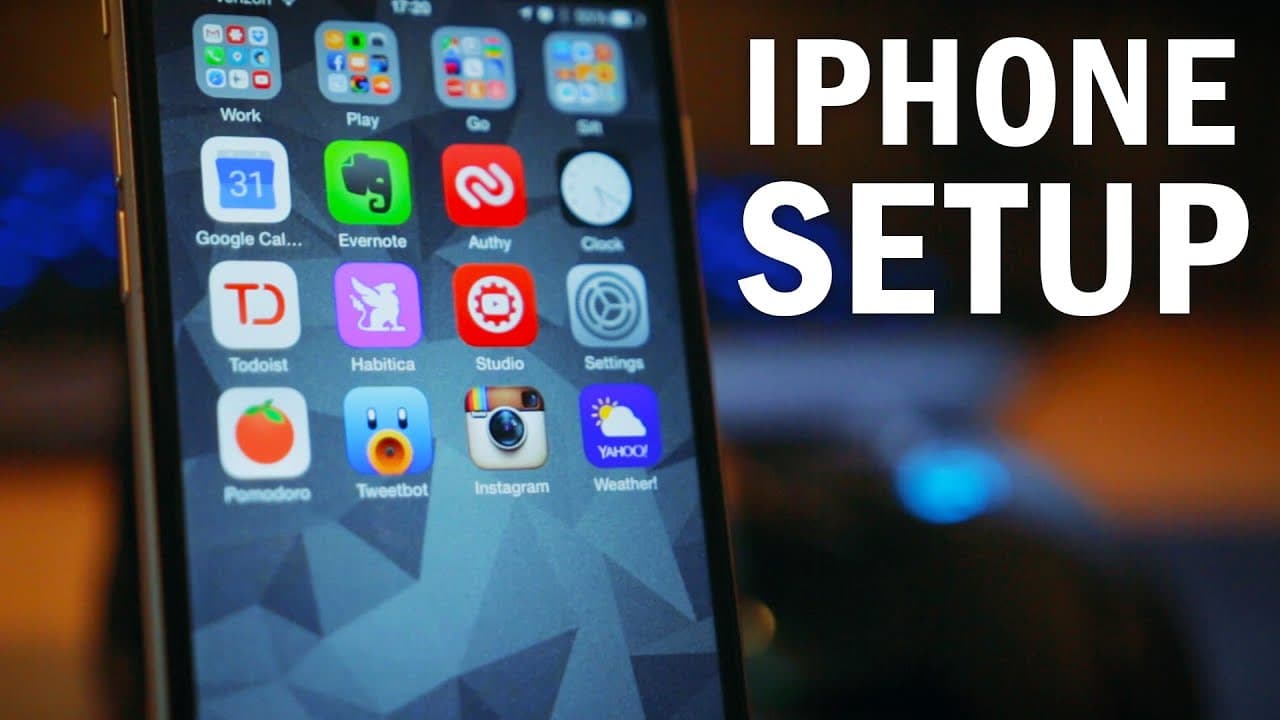
To set up your iPhone for maximum productivity, organize your home screen with only essential apps and categorize them into folders like Work, Play, Go, and Sift. Minimize distractions by disabling notifications, avoiding social media on the home screen, and using productivity apps like To-Do List and Google Calendar. Aim for a clean, minimalist layout to enhance focus and efficiency.
Transcript
Yes friends, as the incredibly hyperbolic title of this video implies, you can indeed organize your iPhone home screen in such a way that it will transform you into an ultra powerful work robot with super-powers of productivity. If that weren't the case, why would I and so many other supposedly productive people on the internet spend s... Read More
Key Insights
- 🥺 Organizing the iPhone home screen can lead to increased productivity and reduced distractions.
- 😀 A minimalist layout with fewer apps on the main screen creates a visually pleasing and neat appearance.
- 😀 Categorizing apps into folders based on usage helps streamline access and improves efficiency.
- 😀 Prioritizing productivity apps like to-do lists, calendars, and timers can optimize workflow.
- 👏 Avoiding excessive use of social media apps by keeping them in folders can reduce distractions.
- 💦 Minimizing notifications and enabling Do Not Disturb mode during focused work periods can improve concentration.
- 👏 Taking notes with apps like Drafts and processing them later helps in staying focused on the task at hand.
Install to Summarize YouTube Videos and Get Transcripts
Explore YouTube Video Summarizer or Get YouTube Transcript Extractor
Questions & Answers
Q: How can organizing the iPhone home screen improve productivity?
By reducing visual clutter and categorizing apps, it becomes easier to find and access the most frequently used apps efficiently. This saves time and improves productivity.
Q: What are the benefits of using folders to categorize apps?
Categorizing apps into folders like Work, Play, Go, and Sift allows for a more streamlined and organized app access. It helps in separating work-related apps from recreational ones and reduces distractions.
Q: Why are certain apps not included on the home screen?
Certain apps like Safari and social media apps are not included on the home screen to reduce distractions and optimize productivity. Writing down ideas to look up later promotes focusing on the task at hand.
Q: How can minimizing notifications and using Do Not Disturb mode enhance productivity?
By limiting notifications and enabling Do Not Disturb mode during specific hours, distractions are minimized, allowing for increased focus and uninterrupted work or rest.
Summary & Key Takeaways
-
Organizing the iPhone home screen can increase productivity and reduce visual clutter.
-
Creating a minimalist layout with fewer apps on the main screen can be visually pleasing.
-
Categorizing apps into folders based on usage, such as Work, Play, Go, and Sift, can streamline app access.
Read in Other Languages (beta)
Share This Summary 📚
Summarize YouTube Videos and Get Video Transcripts with 1-Click
Try YouTube Summary with ChatGPT & Claude or YouTube Transcript Generator
Explore More Summaries from Thomas Frank 📚
Summarize YouTube Videos and Get Video Transcripts with 1-Click
Try YouTube Summary with ChatGPT & Claude or YouTube Transcript Generator