How to Create a Full Audiobook in One Click
TL;DR
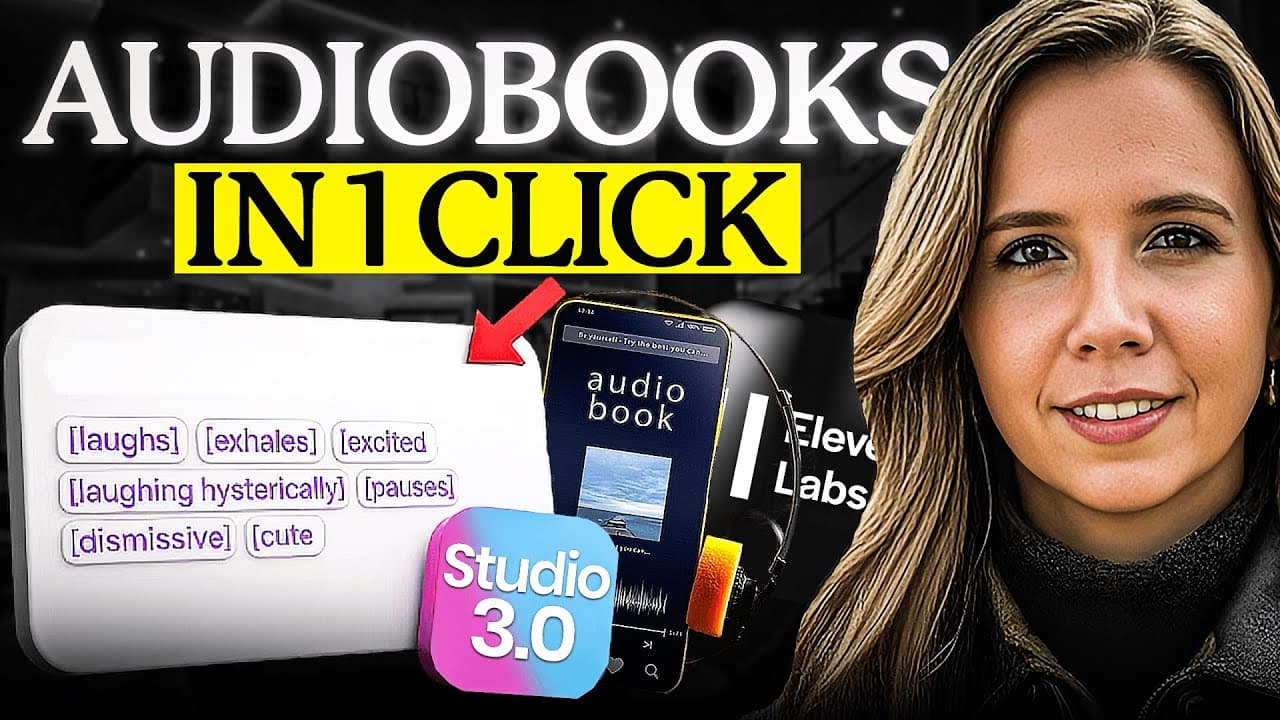
One click in ElevenLabs Studio 3.0 can generate a complete multi chapter audiobook from a manuscript using a professional voice clone, with chapters detected automatically and exported in minutes. The workflow combines voice, music, sound effects, and multilingual dubbing in one timeline, enabling faster production and publishing readiness.
Transcript
I just created an entire audio book in a single click. No recording booth, no voice actor, no weeks of editing, one click. And what I am about to show you isn't just about audiobooks. This is about the complete transformation of audio creation as we know it. 2026 just became the year audio went fully autonomous. Hey, if we have not met, I am the di... Read More
Key Insights
- Studio 3.0 can automatically detect chapters and format timing from the uploaded book.
- A single export produces an entire audiobook with all chapters as separate files.
- The platform consolidates voice, music, sound effects, and editing into one timeline.
- Multilingual dubbing is supported within the same interface.
- A professional voice clone is used to narrate the entire audiobook.
- ACX compatibility requires meeting specific technical requirements.
- Optional human mastering can be used if desired for final polish.
- The workflow aims to replace fragmented tools with a unified production platform.
Install to Summarize YouTube Videos and Get Transcripts
Explore YouTube Video Summarizer or Get YouTube Transcript Extractor
Questions & Answers
Q: What is the core capability of ElevenLabs Studio 3.0 as shown in the video
The core capability is one click to transform a written book into a complete, chaptered audiobook using a professional voice clone, with automatic chapter detection and export to ready to publish files. This single action significantly reduces the time and effort required to produce an audiobook from manuscript to distribution.
Q: How does Studio 3.0 affect the production workflow compared to older methods
Studio 3.0 combines voice cloning, music creation, sound effects, dubbing, and editing into a single timeline, eliminating the need to bounce between multiple tools. This unified platform lets a single creator manage the entire production, from writing to publishing, dramatically shortening timelines and reducing complexity.
Q: What steps are outlined for creating an audiobook using this tool
The steps include writing the book, downloading and uploading to Studio 3.0, selecting a voice clone, clicking create to let the system detect chapters and format timing, exporting as chapter files in a zip, and ensuring ACX compatibility either with ElevenLabs tools or a mastering specialist before uploading to Amazon Audible.
Q: What role does a voice clone play in the process
The voice clone provides the narration for the entire audiobook, allowing a single professional voice to read all chapters. Building the clone is part of the process, and it enables consistent, studio quality narration without hiring a different voice actor for each chapter.
Q: How is multilingual dubbing handled in Studio 3.0
Multilingual dubbing is integrated within the same timeline and interface, enabling expressive natural voices in various languages without needing separate tools. This streamlines creating multilingual versions and reduces the time and cost associated with traditional dubbing workflows.
Q: What are the suggested paths for meeting Amazon ACX requirements
The video suggests two options: use ElevenLabs production tools to ensure technical compliance or hire a human mastering specialist to polish and validate the audiobook before uploading to ACX. Both paths aim to satisfy ACX standards for Amazon Audible publishing.
Q: What is the broader implication of Studio 3.0 for 2026
The implication is a shift toward autonomous, unified production platforms where a single creator can produce high quality audio content quickly. This automation cliff means the pace of content creation accelerates and the barrier to entry lowers for creators aiming to publish audiobooks, podcasts, or explainers.
Q: What practical advice is given for new users
New users are advised to try the audiobook feature, experiment with the timeline, and test multilingual dubbing to understand the capabilities. The video also stresses subscribing to stay updated on evolving AI workflows and engaging with comments to share challenges and outcomes.
Summary & Key Takeaways
-
The video demonstrates a workflow where a manuscript is uploaded to Studio 3.0 and transformed into a chaptered audiobook in minutes. It emphasizes automation and a unified production timeline that reduces traditional bottlenecks.
-
The presenter claims Studio 3.0 supports voice cloning, music, SFX, dubbing, and editing in one interface, enabling a single person to produce what previously required multiple tools and specialists.
-
The guide covers practical steps from writing a book, to exporting as chapters, to meeting ACX requirements for Amazon Audible, highlighting the end to end production pipeline and potential cost savings.
Read in Other Languages (beta)
Share This Summary 📚
Summarize YouTube Videos and Get Video Transcripts with 1-Click
Try YouTube Summary with ChatGPT & Claude or YouTube Transcript Generator
Explore More Summaries from Julia McCoy 📚




Summarize YouTube Videos and Get Video Transcripts with 1-Click
Try YouTube Summary with ChatGPT & Claude or YouTube Transcript Generator