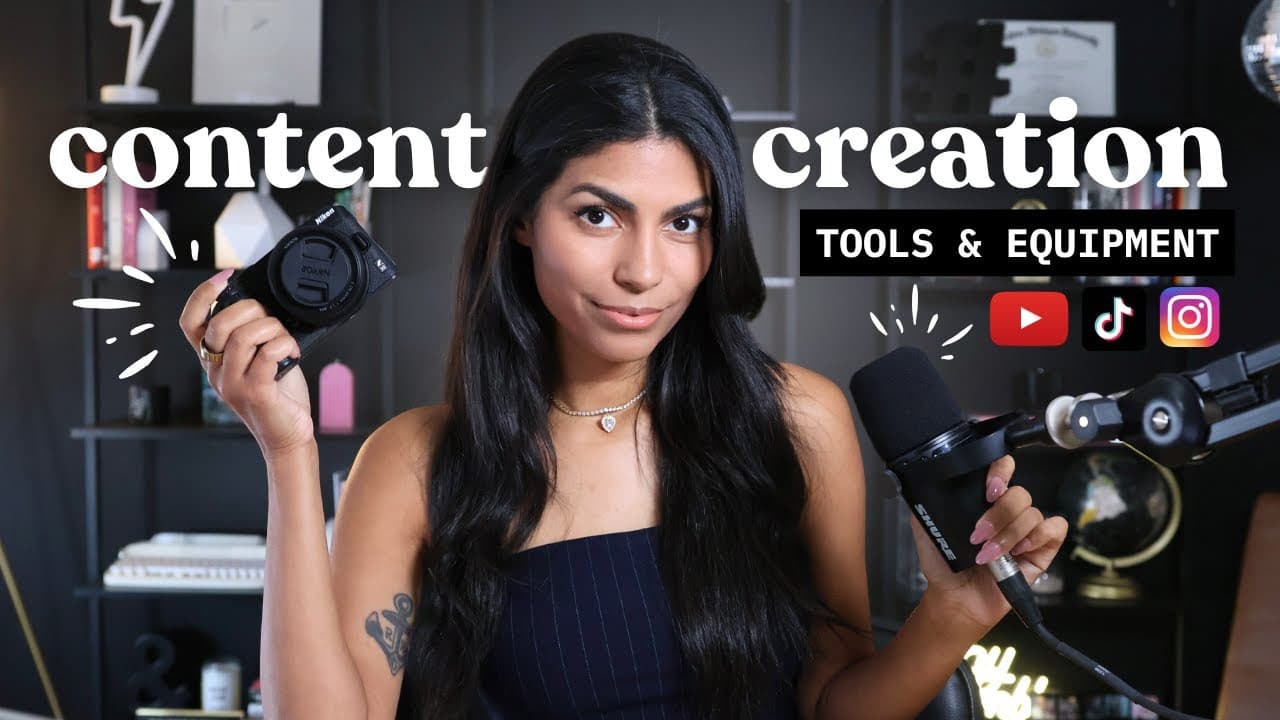
Content Creation for Beginners: All Tools & Equipment You Need
TL;DR
Discover essential tools and equipment for aspiring content creators.
Transcript
Hey there. And welcome to freelance Friday today. I want to talk about every single piece of equipment, every tool, every resource that you're going to need. If you want to become a full time content creator or just a content creator in general, I suppose, because listen, there are a lot of options out there nowadays for freelancing. You know, came... Read More
Key Insights
- Starting with basic equipment is crucial; using what you already have can be effective before investing in more advanced tools.
- MetraCool offers a comprehensive social media management platform with features like Google Drive and Canva integrations, post library, and AI assistance.
- Different types of cameras serve various purposes: webcams for interviews, mirrorless cameras for vlogs, and DSLRs for cinematic looks.
- Microphone choice is vital for content quality; options like Shure MV7, Samson Q2U, and DJI wireless systems cater to different needs.
- Lighting setup impacts video quality; Elgato key lights offer a compact, adjustable solution for varying lighting conditions.
- Graphic design tools like Canva are essential for creating thumbnails, animations, and simple graphics, while advanced users might prefer Photoshop.
- TubeBuddy aids in SEO research and video optimization, providing insights into keywords, video titles, and content strategy.
- A content calendar and scheduling tool like MetraCool is crucial for managing posts, analyzing growth, and automating cross-platform content distribution.
Install to Summarize YouTube Videos and Get Transcripts
Explore YouTube Video Summarizer or Get YouTube Transcript Extractor
Questions & Answers
Q: What is the best starting equipment for a new content creator?
For new content creators, starting with basic equipment such as a smartphone or an old digital camera is recommended. As you progress, consider upgrading to a webcam like the Logitech Brio for interviews, and a mirrorless camera like the Nikon Z30 for vlogs, which offer more versatility and quality.
Q: How does MetraCool enhance social media management?
MetraCool enhances social media management by providing an all-in-one platform that integrates Google Drive and Canva for asset management, offers a post library for content storage, and includes an AI assistant for optimizing posts. It allows for seamless scheduling and cross-platform content distribution, making it a valuable tool for content creators.
Q: What are the recommended microphones for content creation?
Recommended microphones include the Shure MV7 for podcasts and interviews, offering professional quality with USB and XLR compatibility. The Samson Q2U is a more affordable option with similar versatility. For those preferring a hands-free setup, the DJI wireless mic system is ideal for vlogs and on-the-go recording.
Q: How important is lighting in content creation?
Lighting is crucial in content creation as it significantly affects video quality. The Elgato key light is recommended for its compact size and adjustable settings, allowing creators to control brightness and color temperature. Proper lighting can enhance the visual appeal and professionalism of your content.
Q: What role does TubeBuddy play in content strategy?
TubeBuddy plays a vital role in content strategy by offering SEO research tools that help creators identify effective keywords, video titles, and tags. It provides insights into search volume and competition, enabling creators to optimize their content for better visibility and engagement across platforms.
Q: Why is a content calendar essential for creators?
A content calendar is essential for creators as it helps organize and schedule posts across multiple platforms, ensuring consistent content delivery. Tools like MetraCool offer features for planning, scheduling, and analyzing content performance, allowing creators to maintain a strategic approach to their content distribution.
Q: What are the benefits of using Canva for content creation?
Canva is beneficial for content creation due to its user-friendly interface and wide range of templates for designing thumbnails, graphics, and animations. It caters to novices and provides tools for quick edits and design tasks, while advanced users might opt for software like Photoshop for more complex projects.
Q: How can content creators optimize their video quality?
Content creators can optimize video quality by investing in appropriate equipment for their needs, such as high-quality cameras and microphones. Additionally, using proper lighting setups, employing graphic design tools for visual enhancements, and leveraging SEO tools like TubeBuddy for content optimization can significantly improve video quality and engagement.
Summary & Key Takeaways
-
The video discusses essential tools and equipment for aspiring content creators, emphasizing starting with basic equipment before upgrading. It highlights various cameras, microphones, lighting, and software tools that can enhance content quality and streamline the creation process.
-
MetraCool is highlighted as a robust social media management tool, offering features like content scheduling, analytics, and integrations with platforms like Google Drive and Canva. The video also emphasizes the importance of SEO tools like TubeBuddy for optimizing content strategy.
-
The importance of lighting, graphic design tools, and a content calendar is discussed, with recommendations for products like Elgato key lights and Canva. The video stresses the need for a comprehensive approach to content creation, balancing quality equipment with strategic planning.
Read in Other Languages (beta)
Share This Summary 📚
Summarize YouTube Videos and Get Video Transcripts with 1-Click
Try YouTube Summary with ChatGPT & Claude or YouTube Transcript Generator
Explore More Summaries from Latasha James 📚


Summarize YouTube Videos and Get Video Transcripts with 1-Click
Try YouTube Summary with ChatGPT & Claude or YouTube Transcript Generator