Products
Features
YouTube Video Summarizer
Summarize YouTube videos
Web & PDF Highlighter
Highlight web pages & PDFs
Chat with PDF
Ask any PDF questions with AI
Ask AI Clone
Chat with your highlights & memories
Audio Transcriber
Transcribe audio files to text
Glasp Reader
Read and highlight articles
Kindle Highlight Export
Export your Kindle highlights
Idea Hatch
Hatch ideas from your highlights
Integrations
Obsidian Plugin
Notion Integration
Pocket Integration
Instapaper Integration
Medium Integration
Readwise Integration
Snipd Integration
Hypothesis Integration
Apps & Extensions
Chrome Extension
Safari Extension
Edge Add-ons
Firefox Add-ons
iOS App
Android App
Discover
Discover
Ideas
Discover new ideas and insights
Articles
Curated articles and insights
Books
Book recommendations by great minds
Posts
Essays and notes from readers
Quotes
Inspiring quotes collection
Videos
Curated videos and summaries
Explore Glasp
Glasp Newsletter
Weekly insights and updates
Glasp Talk
Interview series with great minds
Glasp Blog
Latest news and articles
Glasp Use Cases
Learn how others use Glasp
Build & Support
Glasp API
Access Glasp's API for developers
MCP Connector
Connect Glasp to Claude & ChatGPT
Community
Glasp Reddit Community
Students
Student discount and benefits
FAQs
Frequently Asked Questions
AboutPricing
DashboardLog inSign up

Matplotlib Tutorial 18 - annotating last price to edge of matplotlib graph example
22.5K views
•
July 11, 2015
by
sentdex
YouTube video player
Matplotlib Tutorial 18 - annotating last price to edge of matplotlib graph example

TL;DR

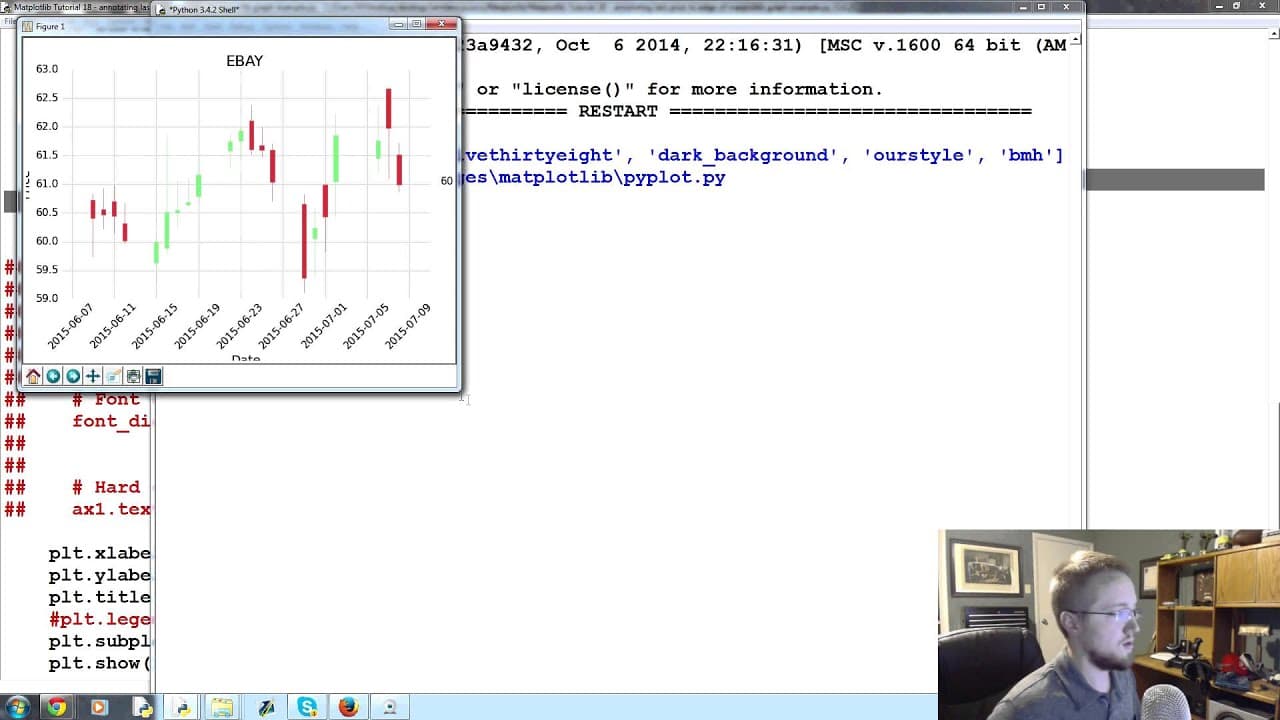
Learn how to use annotations in matplotlib to plot stock prices outside of the graph, making it easier to visualize the last price.

Transcript

what is going on everybody welcome to part 18 of our matplotlib tutorial series in this part what we're going to talk about is an example of using annotations to plot stock price outside of the graph kind of so when we plot a stock chart a lot of times it's it's hard to see like you can look at price on the left hand side there and you can kind of ... Read More

Key Insights

  • 💁 Annotations in matplotlib are useful for displaying important information, such as the last price of a stock, outside of the graph.
  • 👻 Customizing annotations allows users to enhance the visual presentation of the data.
  • 💘 The choice of arrow styles and box formatting can impact the clarity and aesthetics of the annotation.
  • 😥 Annotations can be dynamically positioned to align with specific data points in the graph, such as the last price.
  • 💁 The last price of a stock is a critical metric for investors and traders, and annotations help highlight this information.
  • 📈 Google Images can be a source of stock price graph examples for creating annotations in matplotlib.
  • 💨 Finding the relevant documentation and examples online is a helpful way to explore different annotation styles in matplotlib.

Install to Summarize YouTube Videos and Get Transcripts

Explore YouTube Video Summarizer or Get YouTube Transcript Extractor

Questions & Answers

Q: What is the purpose of using annotations in matplotlib?

Annotations are used to add additional information to a graph, such as the last price of a stock, making it easier for users to interpret the data.

Q: How can annotations be customized in matplotlib?

Annotations can be customized by adjusting the text, arrow styles, and box formatting parameters, allowing users to create visually appealing annotations.

Q: Why is it important to display the last price of a stock?

The last price of a stock is a key metric for investors and traders, as it indicates the most recent price at which the stock was traded.

Q: Can annotations be dynamically positioned in matplotlib?

Yes, annotations can be dynamically positioned by specifying the x and y coordinates based on the data points in the graph.

Summary & Key Takeaways

  • Plotting stock charts can make it difficult to determine the exact last price, so annotations are used to display the price outside the graph.

  • Annotations in matplotlib can be customized to include text, arrow styles, and box formatting.

  • By using annotations, users can easily find and display the last price of a stock.


Read in Other Languages (beta)

English

Share This Summary 📚

Summarize YouTube Videos and Get Video Transcripts with 1-Click

Download browser extensions on:

Try YouTube Summary with ChatGPT & Claude or YouTube Transcript Generator

Explore More Summaries from sentdex 📚

Python: How to Graph the Chaikin Money Flow Trading Indicator in Matplotlib thumbnail
Python: How to Graph the Chaikin Money Flow Trading Indicator in Matplotlib
sentdex
Python: How to Program the Chaikin Money Flow Trading Indicator thumbnail
Python: How to Program the Chaikin Money Flow Trading Indicator
sentdex
Parsing XML - Go Lang Practical Programming Tutorial p.11 thumbnail
Parsing XML - Go Lang Practical Programming Tutorial p.11
sentdex
How to Parse Twitter Data Using Python Effectively thumbnail
How to Parse Twitter Data Using Python Effectively
sentdex
How to Train a Chatbot Using TensorFlow and Python thumbnail
How to Train a Chatbot Using TensorFlow and Python
sentdex
Python Generator Functions for massive Performance Improvements with Lists thumbnail
Python Generator Functions for massive Performance Improvements with Lists
sentdex

Summarize YouTube Videos and Get Video Transcripts with 1-Click

Download browser extensions on:

Try YouTube Summary with ChatGPT & Claude or YouTube Transcript Generator

Apps & Extensions

  • Chrome Extension
  • Safari Extension
  • Edge Add-ons
  • Firefox Add-ons
  • iOS App
  • Android App

Key Features

  • YouTube Video Summarizer
  • Web & PDF Summarizer
  • Web & PDF Highlighter
  • Chat with PDF
  • Ask AI Clone
  • Audio Transcriber
  • Glasp Reader
  • Kindle Highlight Export
  • Idea Hatch

Integrations

  • Obsidian Plugin
  • Notion Integration
  • Pocket Integration
  • Instapaper Integration
  • Medium Integration
  • Readwise Integration
  • Snipd Integration
  • Hypothesis Integration

More Features

  • APIs
  • MCP Connector
  • Blog & Post
  • Embed Links
  • Image Highlight
  • Personality Test
  • Quote Shots

Company

  • About us
  • Blog
  • Community
  • FAQs
  • Job Board
  • Newsletter
  • Pricing
Terms

•

Privacy

•

Guidelines

© 2026 Glasp Inc. All rights reserved.




