How Can Google Gemini 2.0 Transform Image Editing?
TL;DR
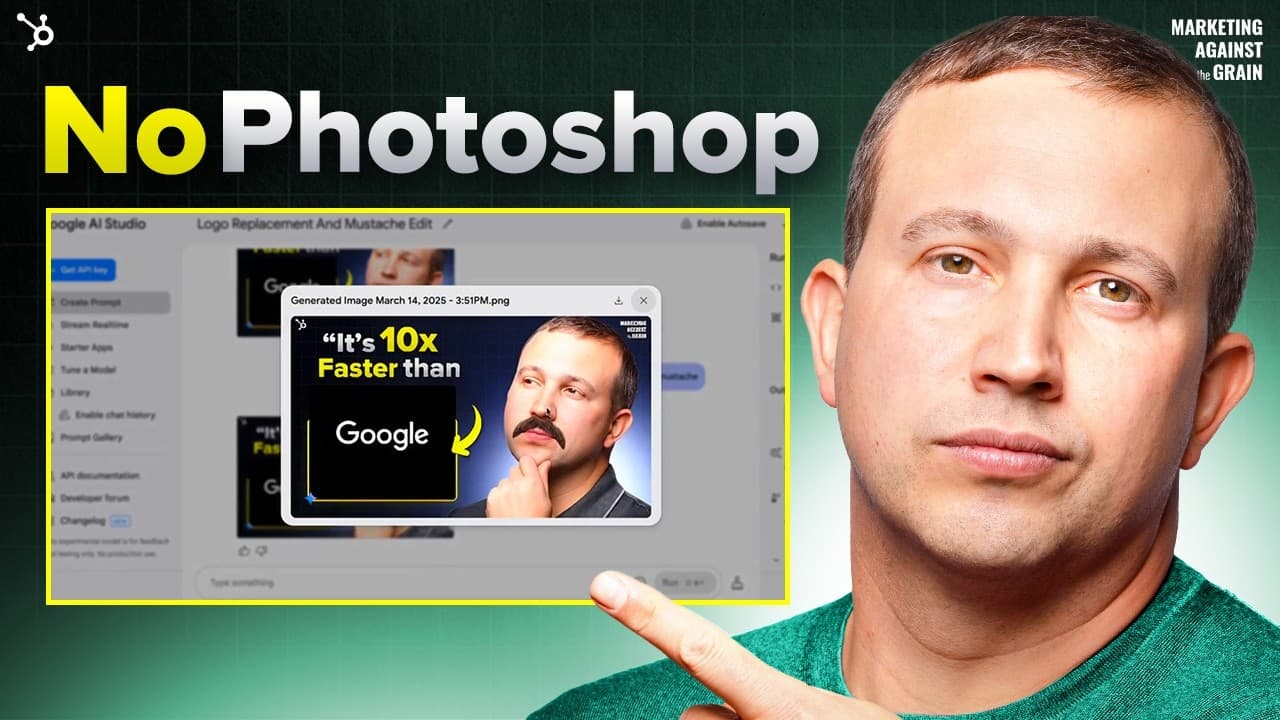
Google's Gemini 2.0 allows users to edit images using simple text prompts, revolutionizing traditional image editing methods that required complex software like Photoshop. It offers free access to features such as changing elements in images, creating passport photos, and generating personalized children's books, making it especially useful for marketers, although it currently struggles with complex instructions.
Transcript
Google just changed the game. You can now be like a Photoshop master with just typing in what you want the image to look like, and it's all for free. Hey, everyone, I'm here with some exciting news. Google has kind of under the radar, rolled out some of the most valuable and interesting AI updates of the year, and the biggest one is pretty mind blo... Read More
Key Insights
- Google's Gemini 2.0 Flash model allows users to edit images using only text prompts, simplifying the process significantly.
- This new tool offers free access to advanced image editing features previously requiring software like Photoshop or Canva.
- The tool demonstrates capabilities such as changing objects in an image, like turning a steak into vegetables, or removing elements like a bridge.
- Gemini 2.0 can automate the creation of passport photos, saving users trips to photo studios for standard photo requirements.
- Marketers can benefit greatly from this tool by quickly modifying product images or creating dynamic marketing content.
- The tool supports visual storytelling, enabling users to create custom children's books with personalized images and narratives.
- Gemini 2.0's multimodal capabilities allow for the creation of GIF animations and style transfer between images.
- Despite its powerful features, the tool struggles with complex or multi-step prompts, highlighting room for improvement in future updates.
Install to Summarize YouTube Videos and Get Transcripts
Explore YouTube Video Summarizer or Get YouTube Transcript Extractor
Questions & Answers
Q: How does Google Gemini 2.0 change image editing?
Google Gemini 2.0 changes image editing by enabling users to edit images using only text prompts. This tool eliminates the need for complex software like Photoshop, allowing users to make edits quickly and easily. It supports tasks like object replacement, element removal, and more, all for free.
Q: What are the benefits of Gemini 2.0 for marketers?
Gemini 2.0 offers significant benefits for marketers by allowing quick and easy modifications to product images and marketing content. It supports dynamic content creation and visual storytelling, enabling marketers to create compelling narratives and visuals without extensive graphic design skills.
Q: Can Gemini 2.0 create custom children's books?
Yes, Gemini 2.0 can create custom children's books by generating personalized images and narratives. Users can input prompts to create stories with specific themes or characters, offering a unique way to engage children with bespoke storytelling experiences.
Q: What are some limitations of Gemini 2.0?
Despite its powerful features, Gemini 2.0 struggles with complex or multi-step prompts, which can lead to errors in execution. This limitation highlights the need for further development to improve its ability to handle intricate editing tasks and enhance user experience.
Q: How does Gemini 2.0 handle style transfer?
Gemini 2.0 handles style transfer by allowing users to apply the style of one image to another. This feature enables creative transformations, such as generating new images inspired by existing styles, offering users a powerful tool for artistic expression and design.
Q: Is Gemini 2.0 suitable for professional use?
Gemini 2.0 is suitable for professional use, particularly for tasks that require quick and easy image modifications. Its capabilities in visual storytelling and content creation make it valuable for marketers, content creators, and designers looking to streamline their workflows and enhance creativity.
Q: How can users access Gemini 2.0?
Users can access Gemini 2.0 through Google's AI Studio by visiting AI studio.google.com. The platform offers a user-friendly interface, allowing users to select the Gemini 2.0 Flash model and begin editing images using text prompts, without needing technical expertise or developer skills.
Q: What future developments are expected for Gemini 2.0?
Future developments for Gemini 2.0 may focus on improving its ability to handle complex and multi-step prompts, enhancing its precision and usability. Further integration with other AI technologies and expanded features could also be expected, broadening its applications and capabilities in image editing and content creation.
Summary & Key Takeaways
-
Google's Gemini 2.0 Flash model revolutionizes image editing by allowing users to make edits using text prompts. This tool is available for free and simplifies tasks that traditionally required Photoshop or Canva, such as changing image elements or creating passport photos.
-
The tool is particularly beneficial for marketers, enabling quick modifications to product images and dynamic content creation. Its visual storytelling capabilities allow for the generation of custom children's books, offering new creative opportunities.
-
While Gemini 2.0 offers impressive features like GIF creation and style transfer, it currently struggles with complex prompts. Despite this, its potential to streamline workflows and enhance creativity is significant, making it a valuable tool for various applications.
Read in Other Languages (beta)
Share This Summary 📚
Summarize YouTube Videos and Get Video Transcripts with 1-Click
Try YouTube Summary with ChatGPT & Claude or YouTube Transcript Generator
Explore More Summaries from Marketing Against the Grain 📚




Summarize YouTube Videos and Get Video Transcripts with 1-Click
Try YouTube Summary with ChatGPT & Claude or YouTube Transcript Generator