How to Use the Monitor Tab on thinkorswim Effectively
TL;DR
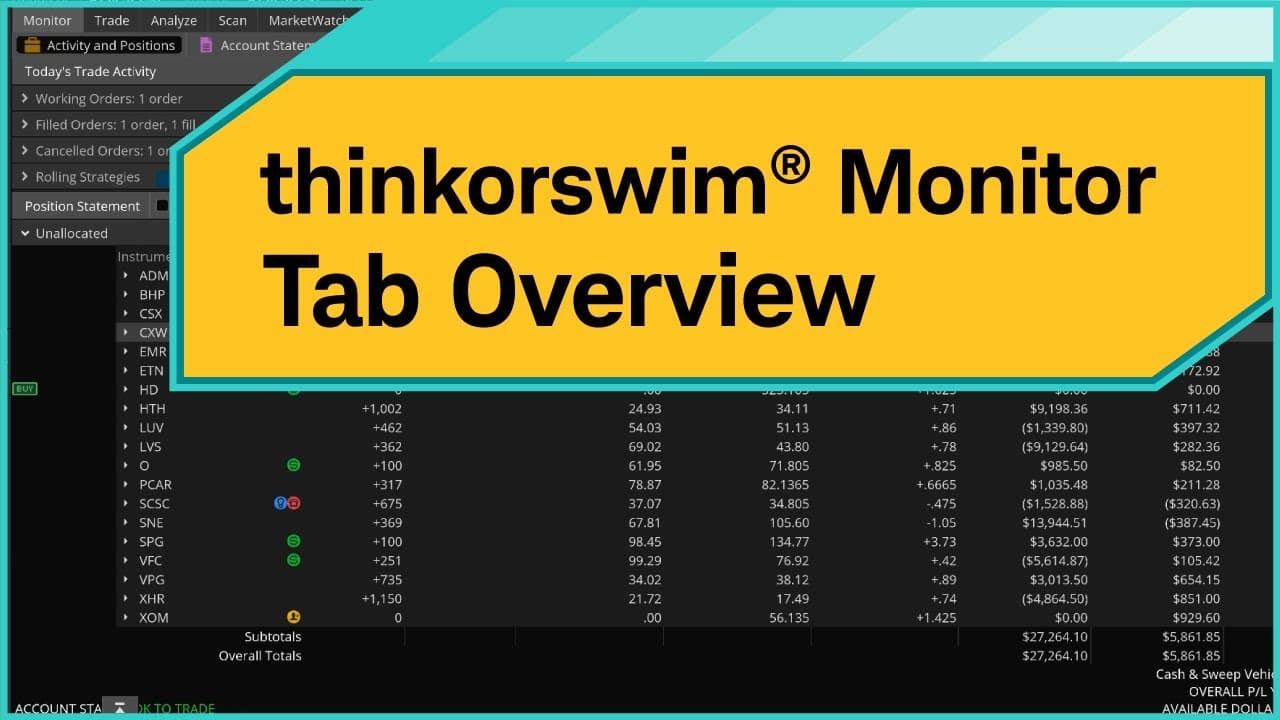
The Monitor tab on thinkorswim allows users to manage orders and track positions, with key features including open order modifications in the Activity and Positions subtab, and access to historical account data in the Account Statement. Users can also track profit/loss and utilize tools like the Cash & Sweep Vehicle for efficient financial management.
Transcript
The Monitor tab allows you to view and manage orders and positions as well as view your account statements. Let's take a quick look at the Monitor tab and examine some of the features and benefits. All right. So starting here on the home screen, we're going to navigate to the Monitor tab. So on the Monitor tab, we have four subtabs. First, we have ... Read More
Key Insights
- 🧘 The Monitor tab on thinkorswim helps users manage orders, positions, and account statements.
- 👤 Users can update and modify orders easily in the Activity and Positions subtab.
- 🙃 The Quantity column in the Unallocated field shows the number of shares or contracts owned, and clicking on it reveals the original cost basis.
- 👻 The Monitor tab also allows tracking of market prices, profit/loss, and placing closing orders.
- ™️ The Account Statement subtab provides historical data for trades, deposits, withdrawals, and more.
- ❓ thinkorswim includes features like the Cash & Sweep Vehicle to manage dividends and interest payments.
- 👤 Users can explore and utilize these tools to enhance their trading experience on thinkorswim.
Install to Summarize YouTube Videos and Get Transcripts
Explore YouTube Video Summarizer or Get YouTube Transcript Extractor
Questions & Answers
Q: How can I update a limit order to a market order in the Monitor tab?
To update a limit order to a market order, right-click on the order in the Activity and Positions subtab, select "Cancel and replace order," go to the Trade tab, modify the order to a market order, and confirm and send the order.
Q: How can I view the original cost basis of a trade in the Monitor tab?
In the Activity and Positions subtab, click on the quantity of a trade, and it will show the original cost basis, including the trade time and price.
Q: Can I track the current market price and profit/loss of my trades in the Monitor tab?
Yes, the Activity and Positions subtab allows you to see the current market price, changes for the day, and the profit/loss since opening the trade and for the day.
Q: How can I place an order to close a trade in the Monitor tab?
Right-click on the symbol of the trade you want to close, select "Create closing order," modify the order details in the Trade tab, confirm and send the order.
Summary & Key Takeaways
-
The Monitor tab on thinkorswim has four subtabs: Activity and Positions, Account Statement, FX Reports, and Strategy Roller.
-
In the Activity and Positions subtab, users can track orders, update them, and manage equity orders.
-
The Account Statement subtab provides historical information about the user's accounts, including trades, deposits, and withdrawals.
-
The thinkorswim platform also includes features like the Cash & Sweep Vehicle, which helps manage dividends and interest payments.
Read in Other Languages (beta)
Share This Summary 📚
Summarize YouTube Videos and Get Video Transcripts with 1-Click
Try YouTube Summary with ChatGPT & Claude or YouTube Transcript Generator
Explore More Summaries from Charles Schwab 📚



Summarize YouTube Videos and Get Video Transcripts with 1-Click
Try YouTube Summary with ChatGPT & Claude or YouTube Transcript Generator