What Are the Latest Deepfake and AI Video Tools, Open-Source AI Agents, Full Camera Controls, and Deep Research Features?
TL;DR
The latest AI advances improve video separation, motion realism, upscaling, visual effects, camera control, browser automation, and deep research. Featured tools include MatAnyone, VideoJam, DiffVSR, DynVFX, MotionCanvas, ReasonerAgent, OpenAI’s Deep Research, and Google’s Gemini 2.0 Pro, whose context window supports 2 million tokens. Read on to compare what each tool does and how its underlying process works.
Transcript
AI never sleeps and this week has been absolutely insane we have an AI that can add anything to an existing video plus another one that can separate anyone in a video we have another AI that can fix nightmare fuel Generations like this we have a new AI that can turn an image into a video while controlling the camera movement and how objects move in... Read More
Key Insights
- MatAnyone is an AI tool that separates objects from video backgrounds, using a memory-based technique for accurate segmentation.
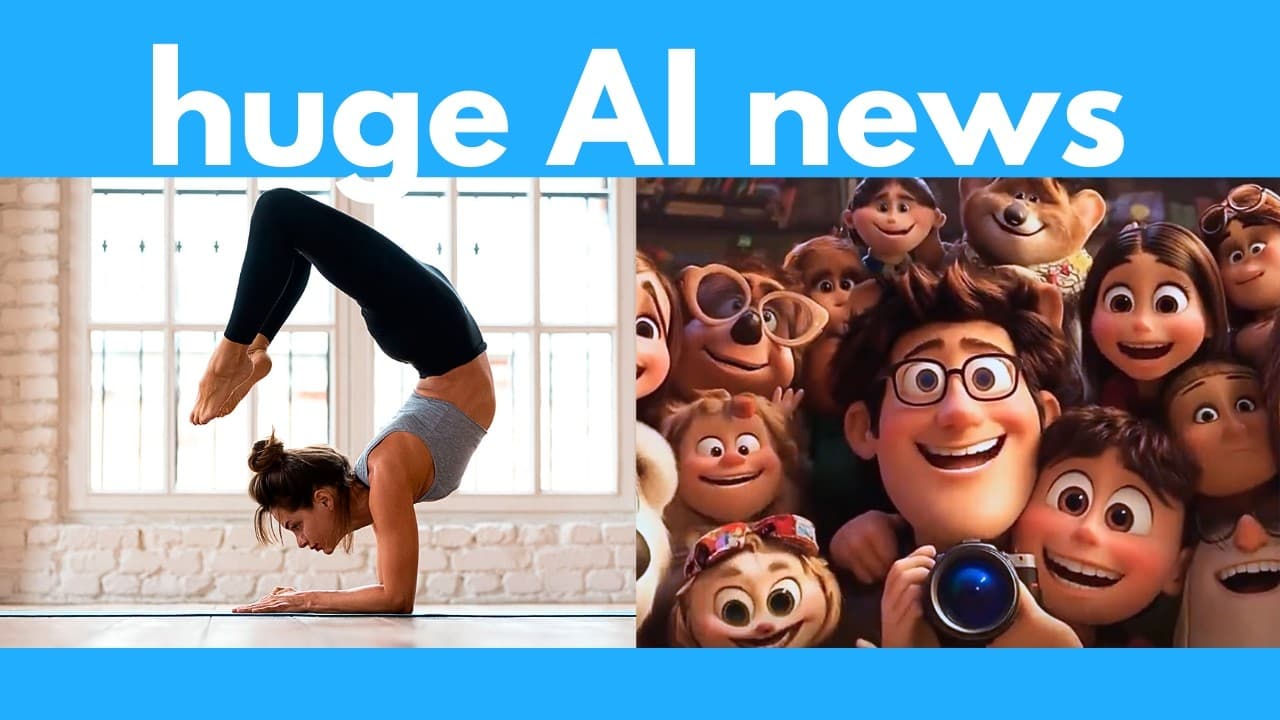
- VideoJam enhances AI video generation, improving realism in complex movements such as gymnastics and dance.
- DiffVSR is an open-source video upscaler that significantly sharpens blurry videos, outperforming other leading upscalers.
- DynVFX allows users to add objects or characters to existing videos with simple prompts, using a Vision language model.
- MotionCanvas controls camera and object movements in videos generated from a single image, offering versatile video creation.
- ReasonerAgent automates complex web tasks, such as booking flights and summarizing news, using browser-based AI.
- OpenAI's Deep Research uses advanced models to perform expert-level web research, synthesizing information into reports.
- Google's Gemini 2.0 Pro offers free access to a powerful AI model with a 2 million token context window, enhancing coding and complex prompt handling.
Install to Summarize YouTube Videos and Get Transcripts
Explore YouTube Video Summarizer or Get YouTube Transcript Extractor
Questions & Answers
Q: What are the latest AI video tools and features covered here?
The featured video tools are MatAnyone for separating subjects from backgrounds, VideoJam for more realistic motion, DiffVSR for upscaling, DynVFX for adding elements, and MotionCanvas for controlling camera and object movement. Together, they address video segmentation, generation, restoration, modification, and camera control.
Q: How does MatAnyone separate objects from video backgrounds?
Users click the object or character they want to separate, and MatAnyone generates a mask plus an alpha mask. Its memory-based technique remembers the subject’s shape and appearance from previous frames, combines that information with the current frame, and repeatedly refines the outline.
Q: How does VideoJam improve AI-generated videos?
VideoJam makes difficult movements and physical interactions more realistic and coherent. The examples include headstands, break dancing, juggling, ballet, push-ups, deadlifting, aerial hoops, hula hoops, and fingers touching a slime ball.
Q: How does DiffVSR enhance video quality?
DiffVSR is an open-source video upscaler designed to sharpen blurry footage. It enhances fine details such as leaves and grass while reducing noise and graininess, producing clearer video than the other leading upscalers discussed.
Q: What is DynVFX, and how does it modify existing videos?
DynVFX adds objects or characters to existing footage from simple prompts. It uses a vision-language model to interpret the video and prompt, Segment Anything to isolate existing objects, and a diffusion Transformer model to generate and integrate new elements.
Q: What camera and object controls does MotionCanvas provide?
MotionCanvas generates video from a single image while controlling both camera movement and object motion. It supports camera actions such as dolly, orbit, and pedestal, along with adding or replacing objects and changing the video’s style.
Q: How does ReasonerAgent automate browser tasks?
ReasonerAgent is an open-source AI agent that reads the current web interface and plans browser actions based on a user’s prompt. It can book flights, summarize news, and shop online, while a memory component helps maintain workflow consistency.
Q: What do OpenAI Deep Research and Google Gemini 2.0 Pro offer?
OpenAI’s Deep Research searches the web, gathers relevant material, and synthesizes it into reports for complex research tasks. Google’s Gemini 2.0 Pro improves coding and complex-prompt handling with a 2 million-token context window and is described as available free through Google AI Studio.
Summary & Key Takeaways
-
Recent AI video tools can separate objects from chaotic scenes, enhance video realism, and add new elements to existing footage. Open-source AI agents automate complex web tasks, and Google's Gemini 2.0 Pro improves coding and prompt handling with a vast context window.
-
MatAnyone, VideoJam, and DiffVSR are notable tools for video editing, offering object separation, enhanced realism, and upscaling capabilities. DynVFX and MotionCanvas enable creative video modifications with prompts and controlled movements.
-
OpenAI's Deep Research and Google's Gemini 2.0 Pro highlight advancements in AI research capabilities, offering expert-level web searches and enhanced coding performance, respectively. These tools demonstrate the rapid evolution of AI technology.
Read in Other Languages (beta)
Share This Summary 📚
Summarize YouTube Videos and Get Video Transcripts with 1-Click
Try YouTube Summary with ChatGPT & Claude or YouTube Transcript Generator
Explore More Summaries from AI Search 📚


Summarize YouTube Videos and Get Video Transcripts with 1-Click
Try YouTube Summary with ChatGPT & Claude or YouTube Transcript Generator