How to Set Up TensorFlow Object Detection API on Windows
TL;DR
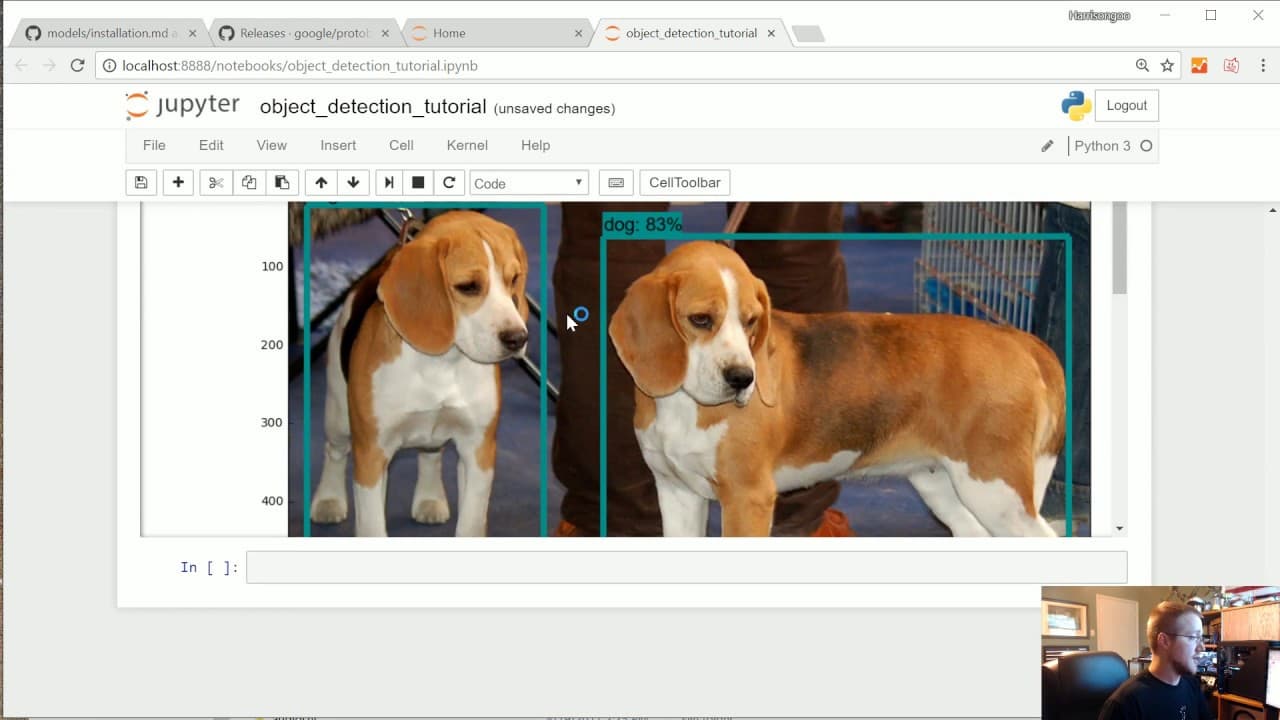
To set up the TensorFlow Object Detection API on Windows, install TensorFlow GPU and its dependencies, then download the models directory and protobuf compiler. This API enables real-time object detection in images and videos, with a frame rate of 15-20 FPS. The tutorial guides you through installation, setup, and running a sample object detection model.
Transcript
what is going on everybody and welcome to a tensor flow object detection API overview slash tutorials so in this video all we're going to be doing is just doing it just a quick setup of the tensor flow object detection API I'm going to try to I'm going to be doing this on Windows mostly since my main focus of using the central other detection API i... Read More
Key Insights
- 👻 TensorFlow Object Detection API allows for real-time object detection in images and videos.
- 🐎 The API offers improved accuracy and speed compared to previous methods.
- 🙂 Installation instructions are provided for setting up the API on Windows, with slight differences for other operating systems.
- 🚂 The API can be used to detect custom objects by training pre-trained models or training your own model.
Install to Summarize YouTube Videos and Get Transcripts
Explore YouTube Video Summarizer or Get YouTube Transcript Extractor
Questions & Answers
Q: Why is the TensorFlow Object Detection API useful?
The API is useful because it allows for real-time object detection in images and videos, providing a high frame rate and decent accuracy. This is a significant improvement over previous methods.
Q: Can the TensorFlow Object Detection API be used on operating systems other than Windows?
Yes, while the tutorial focuses on Windows, the API can be set up on other operating systems like Ubuntu, with slight differences in the installation process.
Q: What are the main steps involved in setting up the TensorFlow Object Detection API?
The main steps involve installing TensorFlow GPU, installing dependencies like pillow and lxml, downloading the TensorFlow Object Detection models, compiling the protobuf compiler, and running the Jupiter notebook to test the installation.
Q: Can the TensorFlow Object Detection API be used to detect custom objects?
Yes, the API can be used to detect custom objects by training the pre-trained models or training your own model. The tutorial provides a basic example but also covers how to detect custom objects.
Summary & Key Takeaways
-
The video focuses on setting up the TensorFlow Object Detection API on Windows, with slight differences for other operating systems like Ubuntu.
-
The API allows for real-time detection of objects in images and videos at a high frame rate, offering a significant improvement over previous methods.
-
The tutorial covers installation instructions for TensorFlow GPU, dependencies, and the TensorFlow Object Detection API, as well as providing an example of object detection.
Read in Other Languages (beta)
Share This Summary 📚
Summarize YouTube Videos and Get Video Transcripts with 1-Click
Try YouTube Summary with ChatGPT & Claude or YouTube Transcript Generator
Explore More Summaries from sentdex 📚




Summarize YouTube Videos and Get Video Transcripts with 1-Click
Try YouTube Summary with ChatGPT & Claude or YouTube Transcript Generator