How to Use thinkorswim® PaperMoney® for Options Trading
TL;DR
To use thinkorswim® PaperMoney® for options trading, start by exploring the option chain, then practice buying single options or entering spread trades without risking real money. Use the Analyze tab for risk and reward analysis and adjust your account settings as needed. Remember that performance in simulations may differ from live trading conditions.
Transcript
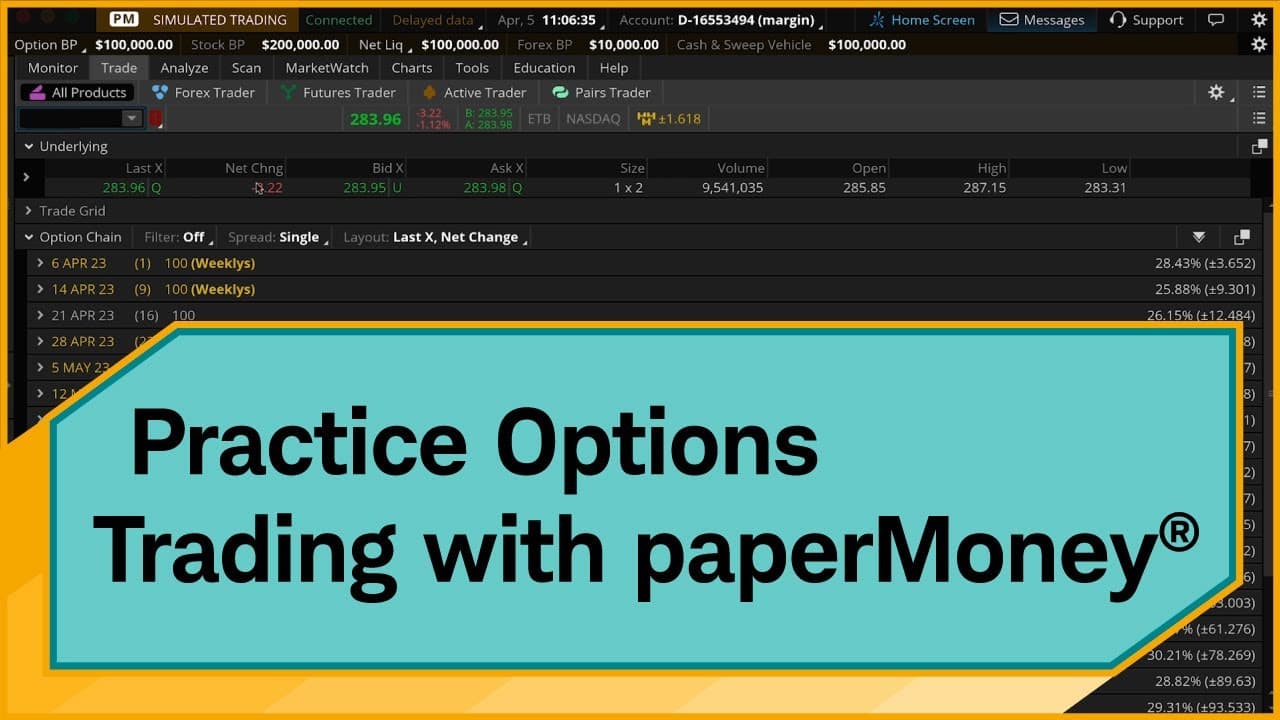
Hello, traders. I'm Jeremy Kuhlman. Now in this video, I'm going to show you how to practice trading options using thinkorswim® paperMoney®, a virtual trading simulation platform that lets you practice trading without risking real money. And it's also a great way to learn how to use thinkorswim. Once we're logged in, I'm going to show you some key ... Read More
Key Insights
- 🤑 thinkorswim® PaperMoney® is a valuable tool for practicing trading options without risking real money.
- 🔨 The platform offers a range of features, including option chains, order entry tools, risk analysis tools, and options statistics.
- 🧘 Traders can adjust positions and account settings in thinkorswim® PaperMoney® for a customizable trading experience.
- 🆘 The platform provides educational resources and insights to help traders improve their options trading skills.
- 🎵 It is important to note that simulations in thinkorswim® PaperMoney® may not accurately reflect real trading conditions and results.
- 😷 Traders should be aware of the differences between paper trading and live trading, such as bid-ask spreads and early assignment of short options.
Install to Summarize YouTube Videos and Get Transcripts
Explore YouTube Video Summarizer or Get YouTube Transcript Extractor
Questions & Answers
Q: What is thinkorswim® PaperMoney®?
thinkorswim® PaperMoney® is a virtual trading simulation platform that allows traders to practice trading options without using real money. It is also a great tool for learning how to use thinkorswim.
Q: How does the option chain work in thinkorswim® PaperMoney®?
The option chain in thinkorswim® PaperMoney® displays various strike prices and expiration dates for a specific stock. It allows traders to view and select options based on their trading strategy.
Q: How can I buy a single option in thinkorswim® PaperMoney®?
To buy a single option, traders can click on the ask price of the desired option in the option chain. This opens the Order Entry Tools at the bottom of the platform, where traders can adjust the order quantity and set the price.
Q: How can I analyze the risk and reward of a position in thinkorswim® PaperMoney®?
Traders can use the Risk Profile on the Analyze tab to assess the risk and reward of their options position. The Risk Profile graph visually represents the potential profit or loss based on the stock price at expiration.
Summary & Key Takeaways
-
Jeremy Kuhlman demonstrates how to use thinkorswim® PaperMoney® to practice trading options.
-
He provides a step-by-step guide on using the platform, including exploring option chains, buying single options, entering spread trades, and analyzing risk and reward using the Risk Profile on the Analyze tab.
-
The video also covers additional features such as Today's Options Statistics and adjusting positions and account settings.
Read in Other Languages (beta)
Share This Summary 📚
Summarize YouTube Videos and Get Video Transcripts with 1-Click
Try YouTube Summary with ChatGPT & Claude or YouTube Transcript Generator
Explore More Summaries from Charles Schwab 📚




Summarize YouTube Videos and Get Video Transcripts with 1-Click
Try YouTube Summary with ChatGPT & Claude or YouTube Transcript Generator