Google Pixel 8 Review: Is It the Best Smartphone Yet?
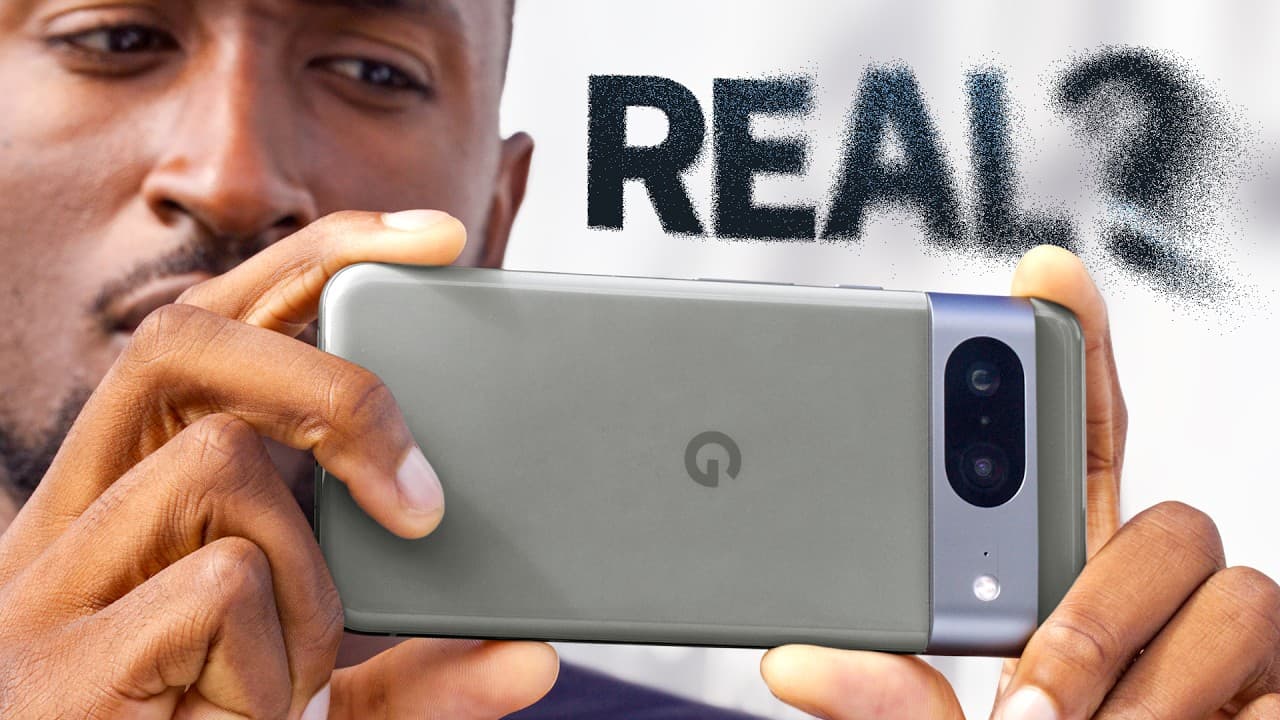
TL;DR
The Google Pixel 8 is a standout smartphone that excels in photo and video quality thanks to its advanced AI features, allowing for easy post-processing fixes like Magic Eraser and Face Unblur. With a vibrant OLED display and strong battery life, it competes well with flagship devices from other brands, making it worth the $700 price tag.
Transcript
- So a common phrase in the video world is, eh, we'll fix it in post. Meaning the shot isn't quite perfect, but we'll just fix that stuff in post-production, kinda like this. (drums rolling) (magical music) There you go. Or how about a little bit of this too? (drums rolling) (magical music) There we go, much better. See, it's not that it's a lazy w... Read More
Key Insights
- 🧡 The Google Pixel 8 embraces the concept of "fixing it in post" by offering a range of AI-powered features to enhance photos and videos.
- 🫓 The design of the Pixel 8 is familiar but improved, with sleek camera circles and a flat display that competes with other flagship phones.
- 💄 The Pixel 8's display offers impressive brightness and quality, making it comparable to top-tier smartphones from other brands.
- 👻 Camera software and post-processing techniques are the true strengths of the Pixel 8, allowing users to fix flaws and achieve impressive results.
- 🍉 Battery life on the Pixel 8 is commendable, but its long-term performance remains uncertain.
- 📱 The Pixel 8 offers a smart software experience, with features like call screening, Google Assistant integration, and regular software updates.
- 😊 The non-Pro version of the Pixel 8 lacks certain features present in the Pro model, leading to an artificial separation between the two variants.
Install to Summarize YouTube Videos and Get Transcripts
Explore YouTube Video Summarizer or Get YouTube Transcript Extractor
Questions & Answers
Q: How does the Google Pixel 8 improve upon its design compared to previous models?
The Pixel 8 features improved camera circles, a flat display, and a satin back that effectively hides fingerprints. However, dust accumulation around the camera bar is still a potential issue.
Q: What are some of the key improvements in the display of the Pixel 8?
The Pixel 8 has a 6.2-inch 1080P OLED display with thin bezels and a maximum brightness of 2,000 nits. The Pixel 8 Pro has a larger 6.7-inch LTPO display with a maximum brightness of 2,400 nits.
Q: How does the Pixel 8's camera utilize post-processing techniques?
The Pixel 8's camera relies on software to enhance photos, blending multiple exposures, relighting faces, and providing features like Magic Eraser and Face Unblur. The camera also offers improved video capabilities and an Audio Eraser feature.
Q: What are some of the standout features of the Pixel 8's camera software?
The Pixel 8's camera software includes Magic Editor, which allows users to make extensive edits to photos, such as removing objects or changing the entire scene. It also offers The Best Take feature, which analyzes burst photos to select the best face for each person in a group shot.
Summary & Key Takeaways
-
The Google Pixel 8 features a familiar design with improved camera circles and a flat display, as well as a bright and high-quality OLED display.
-
The Pixel 8's camera relies heavily on software to produce high-quality photos, using multiple exposures, strategic relighting, and AI-enhanced features like Magic Eraser and Face Unblur.
-
The Pixel 8 also offers impressive battery life, a smart software experience, and a range of other premium features.
Read in Other Languages (beta)
Share This Summary 📚
Summarize YouTube Videos and Get Video Transcripts with 1-Click
Try YouTube Summary with ChatGPT & Claude or YouTube Transcript Generator
Explore More Summaries from Marques Brownlee 📚



Summarize YouTube Videos and Get Video Transcripts with 1-Click
Try YouTube Summary with ChatGPT & Claude or YouTube Transcript Generator