How to Build AI Loops for Recurring Work
TL;DR
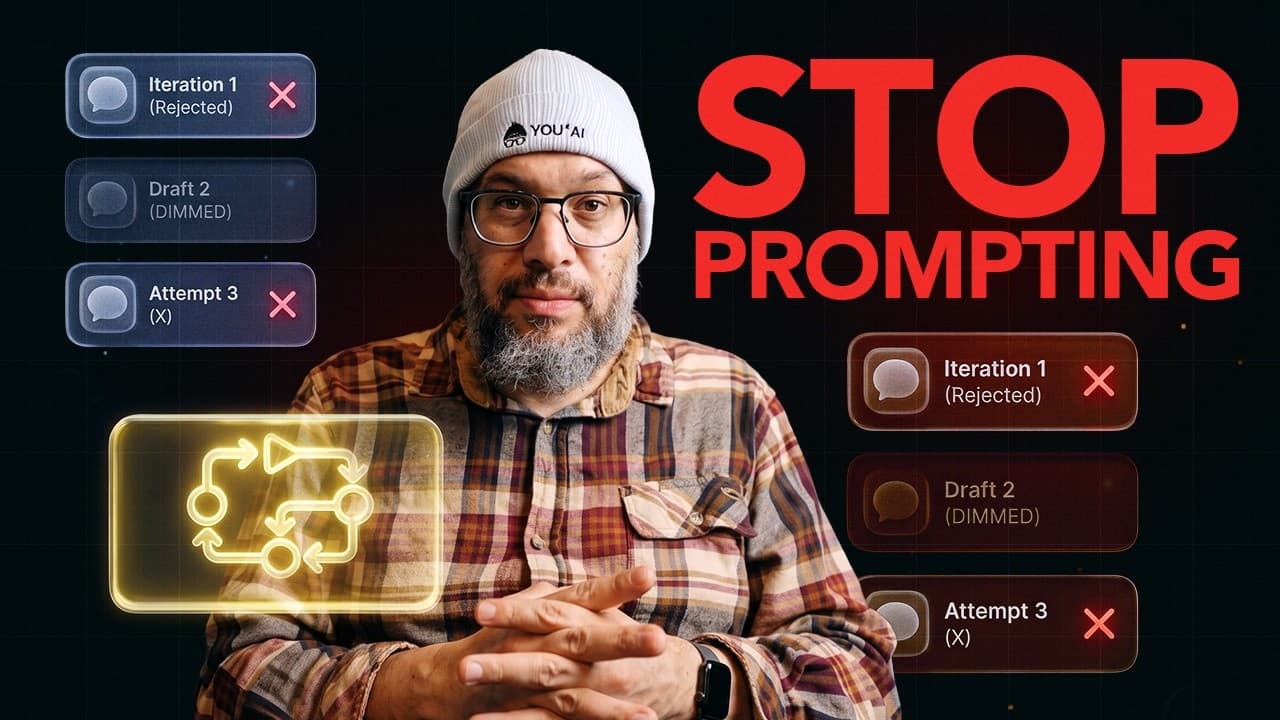
Replace repeated one-off prompts with remembered workflows that monitor recurring jobs, notice changes, share context, and stop when human judgment is required. Connecting several of these workflows into a loop of loops can reduce mental load by coordinating work across sources and applications without giving AI unrestricted control.
Transcript
Our world is made of so many chores and jobs. What if AI could actually lift that load instead of handing you yet another job? And I know how that sounds. It sounds too good to be true. Most AI still comes back to us, right? Prompt me again. Tell me what changed. Decide what I should do next. So, I built a better version. I call it a loop of loops.... Read More
Key Insights
- A prompt is one request, while a loop is a recurring job with memory. The practical value of a loop comes from remembering relevant state, detecting changes, and avoiding the need for a person to reconstruct and prompt the same task repeatedly.
- A loop of loops is a set of recurring workflows that notice one another and exchange context. It coordinates related jobs, reports what changed, activates additional loops when appropriate, and stops when a defined boundary or human decision is reached.
- Agents are loop managers that organize repeated work rather than merely generating answers. Their role is to monitor state, coordinate handoffs, track triggers and blockers, and direct human attention toward situations where judgment genuinely matters.
- Useful automation spans the gaps between applications because complete jobs rarely live inside one tool. An email may contain a confirmation, a portal may contain a schedule change, and a calendar may reveal a conflict, but the person normally connects those pieces.
- Safe self-organization depends on explicit stopping points. A messaging loop can draft a text after another loop identifies a scheduling conflict, but it should stop before sending when the action requires the user's approval or judgment.
- A school-trip workflow can connect packing, weather, schedule, calendar, and messaging loops. Each loop handles part of the recurring job, while their shared context reveals missing supplies, rain, an earlier pickup time, and a meeting conflict.
- A basic research loop can collect and organize AI news every Monday. A loop of loops can then compare outputs from a Twitter workflow and a Google search workflow, aggregate their findings, and produce a broader view of what matters.
- The first loop should begin with a repeated burden whose state currently lives in your head. Useful design questions include what changed, what is waiting, what is blocked, where quality must be checked, and which decisions must remain with you.
Install to Summarize YouTube Videos and Get Transcripts
Explore YouTube Video Summarizer or Get YouTube Transcript Extractor
Questions & Answers
Q: What is the difference between a prompt and an AI loop?
A prompt is a single request that produces an answer, while an AI loop is a recurring job that remembers relevant information and runs again when needed. The loop can notice changes, compare current conditions with stored context, and stop at defined boundaries. This removes the need to repeatedly gather the same details and issue another prompt whenever the situation returns.
Q: What is a loop of loops in AI automation?
A loop of loops coordinates multiple recurring workflows that can notice one another, exchange context, and activate related work. It can report what changed, what ran, what requires another agent, and what needs human attention. Its purpose is to prevent the user from becoming the full-time manager of separate automations while still preserving clear limits on what AI may do.
Q: How do AI agents manage recurring work?
AI agents act as loop managers by monitoring recurring jobs, retaining useful state, responding to triggers, and handing context to other workflows. They can track what is waiting, identify blocked work, and surface changes that matter. The goal is not to let an agent run a person's life, but to organize attention so the person is interrupted only when judgment is necessary.
Q: How can a loop of loops help prepare for a school trip?
A school-trip event can wake several related workflows, including packing, weather, school schedule, calendar conflict, and messaging loops. The packing loop checks existing supplies, the weather loop identifies rain, and the schedule loop notices an earlier pickup. If the calendar reveals a meeting conflict, the messaging loop can draft a text to another parent and stop before sending it.
Q: Why are individual apps insufficient for recurring workflows?
Individual apps often hold separate pieces of a job rather than the whole workflow. An email may contain a confirmation, a school portal may contain a pickup change, and a calendar may expose a conflict. The user must normally connect these details, look up additional information, send messages, and create reminders. A useful agent works across those gaps and carries the recurring load.
Q: Where should an AI loop stop and ask for human input?
An AI loop should stop wherever an action requires personal judgment, trust, or approval. For example, related loops may detect a calendar conflict and prepare a message, but the messaging workflow can pause before sending it. These stopping points are essential because the trusted form of self-organization is coordinated context and preparation, not unrestricted action that forces the user to regain control afterward.
Q: How can someone identify a useful first AI loop?
Start with a repeated job that creates mental load and requires you to remember changing state across several steps or applications. Identify what triggers the job, what information you keep in your head, what has changed since the last pass, what is blocked, and where quality checks occur. Then define which parts can run automatically and which decisions must return to you.
Q: How can AI loops support recurring research tasks?
A simple research loop can run every Monday, collect the top 50 tweets about the AI world, and organize them by theme. Another loop can search Google for AI news. A coordinating loop can review both outputs, aggregate the findings, and provide a perspective on what matters that day while reporting what ran, what changed, and what needs human attention.
Summary & Key Takeaways
-
A prompt handles one request, while a loop handles a recurring job by remembering relevant state and noticing what has changed. This distinction shifts AI use away from repeatedly asking for isolated answers and toward workflows that track ongoing responsibilities, react to triggers, and involve the user only when necessary.
-
A loop of loops coordinates several remembered workflows. A school trip, for example, can activate packing, weather, schedule, calendar, and messaging loops. Each workflow contributes context, while clear boundaries prevent risky actions. A message can be drafted automatically but held for human review before it is sent.
-
Useful loops should target burdens that currently require people to connect information across applications. The first design task is to identify a repeated job, the state held in memory, its triggers, dependencies, quality checks, blocked steps, and decisions requiring judgment. Clean loops organize attention and reduce repeated mental effort.
Read in Other Languages (beta)
Share This Summary 📚
Summarize YouTube Videos and Get Video Transcripts with 1-Click
Try YouTube Summary with ChatGPT & Claude or YouTube Transcript Generator
Explore More Summaries from AI News & Strategy Daily | Nate B Jones 📚


Summarize YouTube Videos and Get Video Transcripts with 1-Click
Try YouTube Summary with ChatGPT & Claude or YouTube Transcript Generator