Should You Upgrade to M4 Max MacBook Pro?
TL;DR
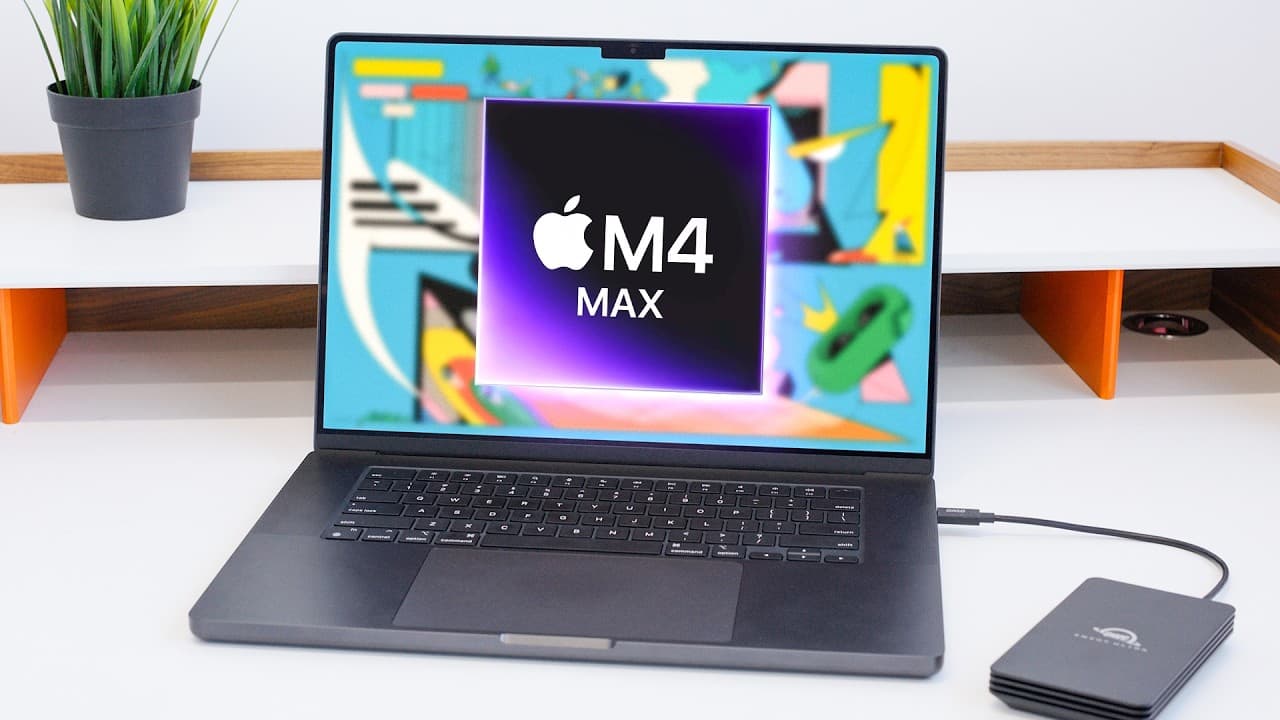
The M4 Max MacBook Pro offers significant performance enhancements over the M1 Max, particularly for tasks like video editing. The new model features Thunderbolt 5 ports, a nano-texture display, and improved battery life, making it a compelling upgrade for users who push their laptops to the limits.
Transcript
(shapes springing) (electrical warbling) - So I have been using this M1 Max MacBook Pro for the past three years since it came out, and it's been great. I have felt absolutely no compulsion to upgrade since, haven't needed to. It's funny, most of my work is pretty light, but occasionally I will have to edit a video on the go, which is then when, yo... Read More
Key Insights
- M4 Max MacBook Pro features the new generation of M4 chips, offering up to 2.2 times faster CPU and 1.9 times faster GPU performance compared to M1 Max.
- The laptop includes Thunderbolt 5 ports, allowing for increased bandwidth and the ability to connect up to three 6K displays.
- A new nano-texture display option is available, reducing reflections and improving visibility in various lighting conditions.
- The M4 Max outperforms some desktop chips, such as the M2 Ultra, in certain real-world benchmarks.
- The battery life has improved due to enhanced efficiency of the M4 chips, especially noticeable under lighter workloads.
- The laptop's screen now offers a higher SDR max brightness of 1,000 nits, enhancing readability in bright environments.
- The new Center Stage ultra-wide webcam provides improved video quality and follows the user around.
- Apple has quietly updated MacBook Pros to quantum dot displays, enhancing efficiency and responsiveness.
Install to Summarize YouTube Videos and Get Transcripts
Explore YouTube Video Summarizer or Get YouTube Transcript Extractor
Questions & Answers
Q: How does the M4 Max MacBook Pro's performance compare to the M1 Max?
The M4 Max MacBook Pro offers up to 2.2 times faster CPU performance and 1.9 times faster GPU performance compared to the M1 Max. This substantial improvement is especially noticeable in tasks like video editing, where export times are significantly reduced, making the M4 Max a powerful option for demanding workflows.
Q: What are the benefits of the Thunderbolt 5 ports on the M4 Max MacBook Pro?
Thunderbolt 5 ports on the M4 Max MacBook Pro provide increased bandwidth, allowing users to connect up to three 6K displays simultaneously. The ports also support faster data transfer rates, making them ideal for connecting high-speed external drives and other peripherals, thus enhancing the laptop's versatility and future-proofing it for upcoming accessories.
Q: What is the nano-texture display option on the M4 Max MacBook Pro?
The nano-texture display option on the M4 Max MacBook Pro reduces reflections and glare, improving visibility in various lighting conditions. Initially introduced as a costly option on the Pro Display XDR, it is now more affordable on the MacBook Pro. This feature is particularly beneficial for users who work in bright environments, as it minimizes distractions and enhances screen clarity.
Q: Is the M4 Max MacBook Pro suitable for video editing?
Yes, the M4 Max MacBook Pro is highly suitable for video editing. It handles complex projects efficiently, with faster export times and smoother performance in applications like Final Cut Pro. The new Magnetic Mask feature in Final Cut Pro 11, which leverages Apple silicon, further enhances editing capabilities, making the M4 Max an excellent choice for professional video editors.
Q: What improvements in battery life does the M4 Max MacBook Pro offer?
The M4 Max MacBook Pro offers improved battery life due to the enhanced efficiency of its M4 chips. This improvement is most noticeable under lighter workloads, where users can expect longer usage times between charges. The laptop maintains the same battery size as its predecessors, but the increased efficiency results in better overall battery performance.
Q: How does the M4 Max MacBook Pro's display differ from previous models?
The M4 Max MacBook Pro's display features a higher SDR max brightness of 1,000 nits, compared to the previous 500 or 600 nits, enhancing readability in bright conditions. Additionally, Apple has upgraded the display with quantum dot technology, improving efficiency and responsiveness, which may contribute to a noticeably better viewing experience.
Q: What is the significance of the M4 Max MacBook Pro's quantum dot display?
The quantum dot display on the M4 Max MacBook Pro enhances the screen's efficiency and responsiveness. This technology provides more vibrant colors and better energy efficiency, contributing to an improved visual experience. While Apple has not heavily marketed this upgrade, it represents a step towards more advanced display technologies, potentially leading to OLED in future models.
Q: Should you upgrade to the M4 Max MacBook Pro if you already have an M1 Max?
Upgrading to the M4 Max MacBook Pro is worthwhile if you regularly push your laptop to its limits. The combined improvements in performance, display quality, and connectivity options make it a compelling choice for power users. However, if your current M1 Max meets your needs, it remains a capable device for another year or more.
Summary & Key Takeaways
-
The M4 Max MacBook Pro offers substantial performance improvements over its predecessors, particularly in CPU and GPU speeds. This makes it ideal for demanding tasks such as video editing, where it significantly reduces export times compared to the M1 Max.
-
New features include Thunderbolt 5 ports, which provide greater bandwidth and connectivity options, and a nano-texture display that minimizes reflections. These upgrades make the laptop more versatile and user-friendly in various environments.
-
While the performance gains alone may not justify an upgrade for all users, the combination of enhanced display, connectivity, and battery life makes the M4 Max MacBook Pro a compelling choice for those who frequently push their devices to the limit.
Read in Other Languages (beta)
Share This Summary 📚
Summarize YouTube Videos and Get Video Transcripts with 1-Click
Try YouTube Summary with ChatGPT & Claude or YouTube Transcript Generator
Explore More Summaries from Marques Brownlee 📚





Summarize YouTube Videos and Get Video Transcripts with 1-Click
Try YouTube Summary with ChatGPT & Claude or YouTube Transcript Generator