How to do real-time Twitter Sentiment Analysis (or any analysis)
TL;DR
Real-time Twitter sentiment analysis can be performed by passing each incoming tweet through a Python analysis function as it streams, using the Sentex API, another API, or a custom function. This approach avoids pausing a fast-moving stream and addresses the stated restriction against storing tweets for more than 24 hours. Read on for the required setup, function structure, URL encoding, and data-handling details.
Transcript
hello everybody what's going on welcome to another Python tutorial video in this video we're going to be talking about how to do real time analysis in this video we're going to be doing this with sentiment analysis as an example and we'll be using the centx API on tweets for this and while I use the uh sentex API as an example you can do this with ... Read More
Key Insights
- 👻 Performing real-time analysis on streaming data allows for immediate insights and decision-making based on up-to-date information.
- 🐕🦺 Storing tweets for more than 24 hours is a violation of Twitter's terms of service and should be avoided.
- ⌛ The Sentex API is used as an example in the tutorial, but any API or custom function can be utilized for real-time analysis.
- 👨💻 Python code can be modified to incorporate the desired analysis function and save the results to a file.
- 💾 Delimiters, such as double colons, are recommended for separating different components of saved data to avoid conflicts with the content.
- 💁 Real-time analysis can be enhanced by incorporating additional functions, such as named entity recognition, to extract specific information of interest.
- 💄 The tutorial provides step-by-step instructions, making it accessible even for beginners.
Install to Summarize YouTube Videos and Get Transcripts
Explore YouTube Video Summarizer or Get YouTube Transcript Extractor
Questions & Answers
Q: How do you perform real-time Twitter sentiment analysis in Python?
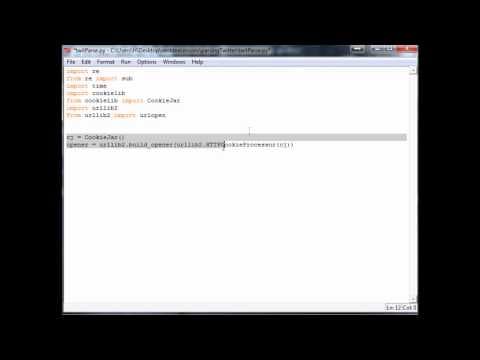
Start with the code from the previous Twitter API tutorial and paste it into an empty Python script. Add a sentiment-analysis function that accepts text, then pass each incoming tweet through that function while the Twitter stream is running.
Q: Why analyze tweets in real time instead of saving them to a CSV first?
The Twitter stream can move quickly, making it difficult to pause, analyze saved data, and catch up while streaming continues. Analyzing each tweet as it arrives uses computing time during the stream and keeps the process efficient.
Q: Can the real-time analysis use an API other than Sentex?
Yes. The tutorial uses the Sentex API as its sentiment-analysis example, but the same structure can work with any API or with a custom analysis function.
Q: What starting code is needed for the tutorial?
The tutorial begins with the condensed sample code from the previous Twitter API tutorial. Someone who has not completed that setup also needs their own consumer key, consumer secret, access token, and access secret.
Q: Why does the tutorial discourage storing tweets for later analysis?
The tutorial states that tweets cannot be stored for more than 24 hours under the accepted Twitter terms of service. Processing tweets during the live stream avoids relying on longer-term tweet storage.
Q: When is urllib needed for the sentiment-analysis code?
The tutorial imports urllib because the Sentex API requires URL encoding. A custom function that does not call such an API would not need urllib or urllib2 for that purpose.
Q: Why must tweet text be URL-encoded before an API call?
Text sent to many APIs needs URL encoding, particularly because ordinary text can contain spaces. The tutorial creates an encoded-text value with urllib.quote, noting that a space becomes percent 20 when URL-encoded.
Q: How should the sentiment-analysis function be structured?
The tutorial defines a function named sentiment_analysis with one parameter, text. Inside that function, the text is URL-encoded and then used to construct the Sentex API call, though another API or custom function can replace that implementation.
Summary & Key Takeaways
-
The video discusses the importance of real-time analysis in streaming data, specifically focusing on sentiment analysis using the Sentex API.
-
Storing tweets for more than 24 hours is against the Twitter terms of service, making real-time analysis more efficient and compliant.
-
The tutorial provides step-by-step instructions on incorporating sentiment analysis into Python code and saving the results to a file.
Read in Other Languages (beta)
Share This Summary 📚
Summarize YouTube Videos and Get Video Transcripts with 1-Click
Try YouTube Summary with ChatGPT & Claude or YouTube Transcript Generator
Explore More Summaries from sentdex 📚


Summarize YouTube Videos and Get Video Transcripts with 1-Click
Try YouTube Summary with ChatGPT & Claude or YouTube Transcript Generator