how I reduced my screentime by 80% (guide)
TL;DR
Transform your smartphone into a low-distraction device with simple adjustments.
Transcript
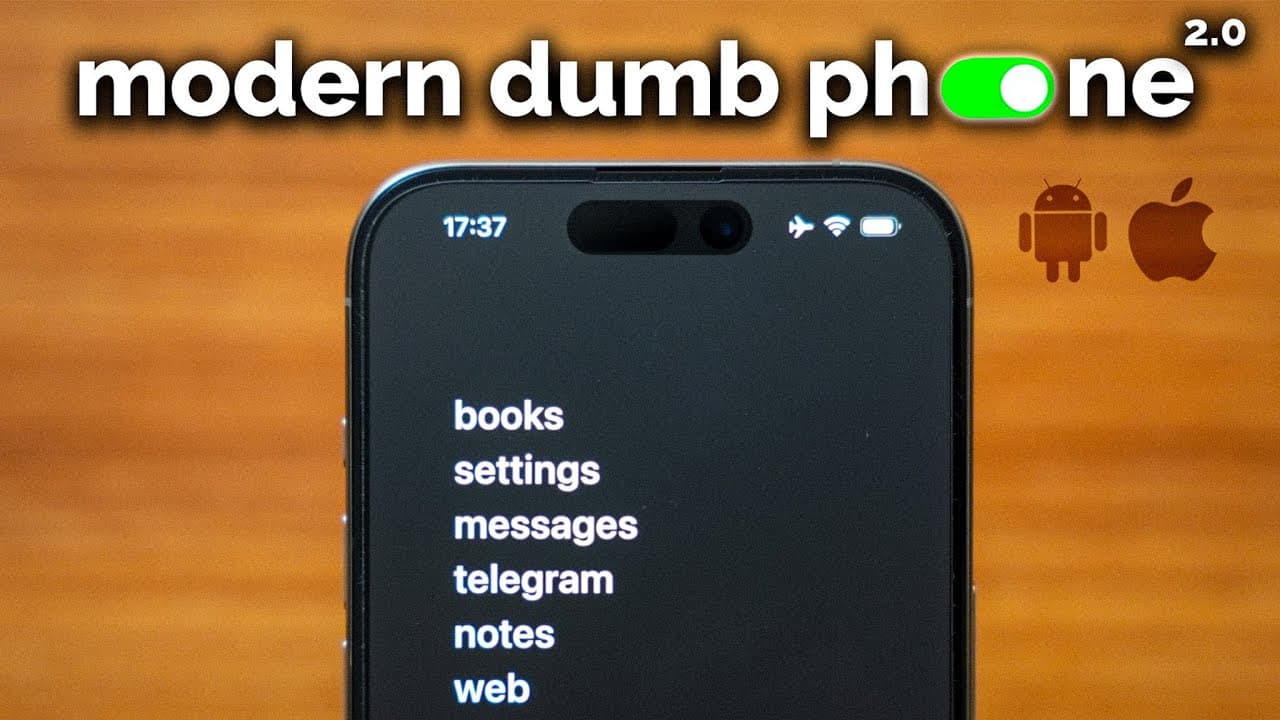
this is the modern dump phone it's a system to help you take back your attention and kill your screen time as someone who's gone down the dumb phone rabbit hole and looked into flip phones really the best dump phone is the phone that you already have you just need to customize it to make it work for you and not against you old school dump phones an... Read More
Key Insights
- 📱 The modern dumb phone philosophy encourages users to reshape smartphone usage for increased focus and reduced screen time.
- 👋 The video emphasizes that the best “dumb phone” is often the one users already have, modified for intentionality and utility.
- 😀 Basic setup steps include deleting distracting apps, disabling notifications, and optimizing social media experiences to reduce addictive interactions.
- 🦻 A minimalistic home screen aids in creating a less stimulating and more functional user experience, helping maintain focus.
- 🔉 Scheduling access to social media promotes intentional usage rather than impulsive checking, fostering better habits.
- 😀 Exploring alternative apps that are less engaging or addictive can significantly enhance user experience and productivity.
- 😒 A grayscale screen can minimize visual stimulation, further promoting thoughtful use over compulsive behaviors.
Install to Summarize YouTube Videos and Get Transcripts
Explore YouTube Video Summarizer or Get YouTube Transcript Extractor
Questions & Answers
Q: What is the main purpose of creating a modern dumb phone?
The modern dumb phone aims to reduce compulsive usage and distractions from smartphones while retaining essential functions. By customizing the phone, users can minimize addictive features that lead to endless scrolling, thus promoting a more intentional and mindful use of technology.
Q: How can users customize their smartphones to limit distractions?
Users can customize their smartphones by deleting addictive apps, turning off notifications for non-essential apps, and using browser extensions that limit algorithmic feeds. Additionally, setting a schedule for social media access further helps in managing phone usage while retaining necessary functionalities.
Q: How does turning off notifications contribute to screen time reduction?
Turning off notifications eliminates constant interruptions and the urge to check the phone, allowing users to remain focused on tasks without the temptation of distraction. This simple adjustment significantly decreases impulsive phone checking behaviors, promoting healthier usage patterns.
Q: Why is creating a schedule for social media important?
A schedule for social media access restricts usage to certain times of the day, minimizing compulsive checking. Unlike time limits, which can lead to quick temptations, a schedule helps users develop healthier habits that prioritize productivity during off-hours, instilling discipline without reliance on willpower.
Q: What are some recommended apps for optimizing smartphone usage?
Notable apps include Social Focus and Untrap, which enhance social media functionality by removing engaging elements, and Screen Zen, which allows users to block browser usage during specific times. These apps help create a tailored experience focused on intentional usage vs. addictive scrolling.
Q: How has the creator of the video seen improvements since setting up a modern dumb phone?
The creator reports significant improvements in productivity, social life, and sleep quality, attributing these changes to the minimalist approach of their smartphone setup. This transition has resulted in less time wasted on distractions and a healthier balance between technology use and personal goals.
Q: What are some potential downsides of using traditional smartphones?
Traditional smartphones often foster addictive behaviors due to features like algorithm-driven feeds, constant notifications, and an overwhelming number of available apps. These factors can lead to excessive screen time, negatively impacting mental health, productivity, and the quality of personal relationships.
Q: What makes the modern dumb phone setup cost-effective?
The modern dumb phone setup can be achieved using mostly free or very low-cost applications and tools, often requiring less than $10. This affordability, combined with the substantial benefits of reduced screen time, makes it an appealing choice for anyone seeking to reclaim their attention and time.
Summary & Key Takeaways
-
The video presents a guide to customizing smartphones into minimalist, functional devices that reduce screen time and distractions. The creator emphasizes the importance of creating an environment that promotes focused usage.
-
Viewers are shown具体是设定five essential steps to achieve this modern “dumb phone” setup, emphasizing the deletion of addictive apps, turning off notifications, and using browser extensions for social media.
-
The speaker shares personal experiences and insights on how their phone setup has improved productivity, sleep quality, and overall lifestyle, encouraging others to adopt similar methods for a healthier relationship with technology.
Read in Other Languages (beta)
Share This Summary 📚
Summarize YouTube Videos and Get Video Transcripts with 1-Click
Try YouTube Summary with ChatGPT & Claude or YouTube Transcript Generator
Explore More Summaries from Reysu 📚




Summarize YouTube Videos and Get Video Transcripts with 1-Click
Try YouTube Summary with ChatGPT & Claude or YouTube Transcript Generator