how to eliminate distractions on your computer (full guide)
TL;DR
Learn to block distractions and optimize computer productivity.
Transcript
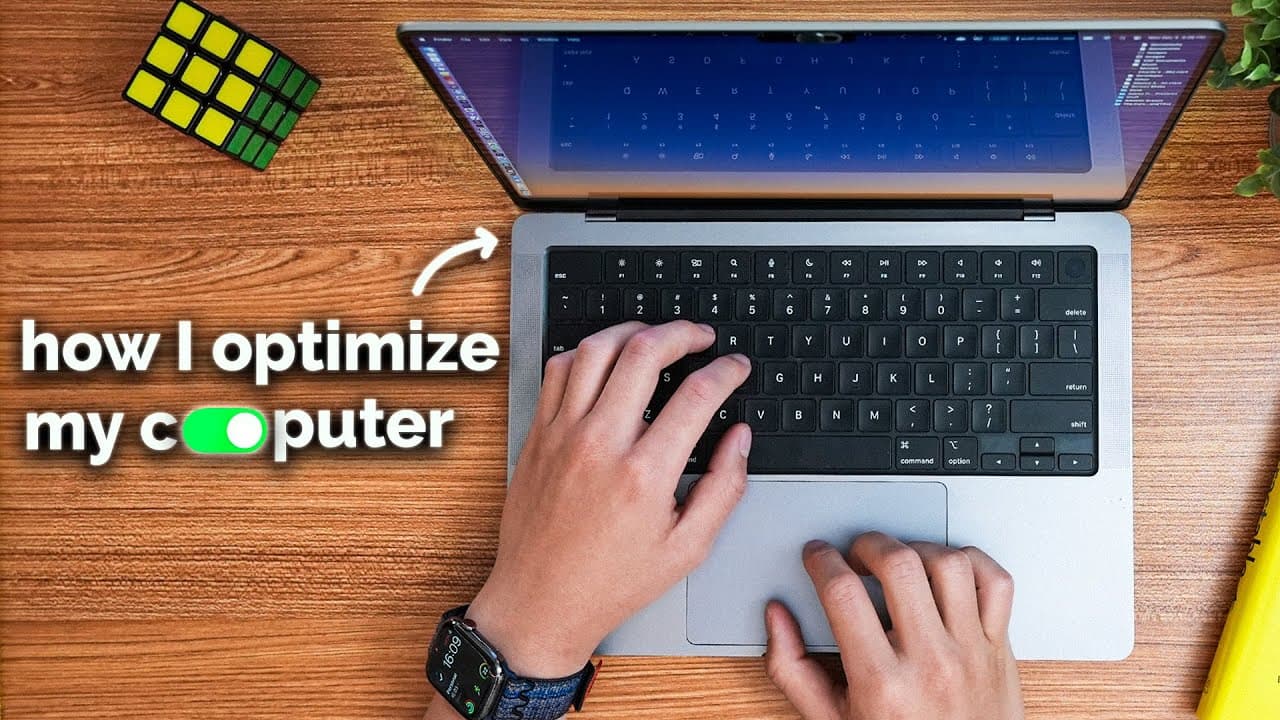
this is what my minimalistic computer setup looks like it's designed to make mindless scrolling virtually impossible and to make social media work for you and not against you I've tried blocking social media apps out completely 100% and it definitely works but the thing is I was still getting a lot of value from using social media like watching You... Read More
Key Insights
- The speaker utilizes a minimalistic computer setup to avoid mindless scrolling and make social media beneficial.
- Blocking social media completely was not ideal due to the value derived from platforms like YouTube for educational content.
- A schedule restricts social media use to one hour daily, providing freedom from constant feed checking.
- Cold Turkey app is used to block algorithmic feeds, allowing access to content without homepage distractions.
- Rabbit Hole extension hides distracting elements like sidebars and comments on platforms like YouTube.
- Freedom app offers an easy interface for one-off blocking sessions, enhancing focus during work periods.
- Micromanager app restricts access to non-essential apps during focused work sessions, preventing distractions.
- Focusmate provides co-working sessions with accountability, reducing procrastination significantly.
Install to Summarize YouTube Videos and Get Transcripts
Explore YouTube Video Summarizer or Get YouTube Transcript Extractor
Questions & Answers
Q: How does the speaker block social media distractions?
The speaker uses apps like Cold Turkey and Freedom to block algorithmic feeds and distracting websites. A schedule restricts social media usage to one hour daily, preventing constant feed checking. Specific pages, like homepages, are blocked while allowing access to useful content, optimizing the use of social media for educational purposes.
Q: What role does the app Cold Turkey play in the setup?
Cold Turkey is central to the speaker's strategy, used to block algorithmic feeds on platforms like YouTube and Twitter. It allows for blocking specific distracting pages, such as homepages, while permitting access to search results and direct content. The app's strict settings make bypassing blocks difficult, enhancing its effectiveness.
Q: Why is a schedule for social media usage considered freeing?
The schedule limits social media access to one hour daily, freeing the speaker from the constant urge to check feeds throughout the day. This structured approach reduces distraction, allowing for focused work and leisure without the mental burden of social media updates, ultimately enhancing productivity and mental clarity.
Q: How does the Rabbit Hole extension contribute to productivity?
Rabbit Hole hides distracting elements like sidebars and comments on platforms such as YouTube, preventing users from being sidetracked by suggested videos or discussions. This targeted blocking approach allows users to focus on the content they actively search for, rather than being drawn into unrelated distractions, thereby maintaining productivity.
Q: What is the advantage of using the Freedom app?
Freedom offers an intuitive interface for setting up one-off blocking sessions, making it ideal for quick, focused work periods. Users can block all websites or specific groups with a few clicks, facilitating deep work sessions without distractions. The app also syncs across devices, providing flexibility for users with multiple workspaces.
Q: How does the Micromanager app help in focused work sessions?
Micromanager restricts access to non-essential applications during focused work sessions. Users select apps they need to work in and set a time duration, preventing opening of any other applications. This ensures undistracted focus on specific tasks, making it particularly useful for activities like reviewing flashcards or completing intensive tasks.
Q: What is the purpose of using Focusmate in the productivity setup?
Focusmate facilitates virtual co-working sessions, where users work with a partner over video calls. This setup promotes accountability, as users declare their tasks at the start and review progress at the end. The sense of shared commitment significantly reduces procrastination, providing a structured and intentional use of work sessions.
Q: Why does the speaker prefer simple systems over complex productivity tools?
The speaker finds that simple, automated systems like scheduled blocks and specific app restrictions are more effective and sustainable. Complex systems often lead to inconsistency and lack of adherence. By automating distraction control, the speaker eliminates the need for constant self-control, allowing focus on meaningful activities without additional mental effort.
Summary & Key Takeaways
-
The video explores a method to reduce computer distractions by using apps like Cold Turkey and Freedom to block social media feeds and websites. The approach includes setting a schedule for social media usage, blocking algorithmic content, and using productivity tools to enhance focus.
-
By implementing a structured system, the speaker prevents mindless scrolling and enhances productivity. The use of specific apps allows for targeted blocking of distractions, while tools like Focusmate add accountability through co-working sessions, significantly reducing procrastination.
-
The strategy involves a combination of blocking techniques and productivity tools to automate distraction control. The speaker emphasizes simplicity and automation over complex systems, allowing for focus on meaningful activities without the need for constant self-control or journaling exercises.
Read in Other Languages (beta)
Share This Summary 📚
Summarize YouTube Videos and Get Video Transcripts with 1-Click
Try YouTube Summary with ChatGPT & Claude or YouTube Transcript Generator
Explore More Summaries from Reysu 📚




Summarize YouTube Videos and Get Video Transcripts with 1-Click
Try YouTube Summary with ChatGPT & Claude or YouTube Transcript Generator