How to Build a No-Code Photoshop AI Agent
TL;DR
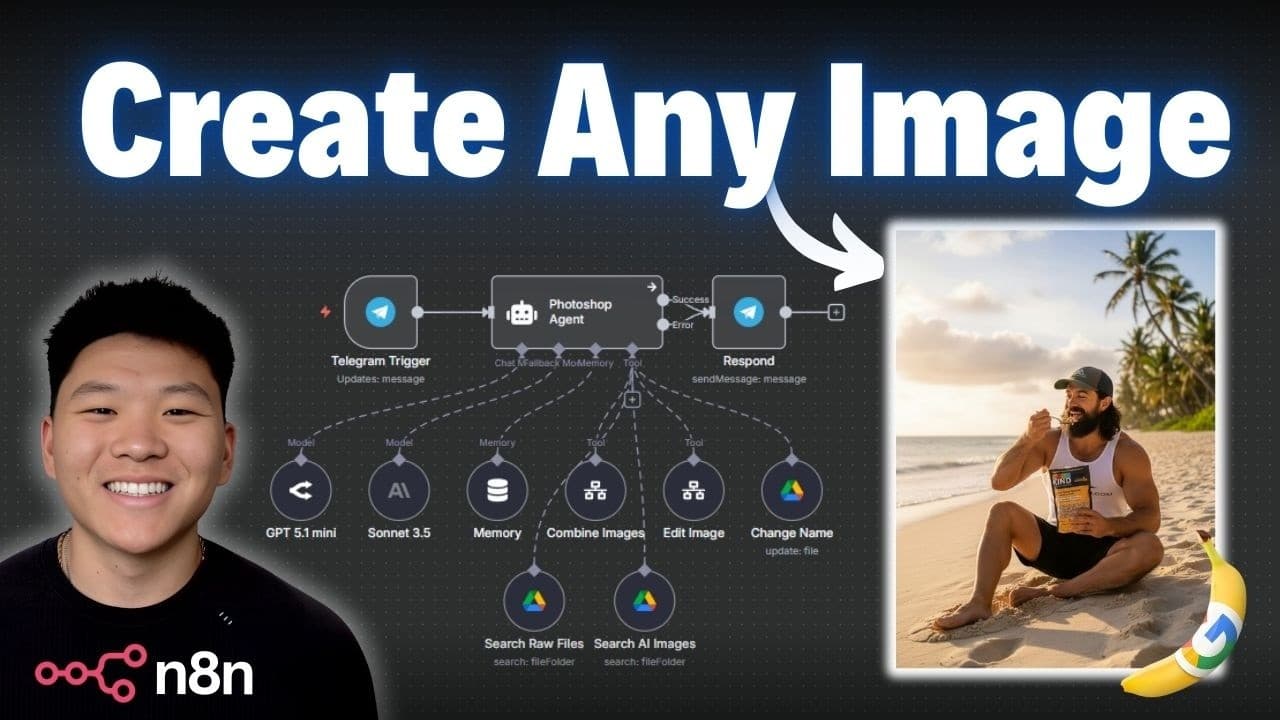
Using n8n, you can create a no-code Photoshop AI agent that leverages Google's Nano Banana model to edit and manage images. This system simplifies image generation and file handling, making it ideal for ad creatives and UGC. Resources to replicate this setup are available for free in the creator's community.
Transcript
Today I'm super excited to share with you guys this Photoshop AI agent that I built in Nen with no code. It uses Google's new nano banana image generation model which is absolutely insane. It's really changing the game for ad creatives and UGC content. So I don't want to waste any time. We're going to dive into it and I'm going to show you guys exa... Read More
Key Insights
- n8n is a no-code tool that can automate image editing tasks.
- Google's Nano Banana model enhances image generation quality.
- The AI agent can rename files and manage them in Google Drive.
- Telegram integration allows for easy interaction with the AI agent.
- The system uses a minimal system prompt for efficient operation.
- Custom workflows in n8n can be reused for different automation tasks.
- Image BB provides a free service to convert images to public URLs.
- FAL AI offers an API for accessing various image generation models.
Install to Summarize YouTube Videos and Get Transcripts
Explore YouTube Video Summarizer or Get YouTube Transcript Extractor
Questions & Answers
Q: How does the Photoshop AI agent work with n8n?
The Photoshop AI agent in n8n automates image editing and management using a no-code approach. It leverages Google's Nano Banana model for image generation and integrates with Google Drive for file handling. Users interact with the agent via Telegram, making the process user-friendly and efficient.
Q: What is the role of Google's Nano Banana model in this setup?
Google's Nano Banana model is crucial for high-quality image generation in the AI agent setup. It enables the creation of realistic images by combining or editing existing ones, enhancing ad creatives and UGC content. The model operates efficiently within the n8n workflow, making image processing faster and more accessible.
Q: How can the AI agent rename files automatically?
The AI agent uses custom workflows in n8n to rename files automatically. When a user uploads an image via Telegram, the agent asks for a desired file name. It then uses Google Drive's API to change the file name based on the user's input, streamlining file management within the workflow.
Q: What are the benefits of integrating Telegram with the AI agent?
Integrating Telegram with the AI agent provides a convenient communication channel for users to interact with the system. Users can send images and receive prompts directly through the app, allowing for real-time updates and seamless operation. This integration enhances user experience by making the workflow accessible and responsive.
Q: How does the agent handle image combination tasks?
The agent handles image combination tasks by using a custom n8n workflow that calls the Nano Banana model via an API. It receives image IDs and a prompt, processes the images to create a composite, and uploads the result to Google Drive. This process is automated and efficient, ensuring high-quality output.
Q: What customization options are available for the AI agent?
Users can customize the AI agent in various ways, such as adding a dedicated AI for prompt generation, integrating logging systems for tracking operations, and connecting additional workflows for video creation. These enhancements can make the agent more robust and tailored to specific production needs.
Q: How can users access the resources to replicate this setup?
Users can access all the resources needed to replicate this setup by joining the creator's free Skool community. The community provides downloadable JSON files and a setup guide, enabling users to implement the workflow in their own n8n environment. This access facilitates learning and experimentation with no-code automation.
Q: What are the cost considerations for using this AI agent?
The main cost consideration for using this AI agent is the image generation fee, which is approximately 4 cents per image through FAL AI. Additional costs may include hosting fees for n8n and any premium services used within the workflow. However, the overall setup remains cost-effective for most users.
Summary & Key Takeaways
-
The video demonstrates building a no-code Photoshop AI agent using n8n. The agent uses Google's Nano Banana model for high-quality image generation and file management, integrating with Google Drive and Telegram for seamless operation. Users can access free resources to replicate the setup.
-
Key features include image combination, editing, and automatic file renaming. The agent operates with minimal prompts and leverages custom workflows for modular automation. The system is cost-effective, with image generation priced at approximately 4 cents per image.
-
The creator offers free resources and a community for users to download and implement the workflow. Advanced users can further customize the agent for production use, including adding specialized AI agents for prompt generation or integrating video creation workflows.
Read in Other Languages (beta)
Share This Summary 📚
Summarize YouTube Videos and Get Video Transcripts with 1-Click
Try YouTube Summary with ChatGPT & Claude or YouTube Transcript Generator
Explore More Summaries from Nate Herk | AI Automation 📚






Summarize YouTube Videos and Get Video Transcripts with 1-Click
Try YouTube Summary with ChatGPT & Claude or YouTube Transcript Generator