How To Do Transfer Learning For Computer Vision | PyTorch Tutorial
TL;DR
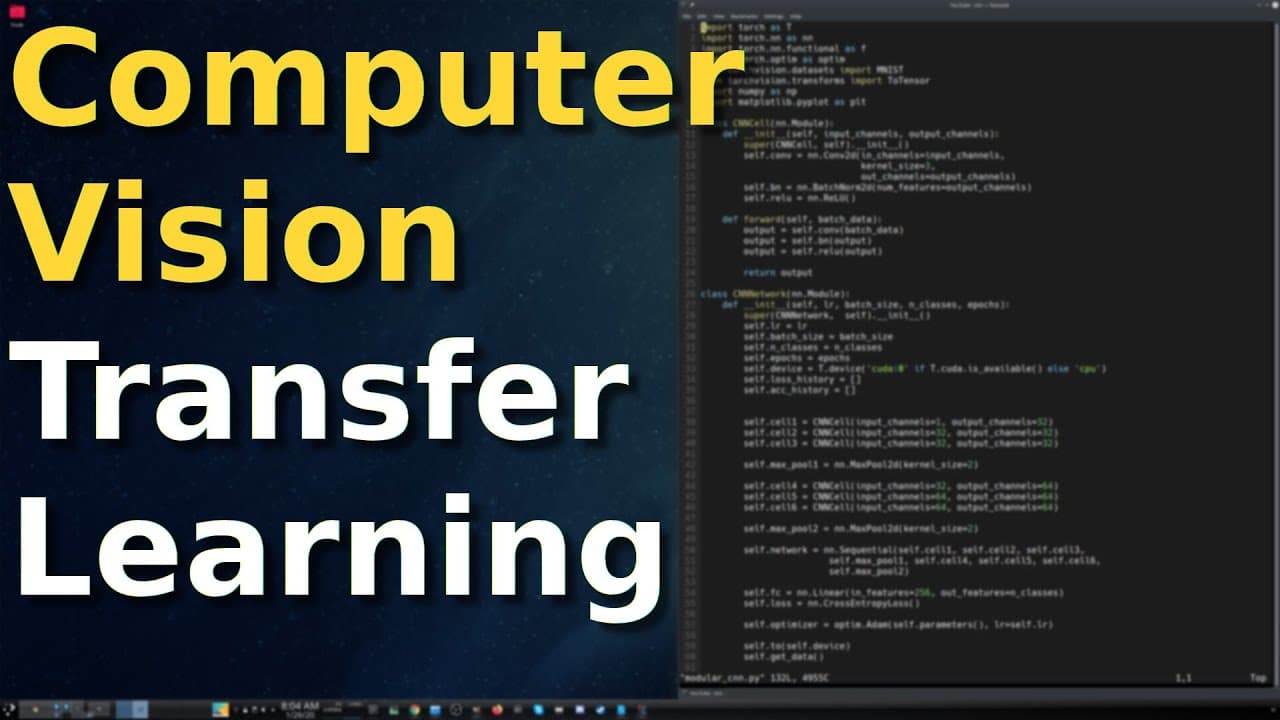
This tutorial explains the basics of transfer learning for CNNs in PyTorch, using a pre-trained ResNet18 model to classify images of ants vs bees.
Transcript
welcome back everybody in this tutorial you were gonna learn the fundamentals of transfer learning for convolutional neural networks in the PI torch framework let's get started so before we do a couple of bookkeeping announcements so first of all this is not my code this is an abbreviation of the PI torch tutorial which you can see here before you ... Read More
Key Insights
- 😑 Transfer learning is beneficial when working with limited training data or time constraints, as it leverages pre-trained models to achieve good results faster.
- 😘 CNN models like ResNet18 can be used as feature extractors by freezing the lower layers and training only the fully connected layers on a new dataset.
- 🆘 Image transforms and data generators are used to preprocess and augment the dataset, which helps improve the model's generalization and performance.
- 📚 PyTorch provides tools and libraries for implementing transfer learning efficiently, such as torch, torch.nn, torch.optim, and torch.utils.data.
- 🌸 Monitoring metrics like loss and accuracy during training helps assess the model's performance and make adjustments if needed.
- 📰 Pre-trained models often come with pre-trained fully connected layers, but these layers can be replaced or modified to fit the new classification task.
- ☠️ Choosing appropriate hyperparameters, such as learning rate and batch size, can significantly impact the training process and model's performance.
Install to Summarize YouTube Videos and Get Transcripts
Explore YouTube Video Summarizer or Get YouTube Transcript Extractor
Questions & Answers
Q: What is transfer learning in CNNs?
Transfer learning is a technique where a pre-trained CNN model is used as a starting point for a new classification task, by freezing the lower layers and training the last layers on a new dataset.
Q: Why do we freeze the lower layers of the model?
Freezing the lower layers allows us to use the pre-trained features in the convolutional layers, which are already good at extracting relevant features from images, while only training the fully connected layers on the new dataset.
Q: What are the key steps in training the model?
The main steps in training the model include iterating over the epochs, setting the model to train or eval mode, calculating the loss and accuracy, and backpropagating and updating the optimizer.
Q: How can we increase the dataset size for better results?
To increase the dataset size, we can apply different image transforms, such as resizing, flipping, and rotation, to artificially generate more training images and improve the model's performance.
Summary & Key Takeaways
-
The tutorial introduces transfer learning, where a pre-trained CNN model is used as a feature extractor and the last layers are trained on a new dataset.
-
The code includes functions to set the require grad flag, freeze the lower layers, and train the model.
-
Image transforms are applied to the dataset, and the model is evaluated on the validation set.
Read in Other Languages (beta)
Share This Summary 📚
Summarize YouTube Videos and Get Video Transcripts with 1-Click
Try YouTube Summary with ChatGPT & Claude or YouTube Transcript Generator
Explore More Summaries from Machine Learning with Phil 📚


Summarize YouTube Videos and Get Video Transcripts with 1-Click
Try YouTube Summary with ChatGPT & Claude or YouTube Transcript Generator