Smart Home Hub or Nah? When and How to Use a Hub
TL;DR
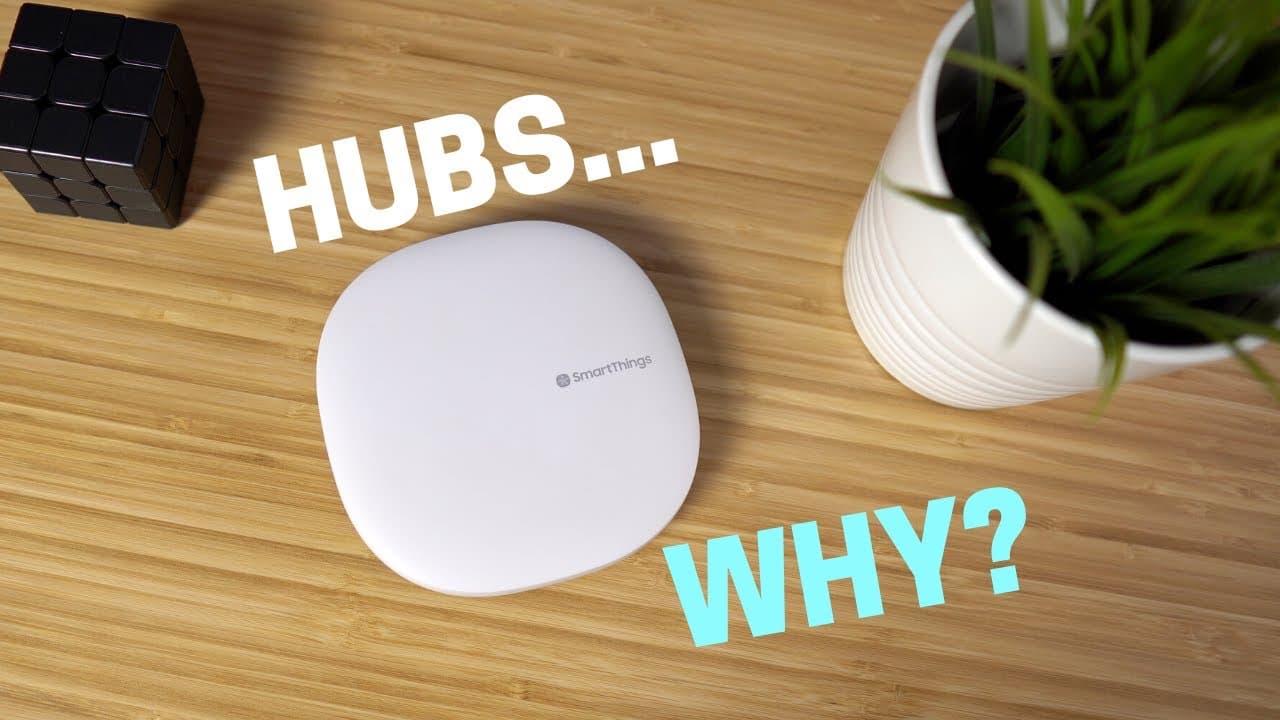
You need a smart home hub when you want advanced automations, centralized device management, or easier maintenance of many routines. Hubs such as SmartThings connect Wi-Fi, Z-Wave, and ZigBee devices, support multiple conditions, and let reusable scenes update several routines at once. They can also pause selected automations for guests or respond to who is home, so read on for practical setup examples.
Transcript
[Applause] hey what's up this is Reid if you're getting into the smart home space you may be wondering about hubs and I'm going to show you some roadblocks that can be solved by having a hub to help you decide if you actually need one also share some tips on how to automate efficiently so even if you already have a hub then this video still might h... Read More
Key Insights
- ⚾ A hub enables advanced automation features, such as multiple if triggers and automations based on conditions, which are not possible without a hub.
- 👻 Managing a large number of devices and automations becomes significantly easier with a hub, allowing for efficient control and organization.
- 😫 Scenes in a hub provide the ability to set up everyday tasks once and easily reuse them, saving time and effort in managing routines and automations.
- 👻 A hub allows for the temporary disabling of automations, providing flexibility and customization options.
- 📱 Using a hub, it is possible to integrate voice assistants with smart devices and create seamless automations.
- 👪 Home automation can be customized to fit individual needs and preferences, starting simple and expanding as desired.
- 🥺 Without a hub, it is challenging to manage and customize automations, which may lead to frustration and lack of interest in home automation.
Install to Summarize YouTube Videos and Get Transcripts
Explore YouTube Video Summarizer or Get YouTube Transcript Extractor
Questions & Answers
Q: When do you need a smart home hub?
A hub becomes useful when you want advanced automations with multiple conditions or need to manage many devices and routines efficiently. It also helps when automations should depend on who is home or away, or when you want to temporarily disable several automations at once.
Q: What does a smart home hub do?
A smart home hub provides a central place to control, organize, and automate compatible smart devices. The hubs discussed can connect a wide range of devices using Wi-Fi, Z-Wave, and ZigBee so those devices can work together.
Q: What advanced automations can a hub enable?
A hub can evaluate multiple conditions before running an automation. For example, if the TV is on, it is nighttime, and someone rings the doorbell, an automation can pause or mute the TV and increase the lights' brightness.
Q: How do SmartThings scenes make automations easier to maintain?
A SmartThings scene lets you configure actions such as changing lights, locking doors, or adjusting the thermostat once and reuse them in multiple routines. If you change the scene later, every routine and automation using it receives that update automatically.
Q: How can a scene combine smart lighting with a voice-assistant routine?
For a routine that plays relaxing music and dims the lights, create the lighting scene in SmartThings first. Then create a voice-assistant routine with one action that activates the scene and another that plays music.
Q: Can a hub temporarily disable automations when guests visit?
Yes. Add a virtual switch, include its state as a condition in each automation you want to skip, and turn the switch on while guests are present. You can set a timer to turn it off later so the skipped automations resume.
Q: How can a hub use a phone's location in automations?
A hub can use a phone's location as a presence sensor. This lets you configure an automation to run only when specified people are home or away.
Q: Do you need a hub for a simple smart home?
Not necessarily, because a few routines in a voice-assistant app are not difficult to manage. You can start with simple automations and add more over time, then use a hub when you need devices to work together or want greater customization.
Summary & Key Takeaways
-
Having a smart home hub enables more advanced automations, such as multiple if triggers and automations based on specific conditions, which are not possible without a hub.
-
Managing a large number of devices and automations becomes significantly easier with a hub, allowing for efficient control and organization.
-
Scenes in a hub provide the ability to set up everyday tasks once and easily reuse them, saving time and effort in managing routines and automations.
Read in Other Languages (beta)
Share This Summary 📚
Summarize YouTube Videos and Get Video Transcripts with 1-Click
Try YouTube Summary with ChatGPT & Claude or YouTube Transcript Generator
Explore More Summaries from Smart Home Solver 📚




Summarize YouTube Videos and Get Video Transcripts with 1-Click
Try YouTube Summary with ChatGPT & Claude or YouTube Transcript Generator