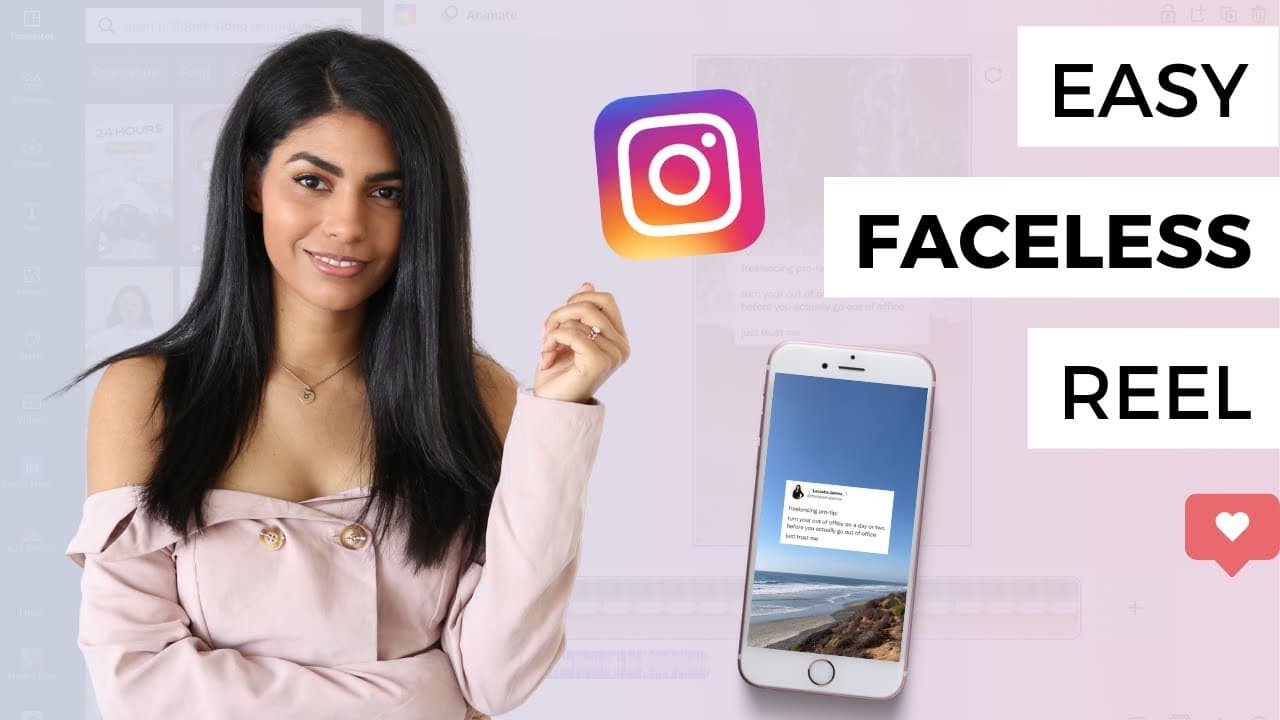
The World's Easiest Instagram Reel (HOW-TO)
TL;DR
Learn to create Instagram Reels effortlessly using tweets and B-roll.
Transcript
You know you need to do reels. I know you need to do reels, and I'm happy to share that I figured out the easiest way to put them together. If you are not feeling particularly creative or lack the resources to create high quality original reels, it all starts with a tweet. Head to Twitter and find a tweet you like. This can be yours or someone else... Read More
Key Insights
- Creating Instagram Reels can be simplified by using tweets as the main content, allowing for quick and creative posts without needing extensive resources.
- Using B-roll footage as a background can enhance the aesthetic appeal of Reels, making them more engaging and visually pleasing.
- Canva offers a powerful alternative to Instagram’s native editor for creating Reels, with features like video uploads, tweet placement, and music integration.
- The tutorial emphasizes the importance of centering the tweet in the frame, ensuring a clean and professional look for the Reel.
- Music selection plays a crucial role in setting the mood for the Reel, with options to use ambient sounds or select tracks from Instagram’s or YouTube’s audio libraries.
- Batching Reels on a computer can streamline the creation process, allowing for efficient content production and scheduling.
- Canva’s social sharing feature enables easy publishing and scheduling of Reels, although it requires connecting social media accounts.
- The tutorial provides a step-by-step guide to creating Reels without showing your face, making it ideal for users seeking privacy or simplicity.
Install to Summarize YouTube Videos and Get Transcripts
Explore YouTube Video Summarizer or Get YouTube Transcript Extractor
Questions & Answers
Q: How can tweets be used in Instagram Reels?
Tweets can be used as the main content in Instagram Reels by taking a screenshot of a tweet and incorporating it into a video. This method allows users to share messages or stories creatively without needing to produce original video content, making the process quick and efficient.
Q: What role does B-roll footage play in Reels?
B-roll footage serves as a visually appealing background for Instagram Reels. It enhances the aesthetic quality of the video, making it more engaging for viewers. Users can choose from various types of B-roll, such as landscapes or work-related shots, to complement the tweet content effectively.
Q: How does Canva assist in Reel creation?
Canva provides a robust platform for creating Instagram Reels, offering tools for video uploads, placement of tweet images, and music integration. It allows users to edit and preview their Reels on a computer, providing more control over the final product compared to Instagram's native editor.
Q: Why is music selection important for Reels?
Music selection is crucial as it sets the tone and mood of the Reel, making it more engaging for the audience. Users can choose from Instagram’s music library or upload tracks via Canva, allowing for customization that aligns with the message or theme of the Reel.
Q: What are the advantages of batching Reels on a computer?
Batching Reels on a computer offers efficiency in content production, allowing users to create multiple Reels in one session. It also facilitates easier editing and scheduling, providing a streamlined workflow for those managing multiple social media posts or seeking to plan content ahead.
Q: How does Canva's social sharing feature work?
Canva's social sharing feature allows users to publish and schedule Reels directly from the platform. It requires connecting social media accounts, such as Facebook, to Canva, enabling seamless posting and management of content across different platforms, though some users might prefer manual uploads.
Q: What privacy benefits does the tutorial offer?
The tutorial provides a method for creating Instagram Reels without showing one's face, offering privacy and comfort for users who prefer not to appear on camera. This approach is ideal for individuals or brands focusing on message-driven content rather than personal branding.
Q: What are the key steps in creating a Reel using Canva?
Key steps include uploading a video file to Canva, taking a screenshot of a tweet, placing the tweet image in the center of the video, selecting music, and exporting the final product. Users can then share the Reel via social media or schedule it through Canva's platform.
Summary & Key Takeaways
-
This tutorial offers a straightforward method for creating Instagram Reels using tweets and B-roll footage. It guides users through the process of selecting and editing content, using both Instagram and Canva tools for a seamless creation experience.
-
Latasha James shares tips on integrating music and ambient sounds into Reels, enhancing their appeal and engagement. The tutorial covers both mobile and desktop methods, catering to different user preferences and resources.
-
The video emphasizes the ease of creating visually appealing Reels without needing to appear on camera, making it accessible for users of all comfort levels. It also highlights the benefits of using Canva for additional editing and scheduling options.
Read in Other Languages (beta)
Share This Summary 📚
Summarize YouTube Videos and Get Video Transcripts with 1-Click
Try YouTube Summary with ChatGPT & Claude or YouTube Transcript Generator
Explore More Summaries from Latasha James 📚


Summarize YouTube Videos and Get Video Transcripts with 1-Click
Try YouTube Summary with ChatGPT & Claude or YouTube Transcript Generator