James Patten: Is the Best Computer Interface Your Hands?
TL;DR
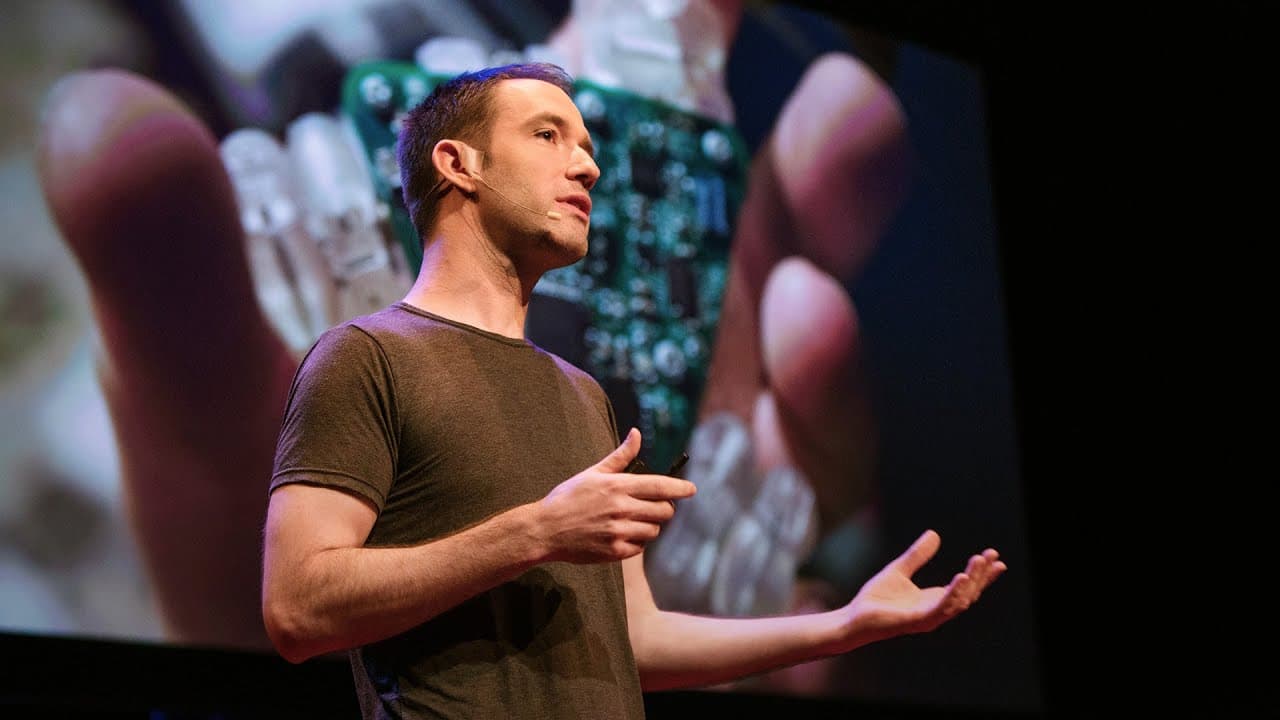
The best computer interface may be one that lets your hands manipulate physical objects connected to software. James Patten demonstrates small robots with omni wheels that turn tangible objects into adaptable controls for video editing, disaster response, video chat, games, and protein folding. His experiments show how physical interaction can combine efficient controls with software flexibility, so read on to see how the system works.
Transcript
A computer is an incredibly powerful means of creative expression, but for the most part, that expression is confined to the screens of our laptops and mobile phones. And I'd like to tell you a story about bringing this power of the computer to move things around and interact with us off of the screen and into the physical world in which we live. A... Read More
Key Insights
- 🏢 The use of computer technology is expanding beyond screens and into the physical world, with examples ranging from storefront kinetic sculptures to robotic harps and interactive exhibits in museums.
- 💡 Using physical objects in interfaces can enhance usability and understanding, as our hands and minds are optimized for interacting with tangible objects.
- 💻 The speaker's goal is to create a system that allows for computer-controlled movement of objects and interactions without the need to build from scratch each time.
- ⚡️ The speaker's first attempt involved an array of electromagnets, but the cost and weight limitations made it impractical.
- 🤖 To address this, the speaker developed a system using small robots with omni wheels and a video projector, enabling physical interaction with digital information.
- 🎥 Examples of this technology include physical controls for video editing and mapping applications for disaster response.
- 😄 The physicality of objects in interfaces allows for a wide range of play styles, opening up new possibilities for entertainment and gaming.
- 🧬The speaker envisions using this technology to tackle complex problems that are challenging for computers or individuals alone, such as protein folding, where physical feedback helps with understanding molecular simulations.
Install to Summarize YouTube Videos and Get Transcripts
Explore YouTube Video Summarizer or Get YouTube Transcript Extractor
Questions & Answers
Q: Why does James Patten think hands could provide the best computer interface?
Patten says our hands and minds are optimized to think about and interact with tangible objects. A chemistry exhibit also showed that physical objects helped visitors understand the interface and learn socially.
Q: What was The Chase kinetic sculpture at Barneys New York?
The Chase was a storefront kinetic sculpture featuring a man's pair and a woman's pair of shoes. Magnets inside the shoes and beneath the table moved them through a slow chase around the window.
Q: What did James Patten build for Bjork's Biophilia tour?
Patten built the electronics and motion control software for a robotic harp created by Andy Cavatorta. The harp had four pendulums with 11 strings each, and networked harps coordinated their notes with the music.
Q: How did physical objects help visitors use the chemistry exhibit?
Visitors used physical objects to take chemical elements from the periodic table and combine them to cause reactions. A researcher found that these objects helped people understand the exhibit and learn in a social way.
Q: Why was the 512-electromagnet system impractical?
The MIT Media Lab system used 512 electromagnets to move objects across its surface. The magnets cost over 10,000 dollars and collectively weighed enough to make the supporting table sag.
Q: How do James Patten's small robots create a physical computer interface?
Each robot uses omni wheels that move equally easily in every direction. Combined with a video projector, the robots become movable physical tools for interacting with digital information on a tabletop.
Q: How can the interface support video editing and disaster response?
The video editor provides physical dials for controls such as color and audio, combining their speed with software flexibility. The disaster-response map uses objects representing police, fire, and rescue, then synchronizes their map positions with the units' real-world positions.
Q: How could the interface help with protein folding?
Users can move physical handles attached to a simulated protein and attempt to fold it in different ways. When a movement conflicts with the molecular simulation, the handles physically pull back, allowing users to feel the simulation's response.
Summary & Key Takeaways
-
Definition: James Patten explores computer interfaces that move tangible objects and support physical interaction beyond laptop and mobile phone screens.
-
Who: Barneys New York asked Patten to design storefront kinetic sculptures, including The Chase, which moved two pairs of shoes with magnets.
-
Number: The robotic harp had four separate pendulums, with 11 strings on each pendulum.
-
Who: A researcher found that physical objects helped chemistry exhibit visitors understand its interface and learn socially.
-
Step 1: Patten and Professor Hiroshi Ishii built an array of 512 electromagnets that moved objects across its surface.
-
Number: The electromagnets cost over 10,000 dollars and weighed enough to make their table sag.
-
Step 2: Patten built small robots with omni wheels so physical interactions could work on any tabletop surface.
-
Tool: A video projector combines with the robots to create movable physical tools for digital information.
-
Compare: Physical video dials provide speed and efficiency, while software supplies flexibility and versatility.
-
Tool: A disaster-response map uses objects for police, fire, and rescue, synchronizing map positions with units in the real world.
-
Tool: Protein-folding handles pull back when a movement conflicts with the underlying molecular simulation.
Read in Other Languages (beta)
Share This Summary 📚
Summarize YouTube Videos and Get Video Transcripts with 1-Click
Try YouTube Summary with ChatGPT & Claude or YouTube Transcript Generator
Explore More Summaries from TED 📚

Summarize YouTube Videos and Get Video Transcripts with 1-Click
Try YouTube Summary with ChatGPT & Claude or YouTube Transcript Generator