What Are the Latest Upgrades to MidJourney 5.1?
TL;DR
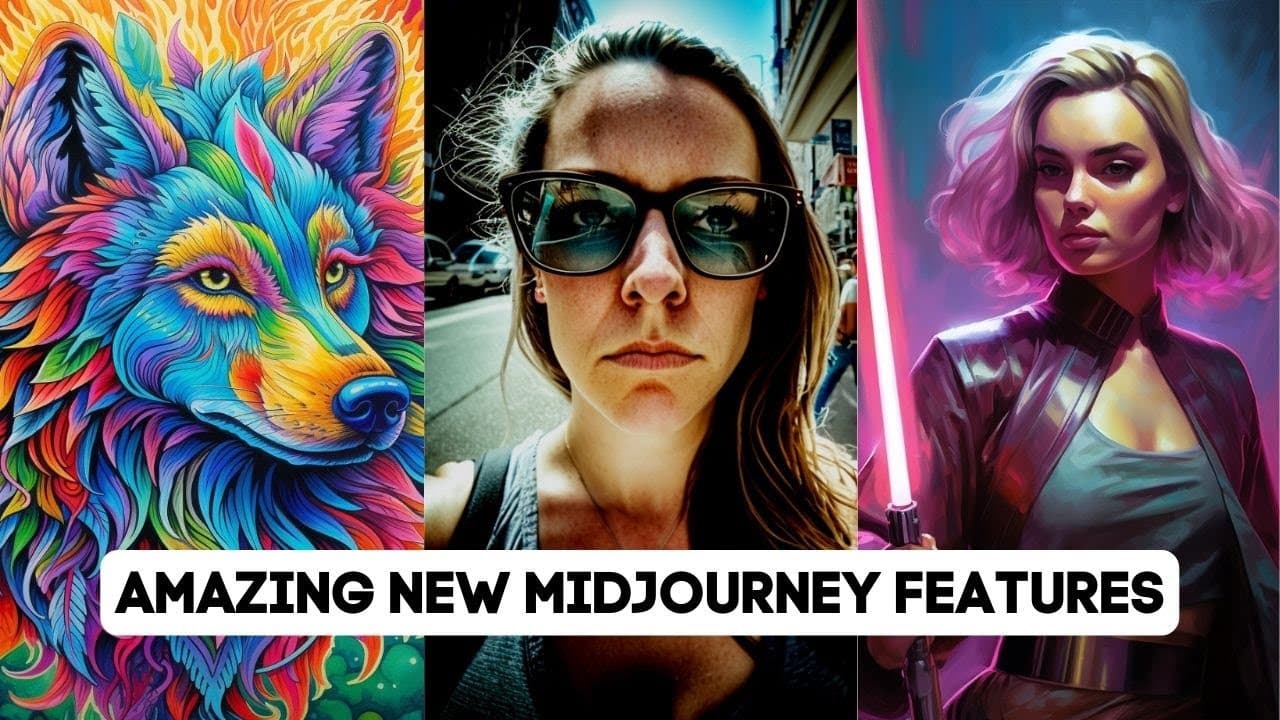
MidJourney 5.1 introduces enhanced coherence, sharpness, and user-friendly features, allowing for shorter prompts with better results. Key upgrades include a new niji mode for anime styles, the describe feature for generating image-based prompts, and improved AI moderation. Upcoming updates promise even more capabilities, such as version 6 with enhanced realism and consistent character generation.
Transcript
mid-journey just rolled out a brand new update and well since the last time I made a video about mid-journey they've actually rolled out a whole bunch of updates so in this video I'm going to break down all the cool stuff that has recently come out from mid-journey including mid-journey version 5.1 mid-journey permutations mid Journey's newer niji ... Read More
Key Insights
- 🖕 Mid-Journey version 5.1 offers improved user-friendliness, coherence, sharpness, and AI moderation, enhancing the overall experience.
- 👶 The newer niji mode provides users with the ability to generate anime and illustrative styles, expanding the creative possibilities.
- 🔨 Permutations are a useful tool to quickly generate variations of prompts and explore different options for image generation.
- 🤔 The describe feature in Mid-Journey can provide users with prompt suggestions and insights into how the AI thinks, enhancing the creative process.
- 👶 Mid-Journey has plans for future updates, including version 6 with enhanced realism and quality, advanced drawing options, consistent character generation, and a new user interface.
- 💼 The moderation system in Mid-Journey has improved, reducing the number of blocked prompts and providing an AI appeals process for disputed cases.
- 👻 Comparisons between different versions and styles in Mid-Journey reveal nuanced differences in generated images, allowing users to choose the style that suits their preferences.
Install to Summarize YouTube Videos and Get Transcripts
Explore YouTube Video Summarizer or Get YouTube Transcript Extractor
Questions & Answers
Q: What is the difference between Mid-Journey versions 5 and 5.1?
Mid-Journey version 5.1 is more opinionated, generating additional elements for the image even with less context. It also has higher coherence, accuracy, and sharpness compared to version 5.
Q: How can users enable Mid-Journey version 5.1?
To enable 5.1, users can go to Mid-Journey's Discord or send a direct message. In the settings, select version 5.1, and it will be the default for image generation. Alternatively, users can add "--V5.1" to the end of their prompts.
Q: What are permutations, and how can they be used in Mid-Journey?
Permutations allow users to generate variations of a prompt with different combinations of options. By using curly braces and commas, users can create multiple versions of a prompt. For example, "imagine a red, green, yellow bird" will generate separate images for each color option.
Q: How does the describe feature in Mid-Journey work?
The describe feature allows users to upload images and receive multiple prompt suggestions based on the content of the image. Users can select prompts that resonate with them and generate images accordingly.
Summary & Key Takeaways
-
Mid-Journey version 5.1 has been released, offering improved coherence, accuracy, and sharpness in generated images. It also features an AI moderation system.
-
The newer niji mode, created in collaboration with Spell Brush, allows users to generate anime and illustrative styles for their images.
-
The describe feature enables users to upload their own images and receive prompt suggestions based on the content of the image.
Read in Other Languages (beta)
Share This Summary 📚
Summarize YouTube Videos and Get Video Transcripts with 1-Click
Try YouTube Summary with ChatGPT & Claude or YouTube Transcript Generator
Explore More Summaries from Matt Wolfe 📚




Summarize YouTube Videos and Get Video Transcripts with 1-Click
Try YouTube Summary with ChatGPT & Claude or YouTube Transcript Generator