How to Use Python Variables in Flask HTML Templates
TL;DR
To use Python variables in Flask HTML templates, utilize the render_template function to return a specified HTML file and pass variables as parameters. In your HTML, reference these variables using double curly braces, allowing for dynamic content rendering. This technique enhances your web applications by enabling logic statements and variable presentation.
Transcript
hello everybody and welcome to the next part of our python with flas web development tutorial video series uh in the last video we got our basic website showing up here and this is what it looks like um we just have this one page though we want to add some more pages and we want to learn some of the basics about making our website uh you know look ... Read More
Key Insights
- 🕸️ Flask is a micro web framework for Python that simplifies web development.
- 👻 SCP allows for the specification of different editors for different file types.
- 🕸️ Templates in Flask enable the dynamic generation of web pages by passing variables from Python to HTML.
- ➿ Variables in Flask templates are accessed using double curly braces.
- 🎮 The video provides a basic understanding of creating a website and adding multiple pages using Flask and Python.
- 🕸️ Error handling is important in web development to identify and resolve issues.
- 💱 Refreshing the webpage might not always reflect the changes and may require an Apache restart.
Install to Summarize YouTube Videos and Get Transcripts
Explore YouTube Video Summarizer or Get YouTube Transcript Extractor
Questions & Answers
Q: How do you pass Python variables into HTML in Flask?
Use Flask’s render_template function to load an HTML template and pass variables to it as parameters. Inside the HTML file, access each passed variable with double curly braces.
Q: What are templates used for in Flask?
Templates load page content from HTML files instead of requiring the Python route to return all the content directly. They let Python pass variables into HTML and also allow logic statements to run through the HTML file.
Q: How do you display a variable in a Flask HTML template?
Place the variable name inside double curly braces in the HTML template. The corresponding value is supplied from Python when the template is rendered.
Q: Where should the Flask HTML template be created?
The tutorial creates a new file named index.html inside the templates directory. This file serves as the page template referenced by the Flask application.
Q: What basic structure does index.html need in this tutorial?
The demonstrated file uses opening and closing HTML tags, along with head and body sections. Meta tags and a future stylesheet can go in the head, while navigation, logos, and page content belong in the body.
Q: How do you assign different editors to HTML and Python files in WinSCP?
Open Options, then Preferences, then Editors in WinSCP and specify an editor for each file type. The tutorial uses Notepad++ for HTML and other files, while Python files open in IDLE.
Q: How can you show a Python error when Flask debugging is not working?
Wrap the route code in try and except, catch the exception as e, and return the string representation of e. In the example, evaluating x + 56 produces the message that the global name X is not defined, whereas removing the exception handling results in an internal server error.
Q: What should you try when Flask page changes or errors are not reflected after refreshing?
Refresh the page after saving and uploading the changed file to the server. If an error was just created or handled and the update still does not appear, the tutorial recommends running service Apache to restart Apache.
Summary & Key Takeaways
-
The video is part of a Python with Flask web development tutorial series.
-
The content covers the basics of creating a website and adding more pages.
-
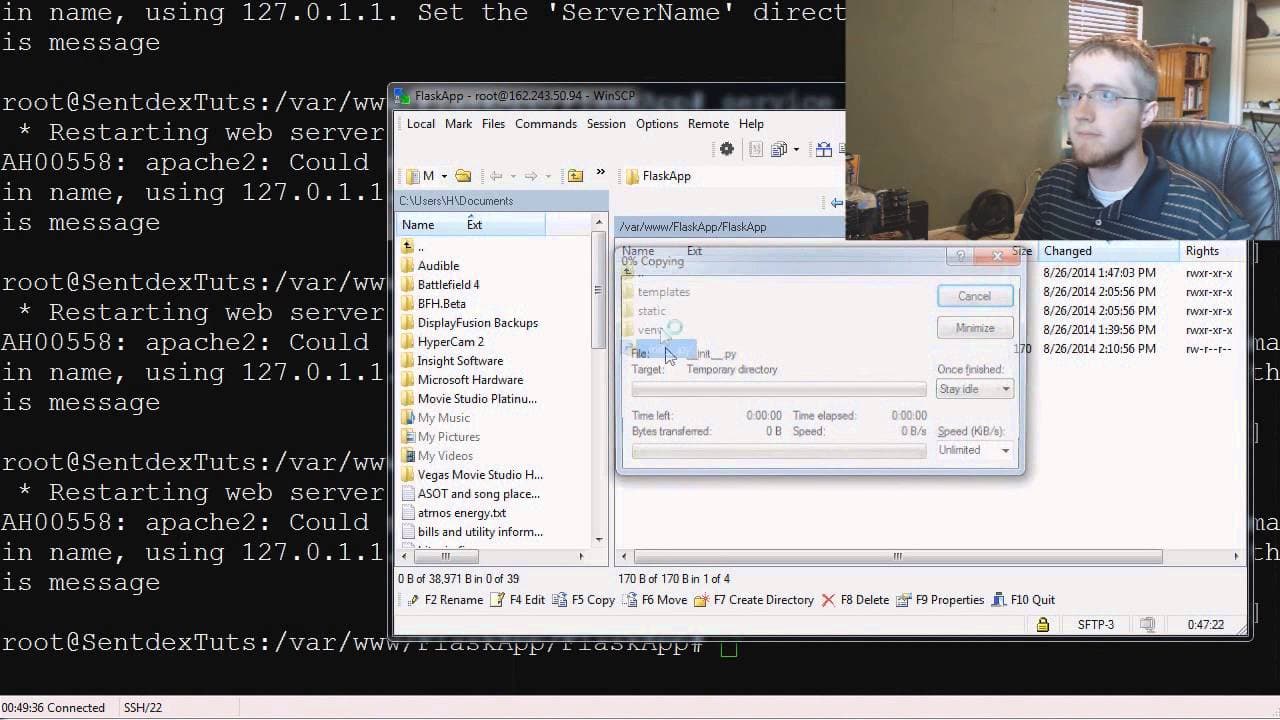
The video demonstrates how to specify editors for different file types and upload files to the server.
-
It also introduces the concept of templates, which allow for loading information from HTML files and using Python to pass variables and logic statements.
Read in Other Languages (beta)
Share This Summary 📚
Summarize YouTube Videos and Get Video Transcripts with 1-Click
Try YouTube Summary with ChatGPT & Claude or YouTube Transcript Generator
Explore More Summaries from sentdex 📚






Summarize YouTube Videos and Get Video Transcripts with 1-Click
Try YouTube Summary with ChatGPT & Claude or YouTube Transcript Generator