How to Build a Practical Cybersecurity Toolbag
TL;DR
Build a cybersecurity toolbag by selecting free tools for virtualization, operating systems, Windows analysis, network mapping, traffic inspection, OSINT, and security testing. Test potentially dangerous utilities inside an isolated virtual lab, use standards and cheat sheets as references, and continually add tools and techniques that fit your organization’s needs.
Transcript
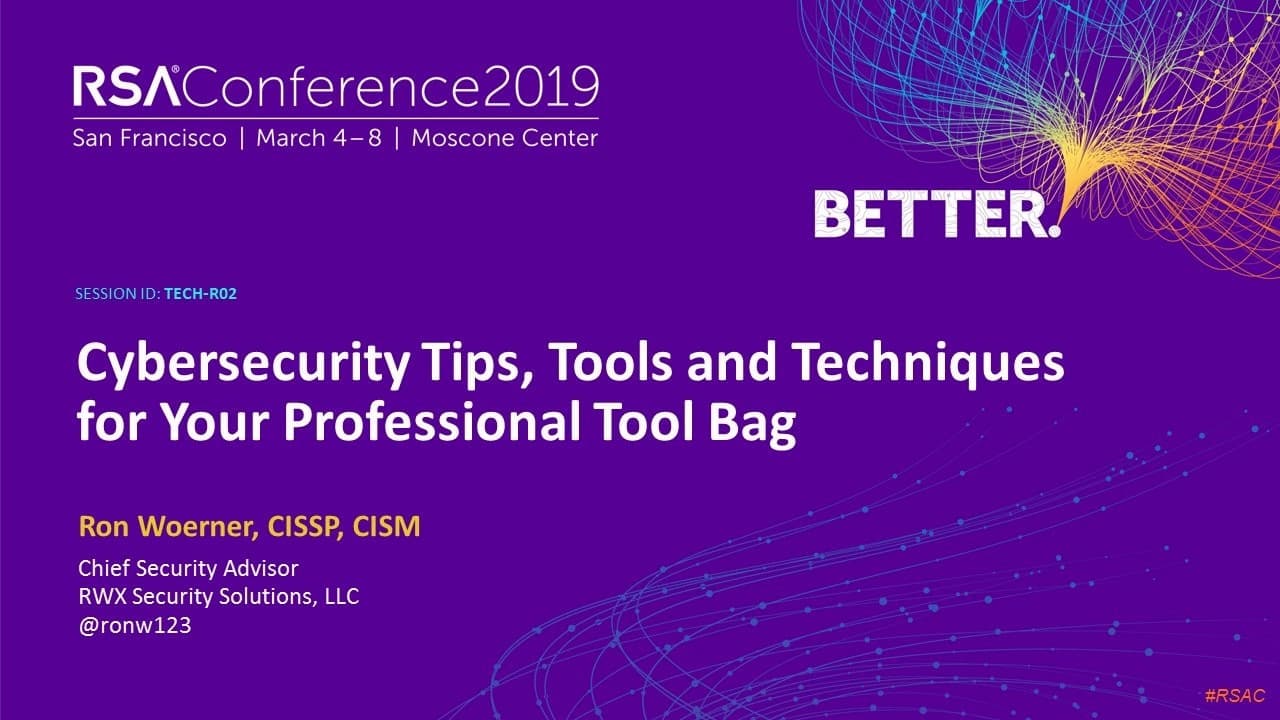
Hi, I'm Ron Warner, and this is a quick look at my twenty nineteen RSA Conference session, Cybersecurity Tips, Tools, and Techniques for Your Professional Tool Bag. Think about many other professions like plumbers, electricians, doctors, or even lawyers. They all have a set of tools they keep with them as part of their job. In cybersecurity, we nee... Read More
Key Insights
- A cybersecurity toolbag is a collection of physical and virtual resources kept ready for testing, investigations, administration, and day-to-day work. The session emphasizes tools that professionals can select according to a specific situation, client, problem, or organizational need.
- A virtual test lab is a safer environment for experimenting with cybersecurity software because it reduces risk to corporate networks. VMware and VirtualBox can be used to create virtual systems containing operating systems and software for controlled practice and evaluation.
- Linux is recommended as an operating system for virtual security laboratories. Kali, Tails, and Parrot are identified as distributions that can be used for security testing, giving practitioners several options to evaluate according to their circumstances.
- The Windows Sysinternals Suite is valuable for cybersecurity work on Windows systems. The highlighted utilities include Process Explorer, Autoruns, and Zoom, while Windows Subsystem for Linux adds the ability to run Linux Bash shells within Windows.
- Network visibility is an important part of a cybersecurity toolkit. Nmap can map a network, while Wireshark can show what is running across it, giving professionals complementary resources for examining network structure and activity.
- OSINT is information gathering used to determine what can be seen about a network or company across the internet. The session connects this practice with social engineering and presents it as a new area in the updated talk.
- Security testing applications include the Social-Engineering Toolkit, Metasploit, and OWASP ZAP. These readily available tools came from penetration testers who use them regularly, but some security utilities can be dangerous when placed in the wrong hands or used improperly.
- Standards, cheat sheets, awareness materials, websites, and reference lists are practical parts of a security toolbag. Professionals should choose resources that suit them, try a few immediately, revisit the slide deck later, and continually expand their collection.
Install to Summarize YouTube Videos and Get Transcripts
Explore YouTube Video Summarizer or Get YouTube Transcript Extractor
Questions & Answers
Q: How do you build a practical cybersecurity toolbag?
Build a cybersecurity toolbag by collecting resources for the situations you regularly encounter, including virtualization, Linux and Windows analysis, networking, OSINT, security testing, standards, cheat sheets, and awareness training. Start with a few tools or techniques that address an immediate problem, test them in your environment, review the available references later, and continually expand the collection according to your organization’s needs.
Q: Why should cybersecurity tools be tested in a virtual lab?
A virtual lab provides a safer place to experiment with operating systems, software, and security utilities without exposing corporate networks to unnecessary risk. VMware and VirtualBox are presented as tools for creating these test environments. Because some cybersecurity tools can be dangerous when used incorrectly or by the wrong people, isolation helps professionals explore their functions more responsibly.
Q: Which Linux distributions can be used for security testing?
Kali, Tails, and Parrot are identified as Linux distributions that can be used for security testing. Linux is recommended for virtual systems and described as the backbone of the internet. These distributions can be installed in a virtual test lab, allowing practitioners to experiment with tools and techniques in a setting designed to reduce risk to corporate networks.
Q: Which Windows tools belong in a cybersecurity toolbag?
The Windows Sysinternals Suite is presented as an invaluable resource for professionals working with Windows operating systems. Specific utilities mentioned include Process Explorer, Autoruns, and Zoom. The Windows Subsystem for Linux is another useful option because it allows Linux Bash shells to run on Windows, helping practitioners work across operating-system environments while maintaining access to Windows-focused utilities.
Q: How can Nmap and Wireshark support network analysis?
Nmap can be used to map a network, while Wireshark can show what is running across a network. Together, they address two important parts of network-focused cybersecurity work: understanding the network’s layout and examining its activity. The session includes both because networking is described as an important component of a cybersecurity professional’s broader collection of tools.
Q: What is OSINT used for in cybersecurity?
Open-source intelligence, or OSINT, is used for information gathering. It helps answer what information about a network or company can be seen across the internet. The session associates OSINT with social engineering and includes both as part of the updated material, giving cybersecurity professionals another way to examine publicly visible information relevant to their organizations and clients.
Q: What security testing applications are recommended?
The security testing applications named are the Social-Engineering Toolkit, Metasploit, and OWASP ZAP. They are described as common, readily available applications drawn from penetration testers who use them every day. The session also warns that some tools can be dangerous in the wrong hands or when used improperly, so practitioners should understand how, why, and where each tool is used.
Q: How should cybersecurity professionals use cheat sheets and awareness resources?
Cheat sheets can guide cybersecurity work when remembering every standard, tool, and procedure is unrealistic. Professionals are encouraged to review available lists and select the references that fit their work. Free security-awareness resources are particularly valuable when helping others understand basic protective measures. The recommended approach is to try useful items promptly, revisit the materials later, and keep improving the toolbag.
Summary & Key Takeaways
-
Cybersecurity professionals benefit from maintaining a physical or virtual toolbag, much like practitioners in other technical professions. The session focuses mainly on free resources for small and medium-sized businesses and home users, offering immediately usable tools, websites, references, techniques, and practical guidance for avoiding trouble while performing security work.
-
A virtual test lab built with VMware or VirtualBox provides a safer place to experiment without risking corporate networks. Suggested operating-system options include Kali, Tails, and Parrot Linux, while the Windows Sysinternals Suite supplies tools such as Process Explorer, Autoruns, and Zoom. Windows Subsystem for Linux also enables Linux Bash shells on Windows.
-
The broader toolkit covers Nmap for network mapping, Wireshark for observing network activity, OSINT for discovering publicly visible information, and testing applications such as the Social-Engineering Toolkit, Metasploit, and OWASP ZAP. Professionals should select a few useful resources, test them promptly, revisit the materials later, and continually expand their toolbags.
Read in Other Languages (beta)
Share This Summary 📚
Summarize YouTube Videos and Get Video Transcripts with 1-Click
Try YouTube Summary with ChatGPT & Claude or YouTube Transcript Generator
Explore More Summaries from RSAC Cybersecurity 📚


Summarize YouTube Videos and Get Video Transcripts with 1-Click
Try YouTube Summary with ChatGPT & Claude or YouTube Transcript Generator