What Are the Best Audio Editing Apps for iPhone in 2024?
TL;DR
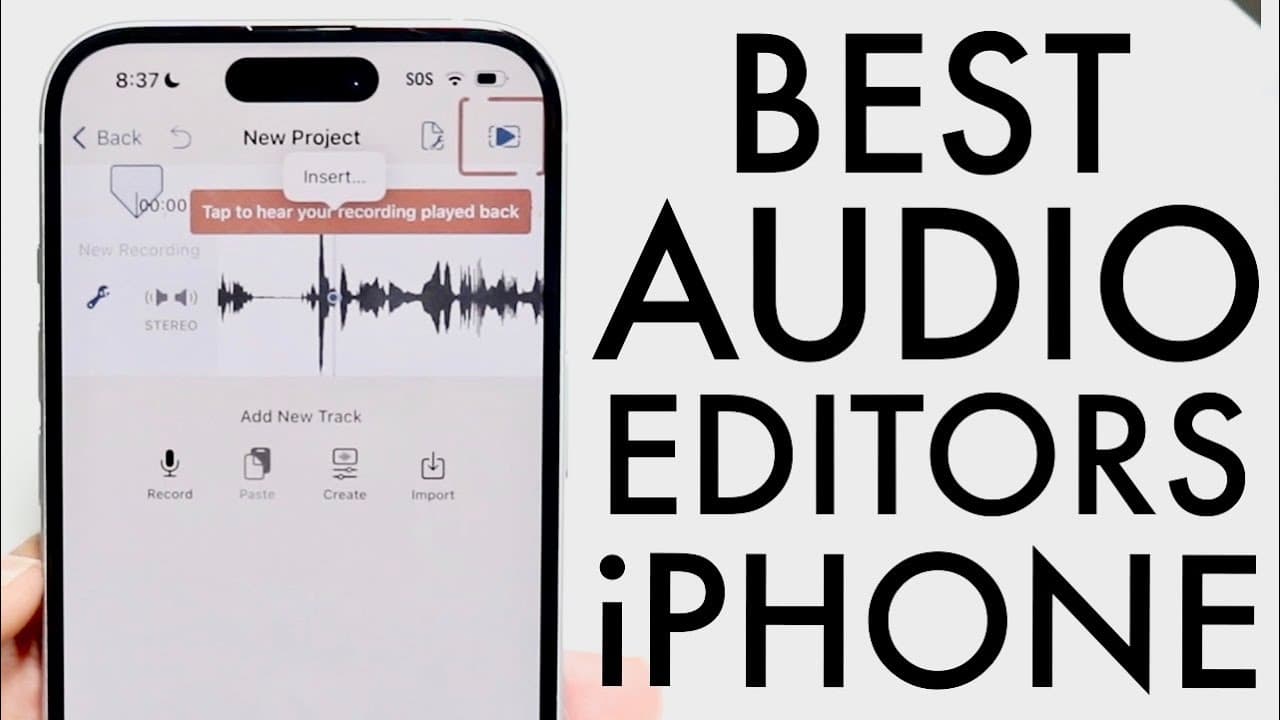
The best audio editing apps for iPhone in 2024 are Hakus 2 and Sound Lab. Hakus 2 offers robust editing features similar to Audacity and is now free with in-app purchases, making it ideal for vocal editing. Sound Lab is a good alternative for musicians but is less intuitive for general audio editing.
Transcript
so our iPhones have the capability of recording audio all the time you can just open up your voice memos application and you can go through and record whatever type of audio that you want to right so you can go into here and record your audio but it doesn't allow you to edit up your audio that much now you do have some capability here and there so ... Read More
Key Insights
- 🥳 The iPhone's voice memos feature is basic and lacks advanced editing functions, necessitating third-party applications for better performance.
- 🧍 Hakus 2 stands out as a powerful alternative for iPhone users needing robust audio editing capabilities, resembling desktop applications.
- 🥶 The transition of Hakus 2 to a free-to-download model has expanded its reach and accessibility to a larger audience.
- 👂 Sound Lab serves as a viable alternative, especially for musicians, but is not as user-friendly for casual audio editing.
- 😀 Both apps encourage creative pursuits by enabling easy recording, importing, and exporting audio in a mobile format.
- 😀 Users benefit from various playback features within the iPhone's settings, though they still need external editing apps for serious projects.
- 📱 The growing popularity of mobile audio editing signifies advancements in technology, allowing users to create professional-quality audio on their smartphones.
Install to Summarize YouTube Videos and Get Transcripts
Explore YouTube Video Summarizer or Get YouTube Transcript Extractor
Questions & Answers
Q: What are the primary functions of the iPhone's voice memos application?
The iPhone's voice memos application allows users to record audio easily. However, it has limited editing capabilities, mainly enabling basic features like playback speed adjustment and silence skipping. These functions are handy for quick audio notes but insufficient for detailed editing tasks.
Q: Why is Hakus 2 recommended over other audio editing apps?
Hakus 2 is praised for its feature set similar to desktop applications like Audacity, providing users with robust editing tools. Its user-friendly interface allows easy audio imports, recording, and precise edits, making it ideal for both casual users and those taking audio recording seriously.
Q: How does Sound Lab compare to Hakus 2 for audio editing?
Sound Lab offers capabilities like recording and importing audio files, but it leans more toward music production rather than detailed vocal editing. While it has useful features, users often find it less intuitive for editing audio specifically compared to Hakus 2's straightforward approach.
Q: Can I use these apps for music editing as well as voice recording?
Yes, both Hakus 2 and Sound Lab can be used for music editing. However, while Hakus 2 is better suited for detailed vocal editing, Sound Lab has an edge for musicians due to its features geared toward music manipulation and sound effects, catering to a wider audience.
Q: Are there any costs associated with using Hakus 2?
Hakus 2 is currently available for free in the app store, though it may include in-app purchases. This model makes it accessible for users who want solid editing capabilities without upfront costs, unlike when it was initially paid.
Q: Is audio editing easily manageable on mobile devices?
Yes, mobile audio editing has become more manageable thanks to advanced apps like Hakus 2 and Sound Lab, which provide comprehensive tools typically found on desktop software. This allows users to record, edit, and produce quality audio on their iPhones without much hassle.
Summary & Key Takeaways
-
iPhones come with a basic voice memos feature for audio recording, but extensive editing isn’t available natively. The settings allow playback adjustments and enhancements, yet users often need dedicated apps.
-
Two notable audio editing apps are recommended: Hakus 2 and Sound Lab. Hakus 2 is likened to Audacity and has robust features for editing vocal recordings, while Sound Lab caters more towards music editing.
-
Hakus 2 has shifted to a free model with optional in-app purchases, making it accessible. Sound Lab also offers recording and importing capabilities but is seen as less user-friendly for vocal editing compared to Hakus 2.
Read in Other Languages (beta)
Share This Summary 📚
Summarize YouTube Videos and Get Video Transcripts with 1-Click
Try YouTube Summary with ChatGPT & Claude or YouTube Transcript Generator
Explore More Summaries from Simple Alpaca 📚






Summarize YouTube Videos and Get Video Transcripts with 1-Click
Try YouTube Summary with ChatGPT & Claude or YouTube Transcript Generator