Locking Profits On A Day Trade Using TD Ameritrade TOS

TL;DR
To lock in profits on TD Ameritrade thinkorswim, Rick watches support, resistance, VWAP, and successive highs, then moves his sell limit order to a chosen exit price. In the JNA trade, he used roughly $13 as support, $13.40 as resistance, and placed the order at $13.30 after noticing lower highs. Read on for his hotkey setup and step-by-step trade-management logic.
Transcript
what's going on guys it's Rick you attack but solutions hope you guys are all having an amazing day just wanted to quickly show I don't think I've shown you guys how to use like the hotkeys and stuff like that when it comes down to using the TDI merger to thinkorswim platform if you guys don't have access to TD Ameritrade you guys can simply google... Read More
Key Insights
- ❓ Thinkorswim platform offers hotkeys for efficient trading execution.
- 🎚️ $13 is a reliable support level for JNA, while $13.40 acts as a resistance level.
- 🎚️ Rick's trading strategy involves waiting for a bounce off the support level, confirmation of an uptrend, and setting profit targets based on resistance levels.
- 🥶 Rick advises joining his free technical solutions networking platform or his private group for daily guidance and support.
Install to Summarize YouTube Videos and Get Transcripts
Explore YouTube Video Summarizer or Get YouTube Transcript Extractor
Questions & Answers
Q: How do you lock in profits on a day trade using TD Ameritrade thinkorswim?
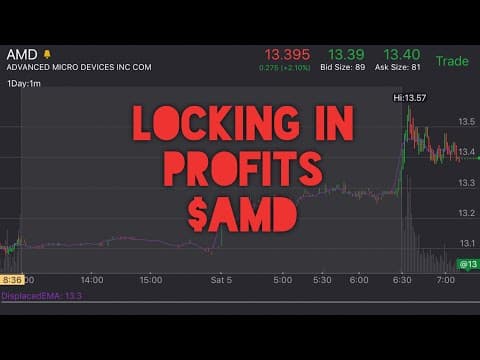
Rick locks in profits by monitoring the trade’s highs and moving his sell limit order to the price where he wants to exit. When JNA began making lower highs after reaching $13.40, he moved the limit order to $13.30 and submitted it.
Q: How can I access hotkeys on the thinkorswim platform?
Click Setup, select Application Settings, and choose Hotkeys from the top bar. The platform then displays the commands available for initiating hotkeys, including commands used with Active Trader enabled.
Q: What support and resistance levels did Rick use for the JNA trade?
Rick treated approximately $13 as a solid support level and $13.40 as overall resistance. He noted that the price peaked at $13.40 that day, just as it had the previous day.
Q: What confirmation did Rick wait for before entering the trade?
He waited for the price to bounce from support and validate that it was trending upward above the EMA. He also watched for a bounce from the lower VWAP area and a break above $13 before treating the move as an uptrend.
Q: Why did Rick consider taking profits near $13.30?
The trade reached about $13.40, then approximately $13.35, followed by roughly $13.30, creating a series of lower highs. Rick viewed that weakening pattern as a potential sell signal and placed his limit order at $13.30.
Q: How did VWAP factor into Rick’s trade management?
After the pullback, Rick wanted the price to remain above the middle VWAP. Continued strength above that level supported the trade, while the sequence of lower highs made him watch closely for an exit.
Q: How did Rick manage the trade when he expected to be busy?
Because he would be busy throughout the day, Rick chose to set a sell limit order instead of continually watching the position. He moved the order to $13.30, clicked Send Order, and monitored Level II for nearby buyers.
Q: What simple process did Rick follow for this JNA day trade?
He identified $13 support and $13.40 resistance, waited for a validated bounce and uptrend, and then monitored VWAP and the highs. When the highs declined from $13.40 toward $13.30, he adjusted his sell limit order to cover his remaining profit.
Summary & Key Takeaways
-
Rick explains how to access hotkeys on the thinkorswim platform through the setup and application settings.
-
He emphasizes the importance of identifying support and resistance levels, with $13 being a reliable support level for JNA.
-
Rick showcases his trading strategy, waiting for validation of an uptrend and setting profit targets based on resistance levels.
Read in Other Languages (beta)
Share This Summary 📚
Summarize YouTube Videos and Get Video Transcripts with 1-Click
Try YouTube Summary with ChatGPT & Claude or YouTube Transcript Generator
Explore More Summaries from Ricky Gutierrez 📚

Summarize YouTube Videos and Get Video Transcripts with 1-Click
Try YouTube Summary with ChatGPT & Claude or YouTube Transcript Generator