Tips on Inking Comic Books : Visual Media
TL;DR
Learn essential tips and techniques for inking comics, including choosing the right tools, avoiding smudges, adding expressiveness to lines, and creating shading.
Transcript
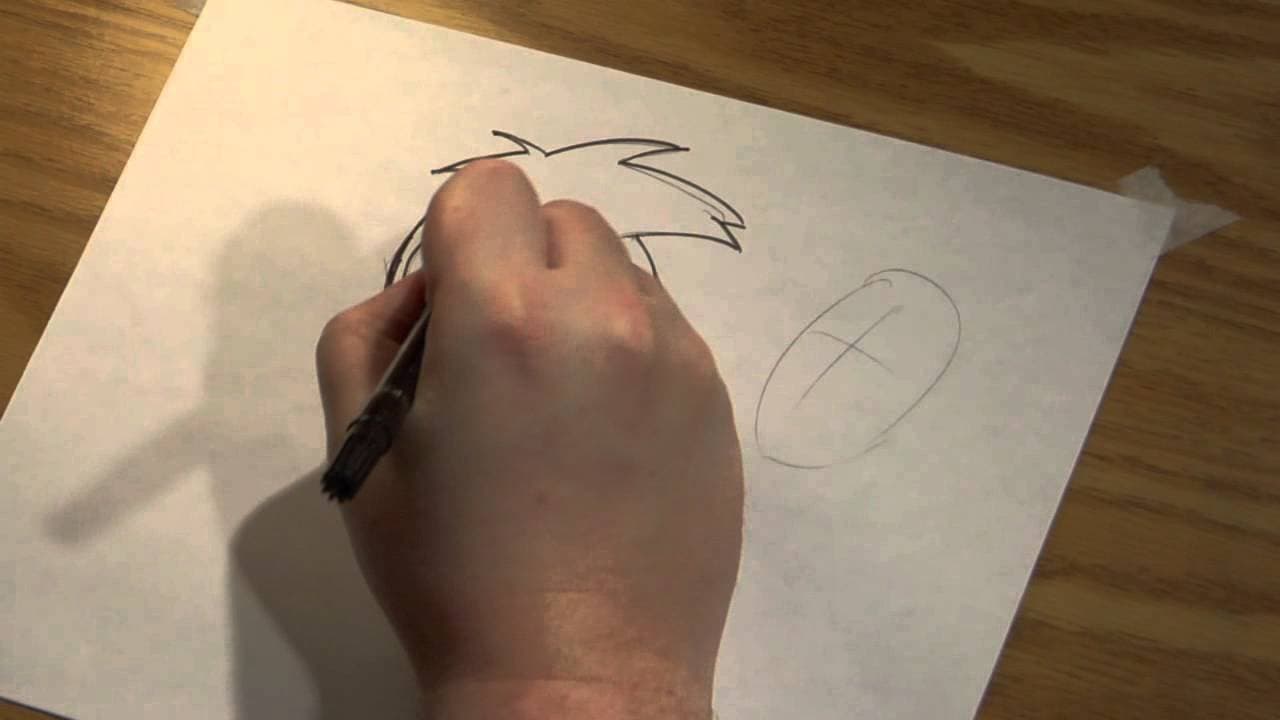
my name is Aaron croman I'm an independent artist and I'm going to give you some tips on how to Ink your Comics okay so so far we I put down a little bit of uh pencil lines and now we got to Ink them so U what do we use well we can use uh I'm going to use a marker uh you can also use uh nibs and ink uh or you can use a brush as an ink uh it's up to... Read More
Key Insights
- 😉 Choosing the right tool for inking is crucial, and it depends on personal preference and desired effects.
- 😉 Starting inking from the top left corner helps avoid smudging and maintains the cleanliness of the artwork.
- 😉 Inking involves more than just tracing; it allows for creativity and adding expressiveness to the lines.
- 😉 Shading can be added during the inking process, providing depth and drama to the artwork.
- 😉 Inking can be a chore or a lot of fun, depending on whether you simply trace or explore more creative possibilities.
- 😉 Build lines can be used as a guide for inking, saving time and allowing for a more spontaneous approach.
- 😉 Inking is an opportunity to add your own artistic style to someone else's pencil work.
Install to Summarize YouTube Videos and Get Transcripts
Explore YouTube Video Summarizer or Get YouTube Transcript Extractor
Questions & Answers
Q: What are the different tools you can use for inking comics?
You can use markers, nibs and ink, or brushes for inking comics. Each has its own advantages and allows for different effects.
Q: How can you avoid smudging your artwork while inking?
To avoid smudging, start inking from the top left corner and work your way across the page. This way, your hand won't rub into the freshly inked areas.
Q: What is the purpose of inking besides tracing over pencil lines?
Inking allows you to add details, vary line weights, and bring expressiveness to the lines, enhancing the original artwork and adding your own artistic style.
Q: How can you create shading using ink?
Shading can be achieved through techniques such as hatching, cross-hatching, or using lines to define areas of shadow. It adds depth and dimension to the artwork.
Summary & Key Takeaways
-
Choose the right tool for inking, such as a marker, nibs and ink, or a brush, depending on your preference.
-
Start inking from the top left corner to avoid smudging your artwork with your hand.
-
Inking is not just tracing; it involves adding details, varying line weights, and creating expressiveness to enhance the original artwork.
Read in Other Languages (beta)
Share This Summary 📚
Summarize YouTube Videos and Get Video Transcripts with 1-Click
Try YouTube Summary with ChatGPT & Claude or YouTube Transcript Generator
Explore More Summaries from ehow 📚

Summarize YouTube Videos and Get Video Transcripts with 1-Click
Try YouTube Summary with ChatGPT & Claude or YouTube Transcript Generator