What Are the Best Apps for Mac in 2023?
TL;DR
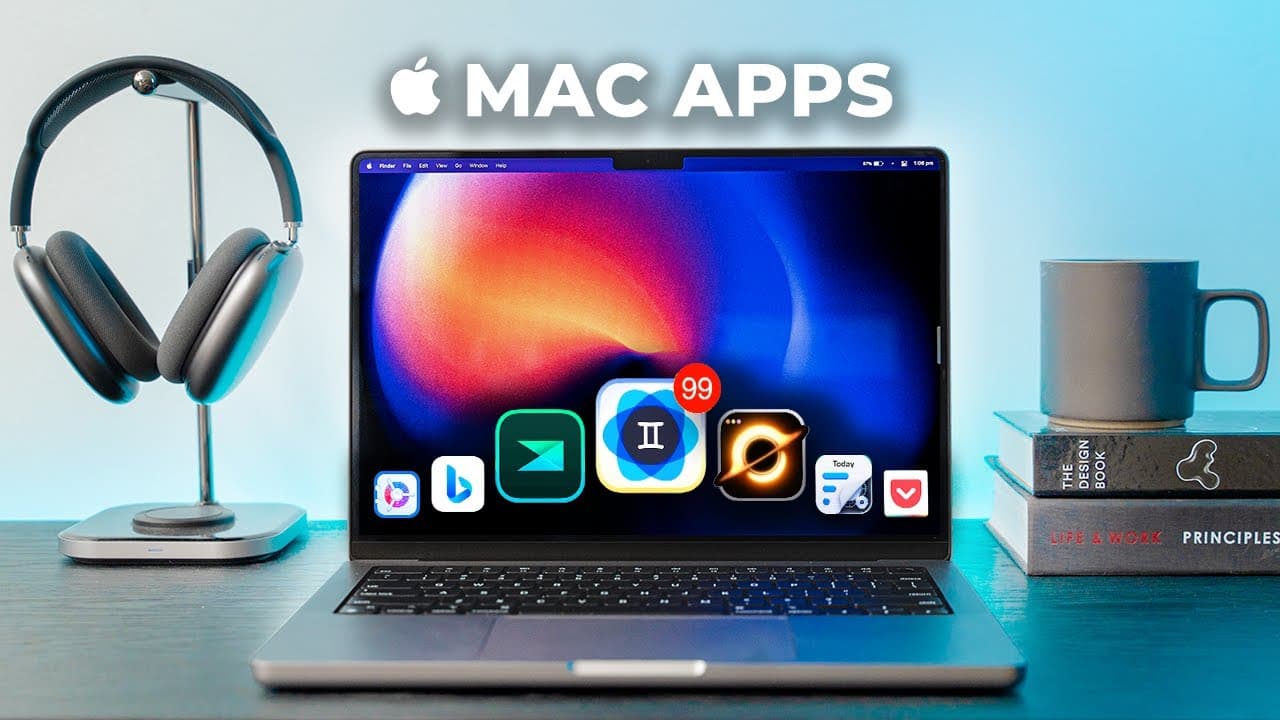
The best apps for Mac in 2023 include Zappy for screen recordings, X-Snip for enhanced screenshots, and Sigma OS for organizing tasks within a browser. Other top recommendations are Clean My Mac X for maintenance, Gemini 2 for managing duplicates, and Grammarly for writing assistance. These apps significantly enhance productivity and customization on your Mac.
Transcript
Hey friends, Andrew here – hope you're well! There are thousands upon thousands of Mac apps to choose from and it's pretty overwhelming so here are 14 unique apps I've been using and recently installed onto my new Macbook. They've helped me customize my Mac experience be more productive and get the most out of these expensive toys and I wa... Read More
Key Insights
- 🎥 Zappy is a free app for screen recordings and gifs, offering more features and sharing capabilities than the standard Mac commands. It requires a free Zapier account to log in.
- 🖥️ X-snip is a fast and feature-rich screenshot app that enhances functionality while still feeling like a natural Mac app. It is also free to use.
- 🌐 Sigma OS is a unique browser that helps users stay focused by turning browser tabs into tasks. It is built on Apple's webkit framework and is less Ram intensive.
- 📝 Side Notes is a convenient note-taking app that lives on the side of the screen and offers a clean and accessible interface. It allows for color coding, syncing with iCloud, and exporting notes.
- 🧹 Clean My Mac X is a highly recommended app for Mac maintenance. It scans and frees up space, keeps Macs up to date, helps manage extensions and files, and offers secure file deletion.
- 📂 Gemini 2 is a useful app for detecting and deleting duplicate files on Macs, including in photo and music libraries. It offers algorithmic help and live monitoring.
- 🪟 Spaces for Mac is an app that helps users clean up their desktop and arrange windows for specific tasks, saving time and keeping focus. It is particularly useful for multitasking on larger screens.
- ️ The Daily Time tracking app allows for accurate tracking of task time, making it great for productivity enthusiasts and freelancers who need to manage their time.
- 📚 Pocket is an app that saves articles to read later, allowing for categorization, highlighting, and syncing across devices. It is ad-supported but offers a paid option for removing ads.
- 🔐 Crypto is an app for securely storing and sending files, using AES256 encryption. It is simple to use and offers discreet functionality.
- 🔋 Battery Health is a must-have app for monitoring battery health on new Macs. It provides information about charge cycles, temperature, and overall battery health.
- 🪟 Magna is an app that auto-snaps and aligns multiple windows for easy multitasking. It is particularly useful on larger screens or with external monitors.
- 🖋️ Grammarly is a writing assistant that helps with spelling, grammar, and punctuation in any app. It improves writing flow and is free to use.
- 🎨 Figma is a versatile tool for designers and non-designers alike, allowing for web and mobile design, presentations, and basic graphic design. It also includes features like Fig Jam for brainstorming and collaboration.
Install to Summarize YouTube Videos and Get Transcripts
Explore YouTube Video Summarizer or Get YouTube Transcript Extractor
Questions & Answers
Q: How does Zappy improve screen recording capabilities on a Mac?
Zappy is a free app that enhances screen recording on Mac by offering additional features and sharing capabilities. It allows users to record specific parts of articles, annotate them live while recording, and even save recordings as GIF files. With Zappy, users can easily share screen recordings with friends or team members.
Q: What makes X-Snip a standout app for taking screenshots on Mac?
X-Snip is a highly recommended app for taking screenshots on Mac due to its speed and numerous features. It offers ratio lock-ins, auto window snapping, and the ability to capture multiple screenshots at once by holding the shift key. X-Snip provides users with more functionality while maintaining a seamless and user-friendly experience.
Q: How does Sigma OS transform the browsing experience on Mac?
Sigma OS is a revolutionary browser app that turns browser tabs into tasks, providing a central workspace for all your work. Instead of having multiple tabs open, Sigma OS encourages users to stay focused on a single workspace and easily switch between different projects or tasks. It is built on Apple's webkit framework, making it less resource-intensive compared to browsers like Google Chrome.
Q: What are the key features of Side Notes and how does it improve note-taking on Mac?
Side Notes is an app that lives on the side of the screen, providing a clean and accessible interface for quick note-taking. It offers color-coded notes, organization by themes, syncing with iCloud, and the ability to format text or export notes as images. Side Notes is a convenient tool for taking quick notes and staying organized.
Q: How does Clean My Mac X help in optimizing and maintaining a Mac?
Clean My Mac X is a comprehensive app for maintaining and optimizing a Mac. It scans for unnecessary junk, freeing up gigabytes of space and RAM. It offers tools for uninstalling apps, keeping the Mac up to date, visualizing space usage, and securely deleting files. Clean My Mac X is highly recommended for Mac users who want an all-in-one maintenance solution.
Q: What does Gemini 2 do and how does it help in managing files on a Mac?
Gemini 2 is an app designed to detect and delete duplicate files on a Mac. It scans the entire system and uses an algorithm to identify duplicates that are safe to remove. It also provides a clean overview of duplicate files, allowing users to manage and decide whether to delete or keep them. Gemini 2 is a useful tool for saving disk space and organizing files efficiently.
Q: How does Spaces for Mac improve workspace organization and multitasking?
Spaces for Mac is an app that helps in cleaning up the desktop and organizing windows for different tasks. By creating different workspaces, users can quickly switch between specific sets of apps and websites. This eliminates the need for manual rearrangement of windows and improves multitasking efficiency. Spaces for Mac is particularly beneficial for users working on larger monitors or external displays.
Q: What are the advantages of using the Daily Time tracking app for productivity tracking?
The Daily Time tracking app provides users with a simple and clean interface to keep track of the time spent on different tasks. It offers insights into workflow trends and allows users to optimize their time management. This app is highly recommended for productivity enthusiasts, agency owners, and freelancers who need to track their time accurately.
Summary & Key Takeaways
-
Zappy: A free app for recording screen and creating GIFs with additional features and sharing capabilities.
-
X-Snip: A fast and feature-rich app for taking screenshots with ratio lock-ins and auto window snapping.
-
Sigma OS: A unique browser that turns browser tabs into tasks, helping you stay focused and organized.
Read in Other Languages (beta)
Share This Summary 📚
Summarize YouTube Videos and Get Video Transcripts with 1-Click
Try YouTube Summary with ChatGPT & Claude or YouTube Transcript Generator
Explore More Summaries from Andrew Ethan Zeng 📚



Summarize YouTube Videos and Get Video Transcripts with 1-Click
Try YouTube Summary with ChatGPT & Claude or YouTube Transcript Generator