Is the Apple M2 MacBook Air the Best Everyday Laptop?
TL;DR
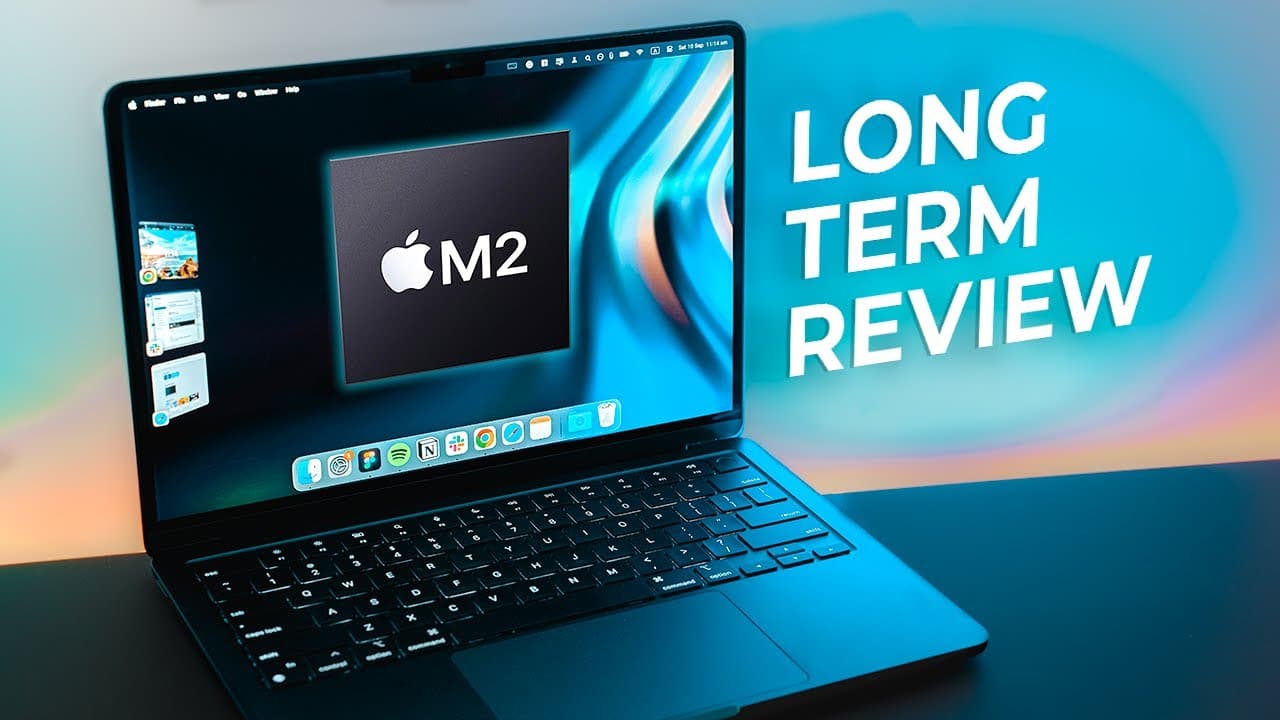
The Apple M2 MacBook Air is highly recommended as the best everyday laptop due to its lightweight design, excellent keyboard, and sufficient power for most users. However, it has minor flaws, including USB-C ports on one side and a tendency to accumulate fingerprints in the midnight color variant. Upgrading the SSD and memory is advisable for those handling heavy workloads.
Transcript
Hey friends, Andrew here - hope you're well! So, I've used the M2 Air literally every single day since launch as my primary laptop and after spending a few months with the M2 Air...this laptop, I think, may be the everyday laptop for the vast majority of people! A few months on from launch the M2 Air is still in hot demand and so much so ... Read More
Key Insights
- 🚙 The placement of USB-C ports on the same side is a design flaw that can be inconvenient.
- 💻 The midnight color of the laptop is beautiful but requires regular cleaning to manage fingerprints.
- ❣️ Upgrading the SSD and memory can enhance the performance of the M2 Air, especially for heavier workloads.
- 👏 The keyboard of the M2 Air is highly praised for its great feel and responsiveness.
- 🧑🎓 The portability, weight, and design of the M2 Air make it ideal for students and everyday users.
- 🍵 The M2 Air can handle small video editing tasks but might struggle with larger and more complex files.
- 🧑🎓 The laptop excels in everyday tasks and is a great option for students and small business owners.
Install to Summarize YouTube Videos and Get Transcripts
Explore YouTube Video Summarizer or Get YouTube Transcript Extractor
Questions & Answers
Q: Are there any design flaws with the M2 Air?
One design flaw is the placement of the USB-C ports on the same side, which can be problematic if using a dock or accessory that blocks the other port.
Q: Does the midnight color of the laptop attract fingerprints?
Yes, the midnight color is a fingerprint magnet, but it can be managed by regularly wiping it down.
Q: Is it necessary to upgrade the SSD and memory in the M2 Air?
It is recommended to upgrade the SSD and memory for better performance, especially if you plan to handle heavy workloads or large files.
Q: How does the M2 Air compare to the M1 Air?
The M2 Air is considered an upgrade over the M1 Air, especially for those with deeper pockets looking for a reliable and efficient everyday laptop.
Key Insights:
- The placement of USB-C ports on the same side is a design flaw that can be inconvenient.
- The midnight color of the laptop is beautiful but requires regular cleaning to manage fingerprints.
- Upgrading the SSD and memory can enhance the performance of the M2 Air, especially for heavier workloads.
- The keyboard of the M2 Air is highly praised for its great feel and responsiveness.
- The portability, weight, and design of the M2 Air make it ideal for students and everyday users.
- The M2 Air can handle small video editing tasks but might struggle with larger and more complex files.
- The laptop excels in everyday tasks and is a great option for students and small business owners.
- Upcoming versions, like the M2 Pro, might offer even better features for professional users.
Summary & Key Takeaways
-
The M2 Air has two USB-C ports on the same side, which can be inconvenient if a dock or accessory is plugged in, blocking the other port.
-
The midnight color of the laptop is beautiful but prone to fingerprint smudges.
-
Upgrading the SSD and memory is recommended for better performance, especially when handling heavy workloads.
Read in Other Languages (beta)
Share This Summary 📚
Summarize YouTube Videos and Get Video Transcripts with 1-Click
Try YouTube Summary with ChatGPT & Claude or YouTube Transcript Generator
Explore More Summaries from Andrew Ethan Zeng 📚




Summarize YouTube Videos and Get Video Transcripts with 1-Click
Try YouTube Summary with ChatGPT & Claude or YouTube Transcript Generator