How to Create Flowcharts in Notion Using Mermaid
TL;DR
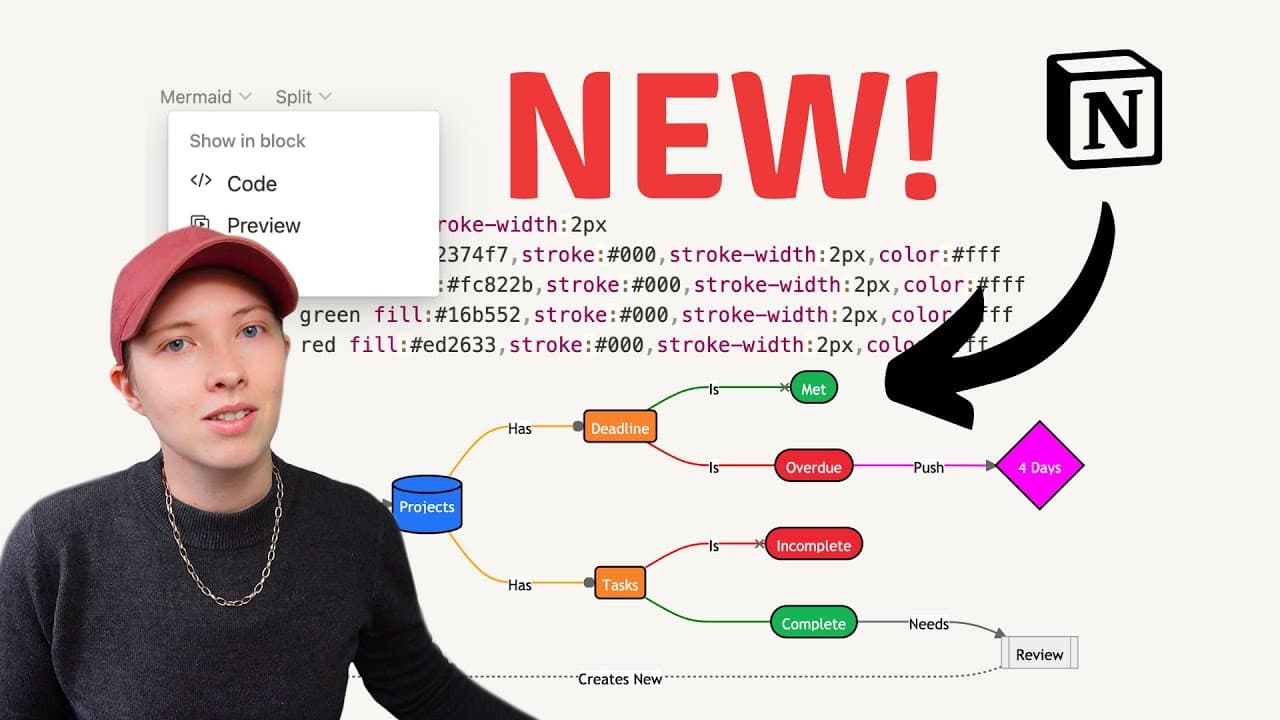
Use Mermaid code blocks in Notion to easily create flowcharts and visual diagrams for effective project planning. This tutorial covers customizing shapes, colors, and adding clickable links, allowing for organized and dynamic visual representations of your data.
Transcript
notion just released a new feature that allows you to create flowcharts and pie graphs and more and that's with the newest code block language mermaid if you don't already know what mermaid does essentially it allows you with a certain code language to create flowcharts let's just get right into it mermaid is going to be located inside of a code bl... Read More
Key Insights
- 🚀 notion has released a new feature called mermaid, which allows users to create flowcharts, pie charts, and more using a specific code language.
- 🔗 Mermaid is located inside a code block in the body of a page, providing options like code preview and split preview.
- 📊 Mermaid is not limited to creating flowcharts, but can also be used to create other types of charts, such as pie charts.
- 💡 When using Mermaid to create flowcharts, users can determine the orientation of the chart, such as left to right, right to left, top to bottom, or bottom to top.
- 📝 Users can create flowcharts in Notion to plan and manage goals, projects, tasks, and other properties in a database.
- 🔀 The flowchart allows for connections between different nodes, indicating relationships and actions, such as incomplete or complete tasks, and the creation of new goals.
- 💬 Comments can be added to the code section of the flowchart, allowing for further explanation and organization.
- 🎨 Users can customize the shapes, colors, and styles of the nodes and links within the flowchart to enhance visual representation and clarity.
Install to Summarize YouTube Videos and Get Transcripts
Explore YouTube Video Summarizer or Get YouTube Transcript Extractor
Questions & Answers
Q: How can you use mermaid code blocks in Notion to create flowcharts and graphs?
To create flowcharts and graphs in Notion using mermaid code blocks, you can start by adding a code block and selecting the mermaid language. From there, you can define the orientation, nodes, connections, and labels for your diagram. You can also customize the shapes, colors, and links of the nodes. Additionally, you can create clickable links to specific pages and views within Notion. The tutorial provides step-by-step instructions and examples for each of these actions.
Q: What are the benefits of using mermaid code blocks in Notion for visualizing data?
Mermaid code blocks in Notion offer several benefits for visualizing data. Firstly, it allows for the creation of various types of diagrams and charts, including flowcharts, pie graphs, and more. This provides users with flexibility in representing and organizing their data. Secondly, the ability to customize the shapes, colors, and links of the nodes allows for personalized and aesthetically pleasing visualizations. Lastly, the integration of clickable links to specific pages and views within Notion enhances the usability and interactivity of the diagrams.
Q: Can you explain the process of customizing the shapes, colors, and links in mermaid code blocks?
In order to customize the shapes, colors, and links in mermaid code blocks, you can use predefined classes and modify their properties. For example, you can define a class for a particular color and apply it to specific nodes or links by adding a class name after the label. Similarly, you can define a class for a particular shape and nest it within parentheses to change the shape of a node. To customize the links, you can use link numbers to identify individual links and modify their stroke color and style. The tutorial provides detailed explanations and examples for each customization technique.
Q: How can you create clickable links to specific pages and views in Notion using mermaid code blocks?
To create clickable links to specific pages and views in Notion using mermaid code blocks, you can copy the link to a page or view in Notion and assign it to a node in the code block. By using the "click" action and providing the link within quotation marks, you can make the node clickable. This allows users to navigate directly to the linked page or view by clicking on the node in the diagram. The tutorial demonstrates this process with examples for linking to pages, views, and even specific sections within views.
Summary & Key Takeaways
-
Notion has introduced a new feature that allows users to create flowcharts, pie graphs, and other visual representations using mermaid code blocks.
-
Mermaid is a code language that enables the creation of various diagrams and charts, providing flexibility for visualizing data.
-
The tutorial demonstrates how to use mermaid code blocks in Notion to create a flowchart for a goals management dashboard, including customizing shapes, colors, linking nodes, and creating clickable links to specific pages and views.
Read in Other Languages (beta)
Share This Summary 📚
Summarize YouTube Videos and Get Video Transcripts with 1-Click
Try YouTube Summary with ChatGPT & Claude or YouTube Transcript Generator