How to Make Restaurant Food Pictures for a Menu : Digital Imaging
TL;DR
Learn how to make visually appealing food pictures using Photoshop to attract customers and increase sales.
Transcript
hey my name is Zach and I wanted to show you how to make restaurant food pictures now this is important to do because sometimes customers like to see your featured item if you show them a picture of your feature item they're actually more likely to buy that and people eat with their eyes so the image needs to look good so in Photoshop what we're go... Read More
Key Insights
- ❓ Visual appeal is crucial in attracting customers and increasing sales in the restaurant industry.
- 😋 Setting up a photo shoot at home with a white background and proper lighting can help create high-quality food pictures.
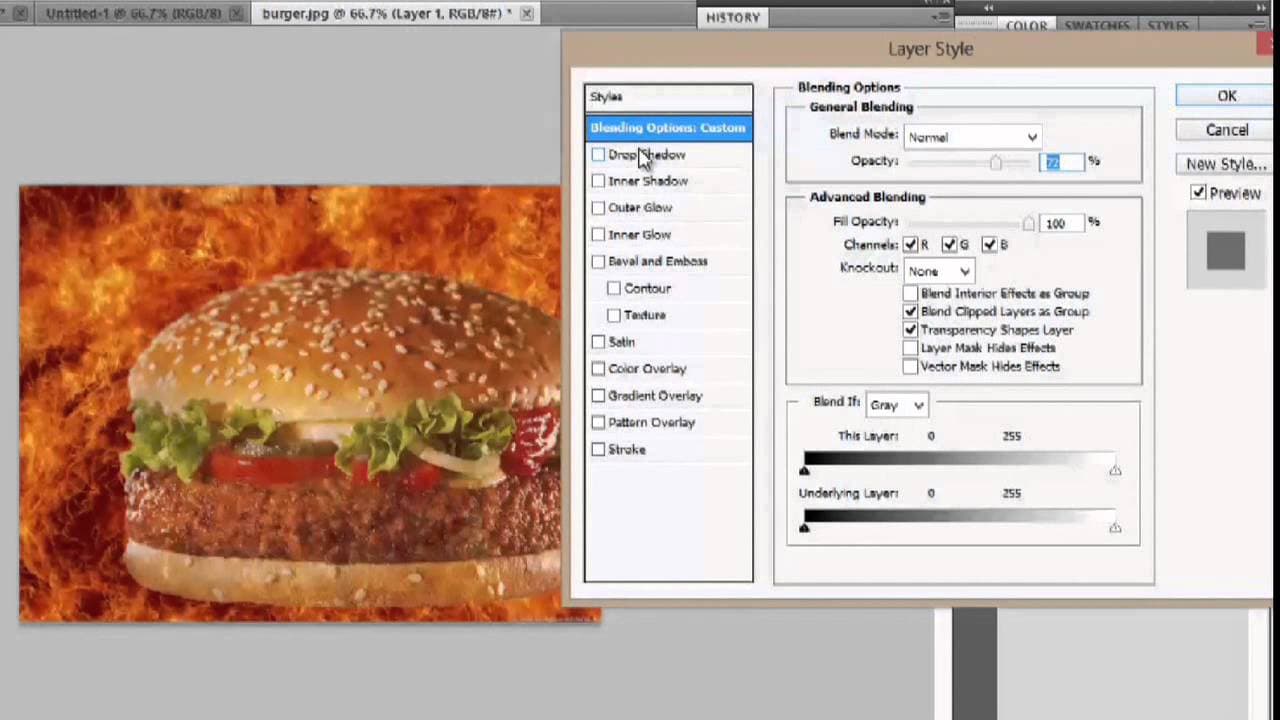
- 😋 Photoshop offers various tools and effects to improve the appearance of food images, including removing backgrounds, resizing images, and adding visual enhancements.
- 🪜 Creating a visually appealing image can be achieved through techniques like resizing, layering, and adding effects in Photoshop.
- 😒 The use of text and effects can further enhance the image and make the featured item more enticing to customers.
- 🥘 By using the Magic Eraser tool, the background of the food image can be removed, allowing for more flexibility in placing the food on different backgrounds.
- 😃 Experimenting with different effects and settings in Photoshop can help create unique and eye-catching food pictures.
Install to Summarize YouTube Videos and Get Transcripts
Explore YouTube Video Summarizer or Get YouTube Transcript Extractor
Questions & Answers
Q: Why is it important for restaurants to have attractive food pictures?
Visual appeal plays a significant role in food choices. By showcasing enticing food pictures, restaurants can capture customers' attention and increase the chances of them ordering the featured items.
Q: How can I create my own food pictures at home?
To create food pictures at home, set up a photo shoot using a white background. Place the food in a well-lit area and take pictures from different angles. This will give you a variety of options to choose from for your final image.
Q: What is the Magic Eraser tool used for in Photoshop?
The Magic Eraser tool in Photoshop is used to remove the background of an image. By selecting the white background and using the tool, you can erase it and create a transparent background for the food picture.
Q: What are some effects that can enhance the appearance of food pictures?
In Photoshop, you can use effects like drop shadow, inner glow, outer glow, and bevel and emboss to enhance the appearance of food pictures. Each effect adds a unique touch and can make the food picture stand out.
Summary & Key Takeaways
-
Customers are more likely to buy featured items when they see appealing pictures, so it is important for restaurants to have high-quality food images.
-
To create your own food pictures, set up a photo shoot at home using a white background and proper lighting.
-
In Photoshop, use the Magic Eraser tool to remove the background, resize the image, add effects, and enhance the overall appearance of the food picture.
Read in Other Languages (beta)
Share This Summary 📚
Summarize YouTube Videos and Get Video Transcripts with 1-Click
Try YouTube Summary with ChatGPT & Claude or YouTube Transcript Generator
Explore More Summaries from ehow 📚

Summarize YouTube Videos and Get Video Transcripts with 1-Click
Try YouTube Summary with ChatGPT & Claude or YouTube Transcript Generator