How to Show Your Reading List on Notion, Obsidian, and Websites with Glasp

Sep 21, 2025
4 min read
71 views
Want to show your reading list on Notion, Obsidian, or your website? 📚 With Glasp, you can easily embed and showcase your recently read articles, favorite highlights, or even Kindle books. This feature helps you share your learning journey, curate knowledge, and display what you’re reading in real time—whether on your personal website, Notion workspace, or Obsidian vault.
In this tutorial, we’ll walk you through how to create and embed your Glasp reading list step by step. By the end, you’ll know exactly how to set it up and customize it for your own workflow.
If you haven't signed up for Glasp or installed the Glasp browser extension, please do so. You can refer to this tutorial.
Displaying Your Reading List
Glasp released a feature to show your reading list on Notion, Obsidian, and your website. You can showcase your reading articles, favorite articles, and Kindle books. Here’s what it looks like.

(Reading list on Obsidian)
Managing Your Reading List with Notion and Glasp (YouTube)
Step 1: Go to the Home page or your profile page on Glasp

On the Home page or your profile page on the Glasp website, you can see an email icon at the top right. So, please click it.
Step 2: Click “Create Embed Link”
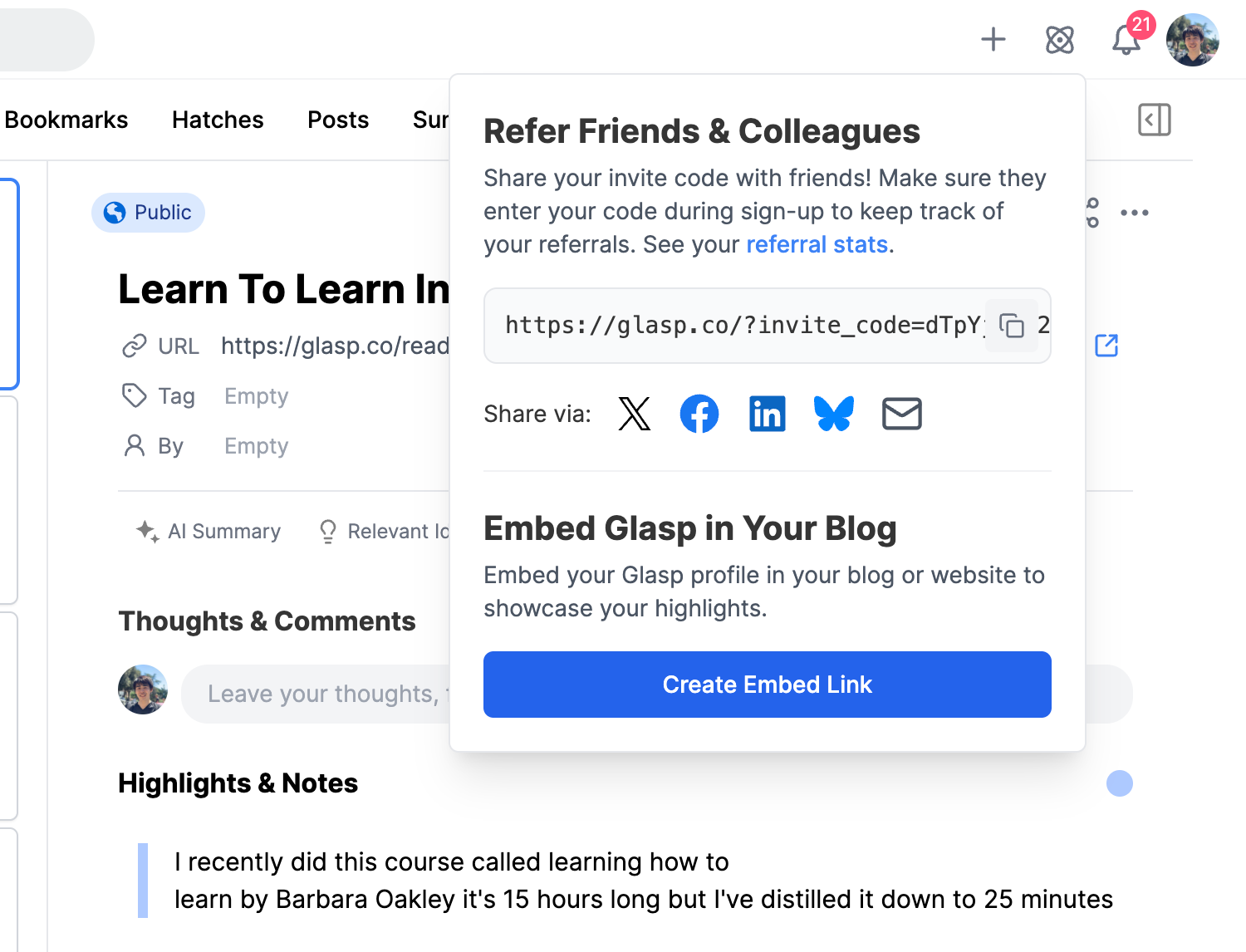
When you click the email icon, you see a pop-up appears. On the popup, you can see Create Embed Link , so please click it.
Or you can directly go to the embedding page.
👉 Embed Your Glasp in Your Blog
Step 3: Choose what content to showcase
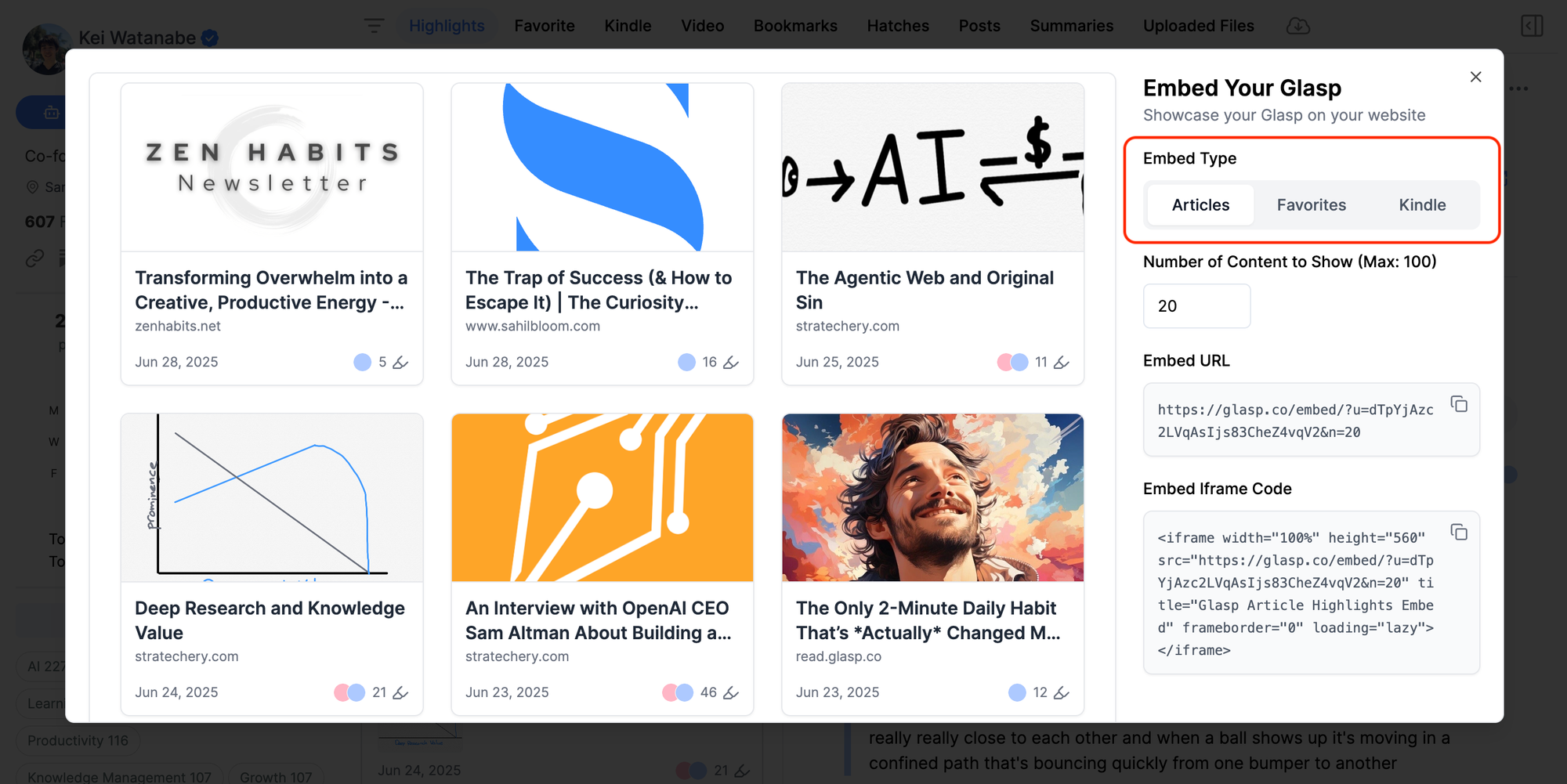
You can showcase highlighted articles, favorite highlighted articles, and Kindle books. So, please choose what content you want to show.
Step 4: Choose the number of articles to show and click Copy Link

You can see that an overlayed screen shows up. On the right side, you see the number of articles to show. So, choose how many articles you want to show on Notion, Obsidian, or your website.
After you choose the number, please click Copy Link. Once you have copied the link, you are ready to show it, so please open the place where you want to paste it.
Display on Notion

On the Notion page, please search for an Embedoption.

Then, you can just paste the link directly into the space. When you click the Embed Link button, that’s all. You can display your reading list.

Display on Obsidian
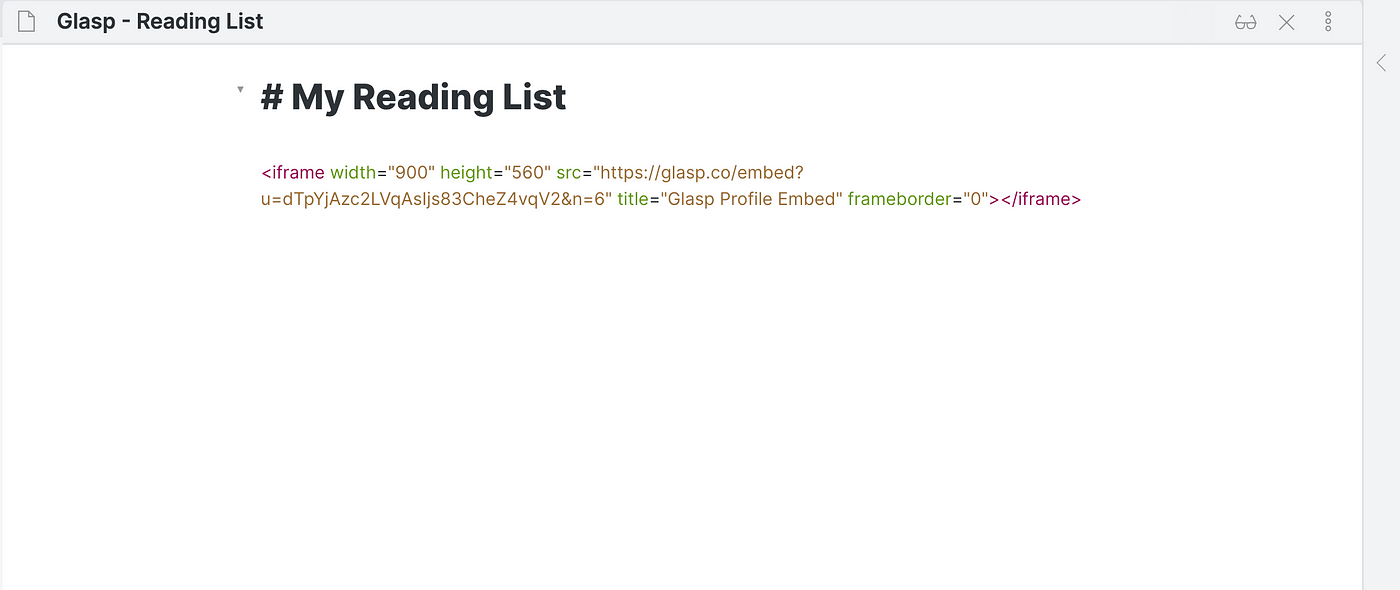
Once you copied the link, you can just paste it into the Obsidian note. When you change the view, it shows the reading list.

Advanced Setting
If you want to change the size of the reading list, you can change it in the iframe code.
In the iframe, you can see iframe width="900" height="560", that if you update the number, the size of the reading changes. Please try to adjust as you want.
Display on other websites
If you’re managing your website, you can display your reading list by simply putting the iframe link on the page.
Medium and Substack are currently unavailable to display the reading list. And we’re checking and working on WordPress now. Sorry for the inconvenience.
Glaspers who shows their reading list
Below are the learners on Glasp who show their reading list on their website.
👉 Ev Chapman by Ev Chapman

👉 Melvin Raj by Melvin Raj

Thank you, everyone, for showing your reading list 🤝
FAQs
Q. Can I customize how many articles appear in my Glasp reading list?
Yes. You can choose the number of articles when generating the embed link. You can also adjust the display size later by editing the iframe width and height.
Q. Does the reading list update automatically when I add new highlights?
Yes. Once embedded, your reading list updates in real time as you highlight or favorite new articles in Glasp.
Q. Can I embed my reading list on Medium or Substack?
Currently, Medium and Substack don’t support embedding the reading list. WordPress support is under development.
Q. Is the reading list public by default?
Yes. The reading list is visible to anyone who can access the Notion page, Obsidian note, or website where you embed it. If you want full control over privacy, you’ll need to manage it from your Glasp account.
Q. Can Claude or ChatGPT read my Glasp highlights?
Yes. With the Glasp MCP Connector, AI assistants such as Claude, ChatGPT, and Claude Code can search and read your own highlights, notes, Kindle highlights, and AI summaries, including your YouTube summaries. The connection is read-only and private to you. See How to Connect Glasp to Claude, ChatGPT, and Claude Code (MCP Connector).
Q. Can I use Glasp on my phone?
Yes. Glasp has native apps for iPhone, iPad, and Android, and the Glasp Safari extension for iPhone and iPad comes with the iOS app. Your highlights sync between the apps, the web, and the desktop extension. See How to Use the Glasp Mobile App on iOS, iPad, and Android.
Before you leave
If you have any questions, please refer to the FAQ or contact us.
See you next time,
Glasp team