How to Keep Up With an Industry on YouTube Without Watching Every Video

Nov 18, 2026
5 min read
0 views
If you are a founder, consultant, agency owner, or educator, a lot of what you need to know now shows up first on YouTube: product launches, investor interviews, conference talks, tactical breakdowns from practitioners. The problem is volume. Twenty channels can publish more hours in a week than you have for all your reading. This guide shows a routine for staying current without watching everything, and for being able to find what you learned when a client or teammate asks.
The usual way, and where it breaks
The built-in approach is free and works for a while. Subscribe to the channels you trust, turn on notifications for the most important ones, and watch at 1.5x or 2x. Save the good ones to a playlist to rewatch later.
It breaks at scale for three reasons. Your subscriptions feed mixes work channels with everything else you watch. Watching at 2x still costs half the runtime of every video, and a 90-minute interview is still 45 minutes. And the hardest part is memory: a month later, you know someone made a sharp point about pricing, but not which video, or where in it.
The Glasp way: triage, summarize, highlight, ask
1. Follow your industry's channels in one Feed.
In the Glasp app for iPhone, iPad, and Android, the Feed tab lets you follow YouTube channels (and newsletters or blogs too). New videos from all the channels you follow appear together in date order, and a New badge marks what you have not opened yet. That gives you one work-only list to scan, separate from your personal YouTube home page. On your computer, the same sources show up in the Feed tab on glasp.co. (How to follow YouTube channels and newsletters in the Glasp Feed)
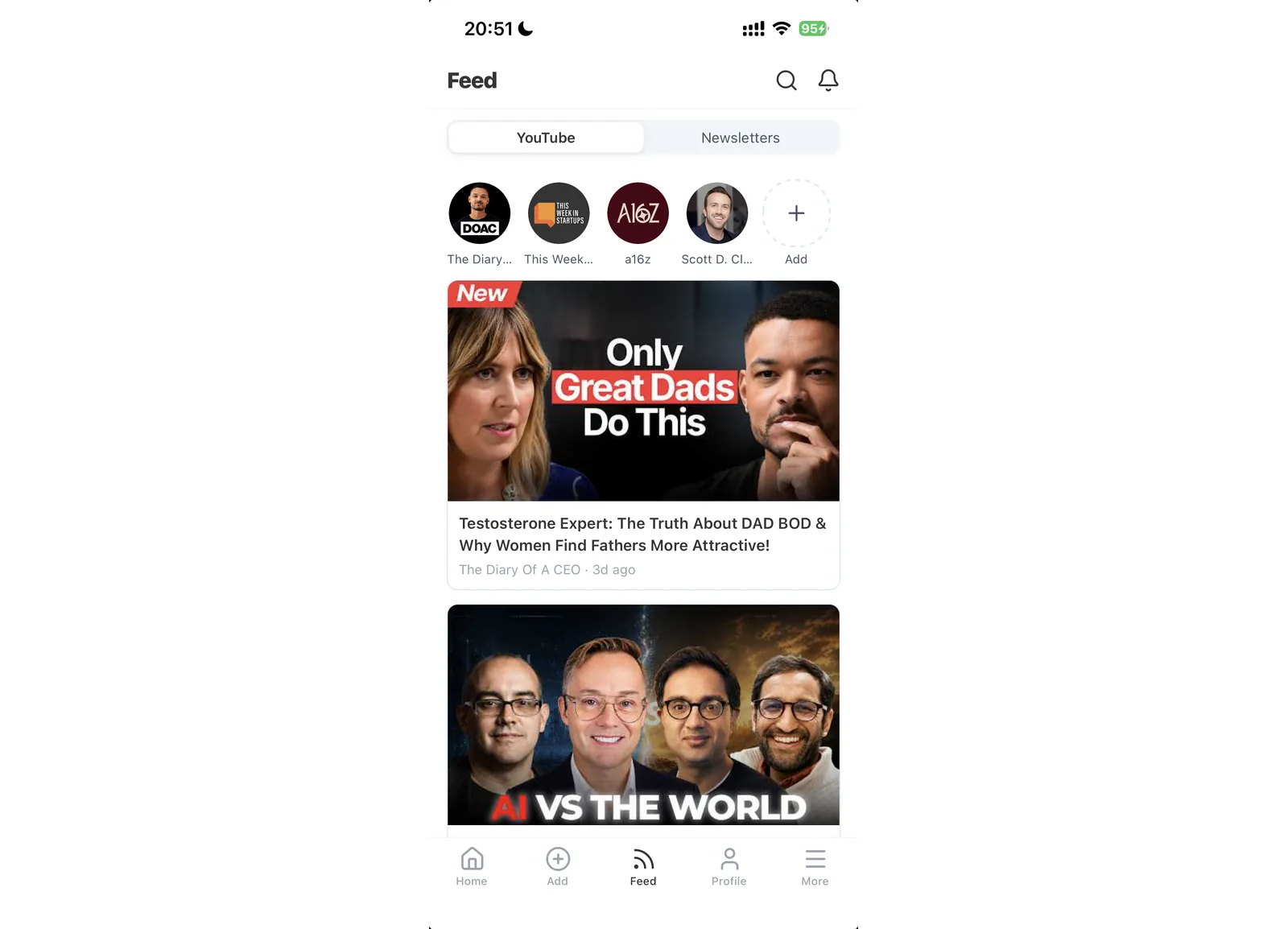
There is a limit on how many sources you can follow, so pick the channels that actually feed your work.
2. Read titles, then summarize only the videos you pick.
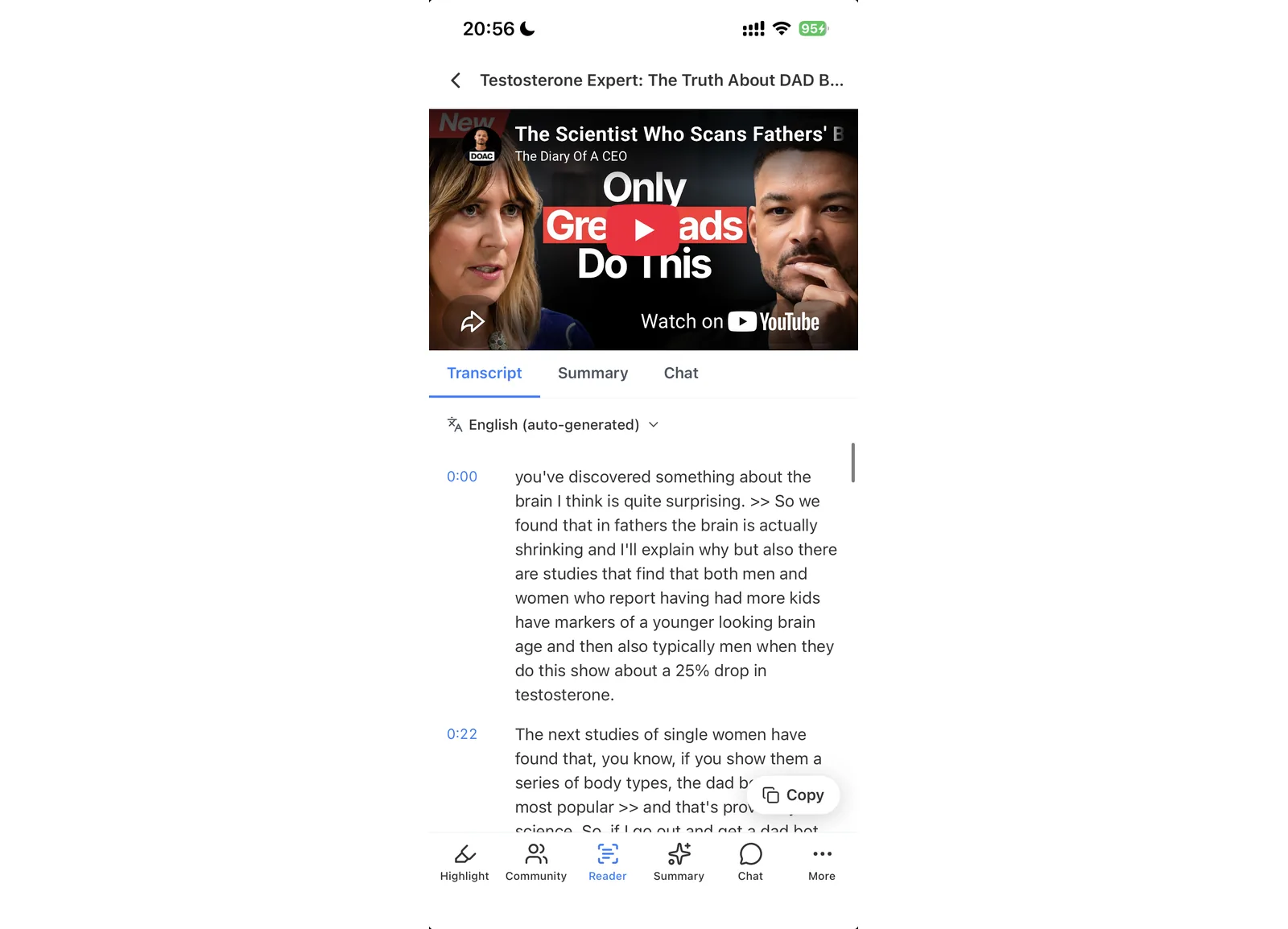
Scan the Feed and choose the few videos that look relevant this week. Open one in the app, and you get Transcript, Summary, and Chat tabs for the video in the same screen. Open the Summary tab and read the summary first, and decide whether the full video deserves your time.
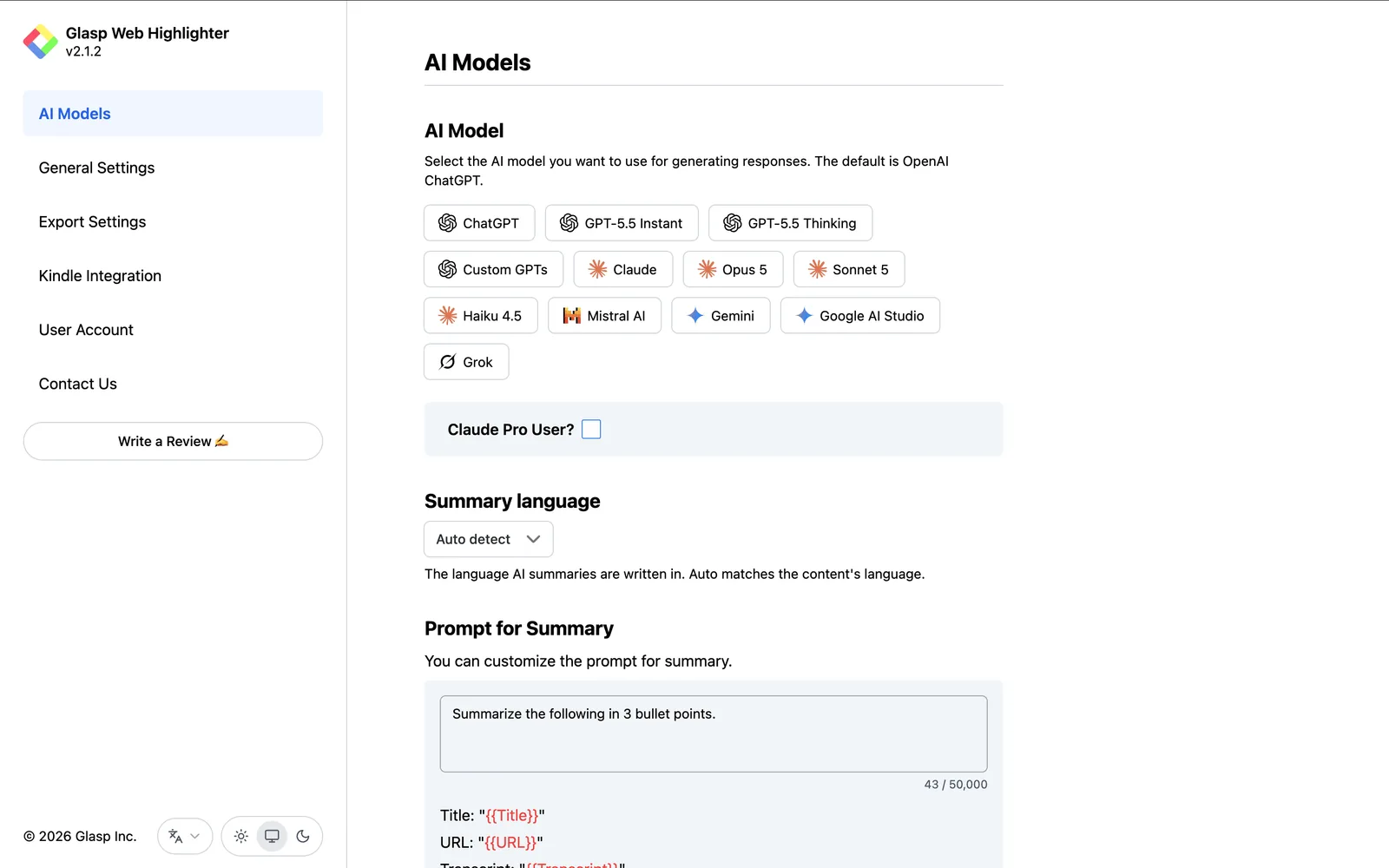
On your computer, the Glasp extension adds a panel next to any YouTube video with the transcript and a summary. In the panel settings you can choose the AI model (ChatGPT, Claude, Gemini, Grok, Mistral AI, and more), the summary language, and the prompt. A prompt like "List the claims, numbers, and named companies in this video" turns a generic summary into research notes. (How to see a summary of a YouTube video with Glasp, glasp.co/youtube-summary)
The Free plan includes 3 Glasp AI summaries every 7 days, which is enough to try this routine. If you summarize every week for work, Pro and Unlimited raise the limit (pricing).
3. Highlight the lines you will want to quote.
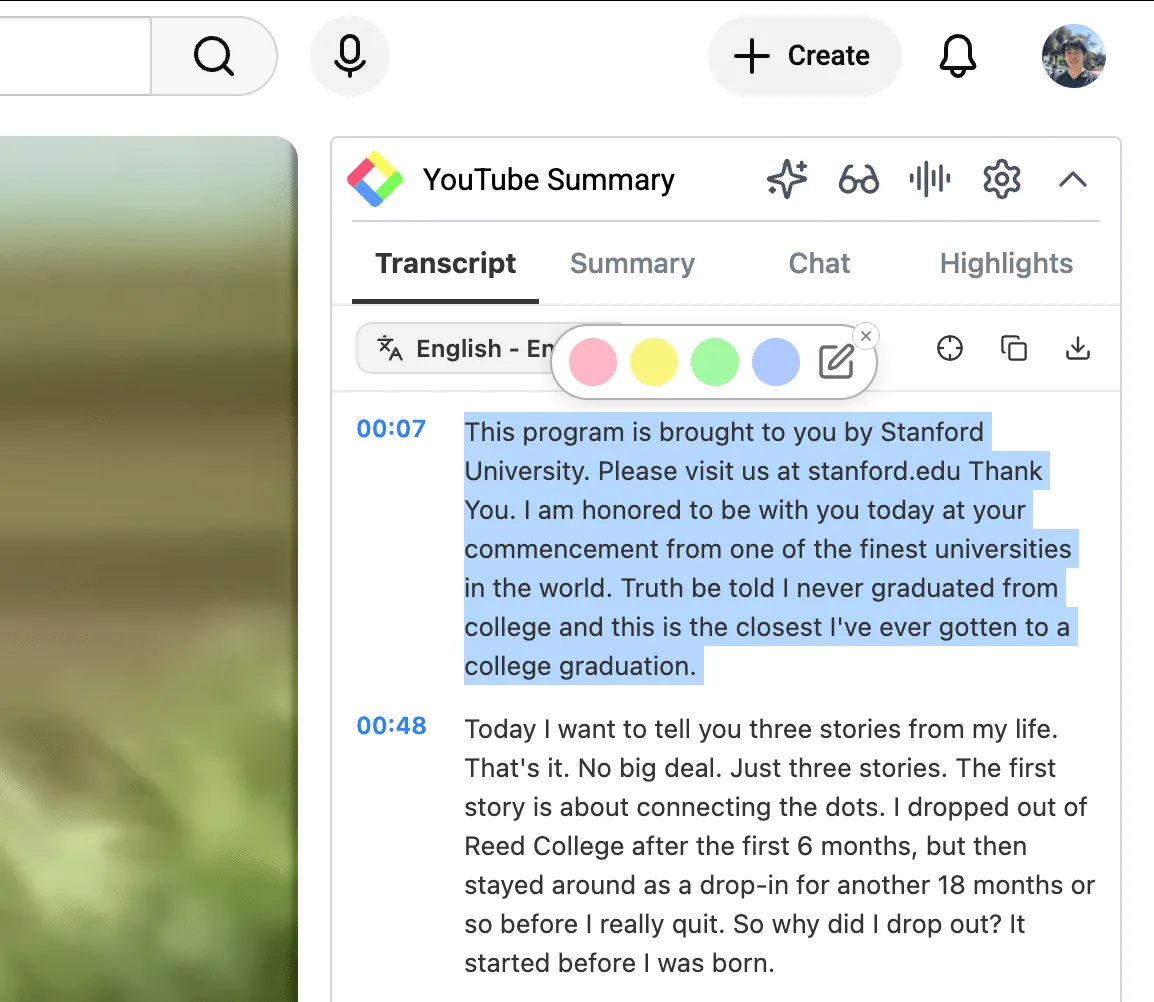
When a video earns a full watch, highlight the key transcript lines in the panel as you go. Each highlight is saved with its timestamp, so you can jump back to the exact moment later. Add a note when a line matters for a specific client or project. (How to highlight a YouTube transcript)
4. Let your summaries pile up in one place.
Every summary Glasp writes for you, including the ones from the app's Summary tab, is saved on your profile's Summaries tab, together with article summaries, so you build an archive of the industry without filing anything by hand. (A summary the extension opens in ChatGPT, Claude, or another AI site stays on that site.)
5. Do a weekly review.
Once a week, spend 20 minutes on three things: scan the Feed for anything you missed, skim the week's summaries on your Summaries tab, and reread your highlights. This is where patterns show up, like three channels discussing the same new tool in the same week.
6. Ask Claude or ChatGPT across everything you summarized.
Connect Glasp to Claude or ChatGPT with the Glasp MCP Connector. Your assistant can then read your AI summaries and search your highlights, and answer questions across all of them:
"What did the videos I summarized this week say about AI pricing? Group the points by channel."
"Find my highlights on enterprise sales from YouTube interviews, with links to the videos."
"Compare what the last five founder interviews I summarized said about hiring. Where do they disagree?"
The connector works from your summaries and highlights, not from full transcripts, which is another reason to highlight the lines that matter. The connector is read-only apart from one permission you approve when connecting: saving a page to your Glasp bookmarks, which are public on your profile. It can never edit or delete anything.
FAQs
Do I need to watch the videos at all?
For most videos, the summary is enough to decide. For the few that matter, watch them and highlight the key lines, so you can quote them later.
Can I summarize long interviews and conference talks?
Yes. Videos a few hours long work. For a video without captions, the panel's audio icon runs Audio Transcription first.
Which AI model writes the summary?
You choose in the extension settings: ChatGPT, Claude, Gemini, Grok, Mistral AI, and others. You can also set the summary language and your own prompt. In the app you can set the summary language; the app does not offer a model choice.
Where do my summaries go?
Summaries Glasp writes, in the app or in the extension, go to the Summaries tab on your Glasp profile, together with your article summaries.
Can I export transcripts for a report?
Yes. You can download a transcript as .txt, .srt, or .md from the YouTube panel.
Are my YouTube highlights public?
Highlights are public on your Glasp profile by default. Private highlights are available on every plan.
Before you leave
If you have any questions, please refer to the FAQ or contact us.
👉 X
See you next time,
Glasp team