How to Add a Glasp Profile to Linktree

Sep 26, 2025
3 min read
82 views
Want to showcase your learning journey and insights in one click? By adding your Glasp profile to Linktree, you can make your highlights, notes, and favorite readings easily discoverable by your audience. Linktree already helps creators and professionals share multiple links in one place, and Glasp adds extra value by showing your expertise and what you’re learning.
In this tutorial, we’ll walk you through the simple steps to connect your Glasp profile with Linktree. Whether you’re a student, creator, or professional, this integration helps you build credibility, share knowledge, and attract like-minded people.
If you haven't signed up for Glasp or installed the Glasp browser extension, please do so. You can refer to this tutorial.
Step 1: Open the Linktree admin page
Please visit and log in to Linktree. If you haven't signed up for it, please do so. If you want to use Linktree's basic features, you don't need to upgrade to a premium plan.
Step 2: Visit your profile page
If you're on the Home feed on Glasp, please visit your profile page. You can go there by clicking Profile in the left sidebar.
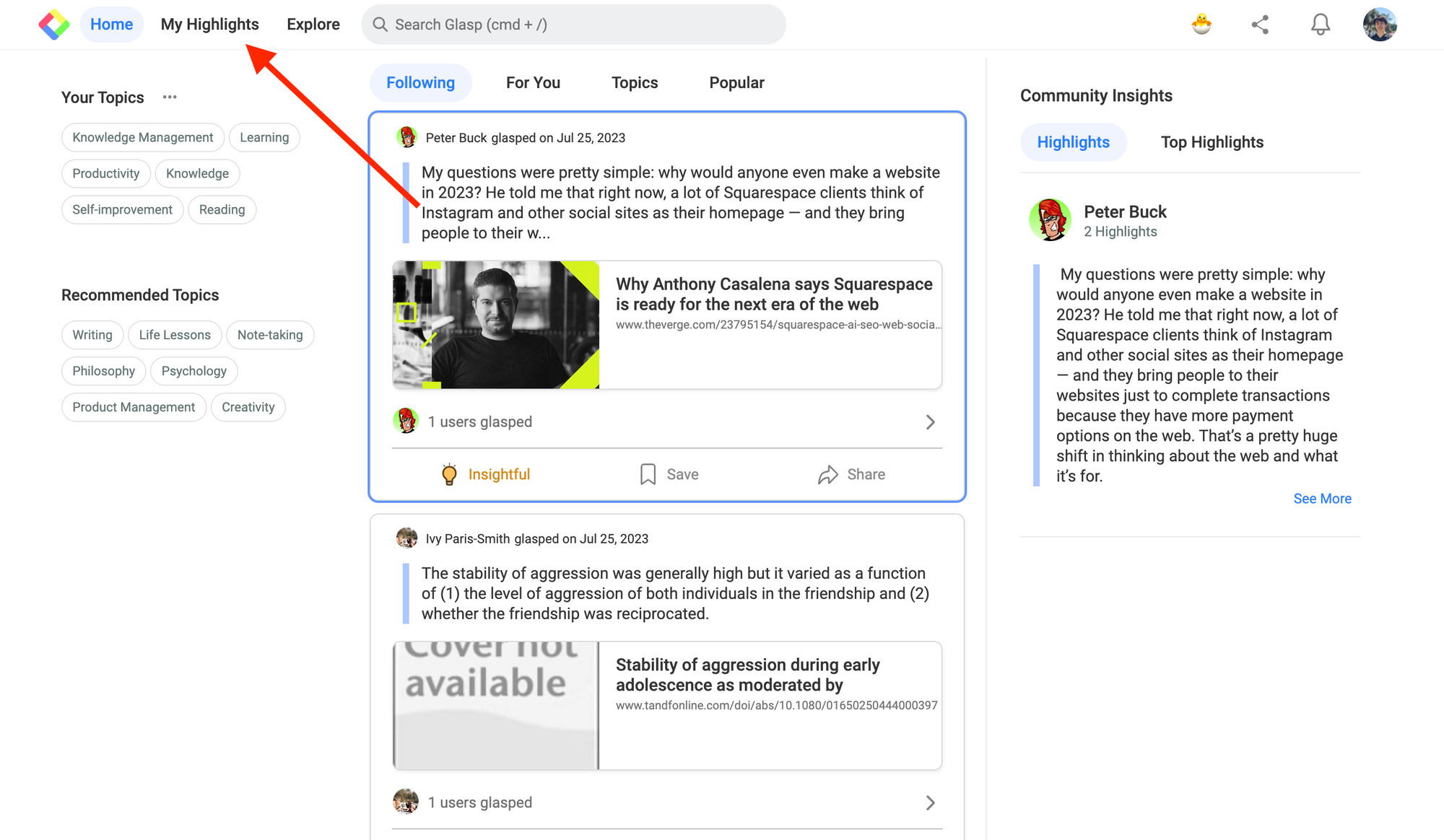
Then, you see the URL of your profile page, so please copy it.
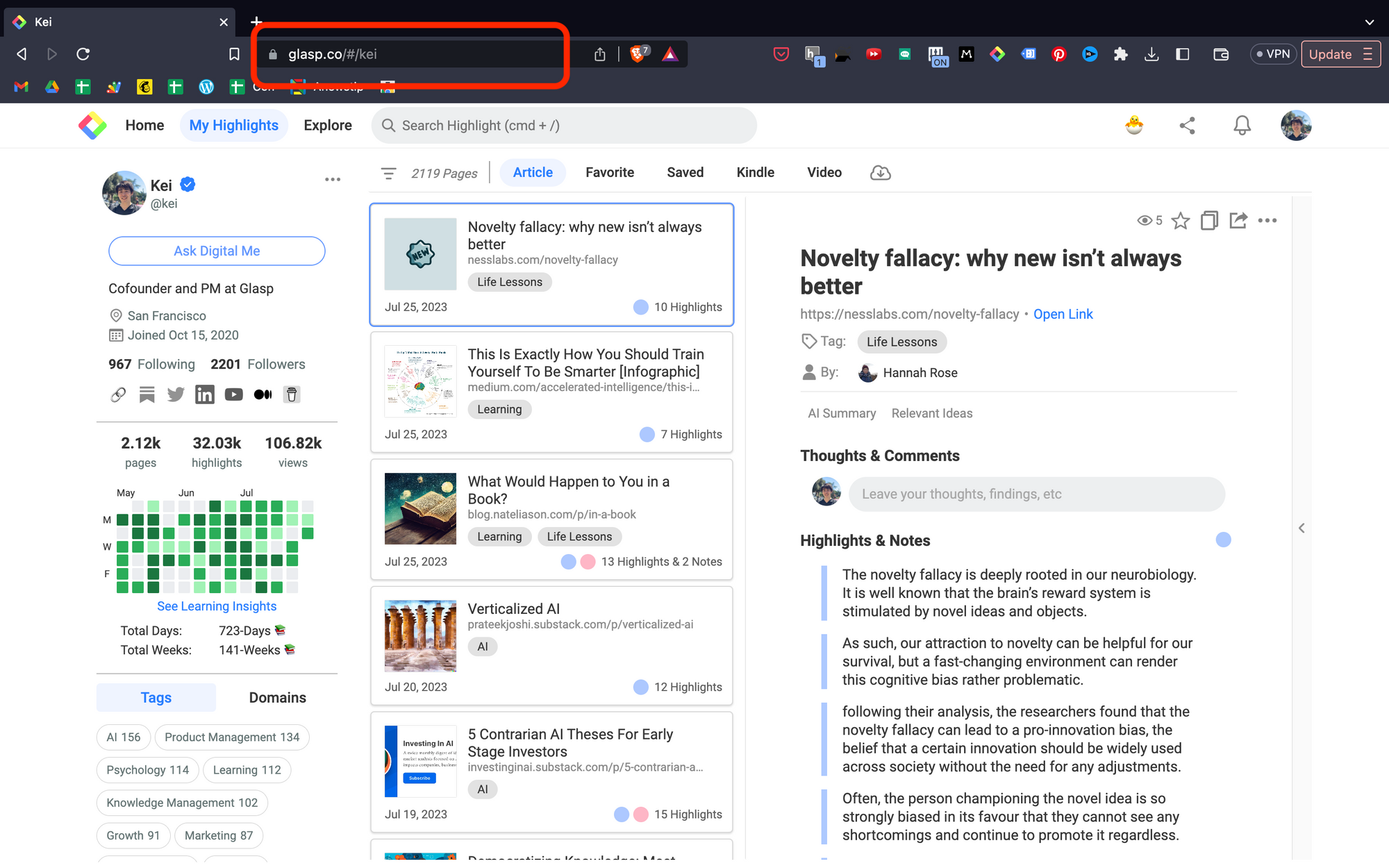
Step 3: Add the URL to Linktree
If you could have successfully logged in or signed up for Linktree, you can see the admin page below. Please click the "+ Add link" button at the top.
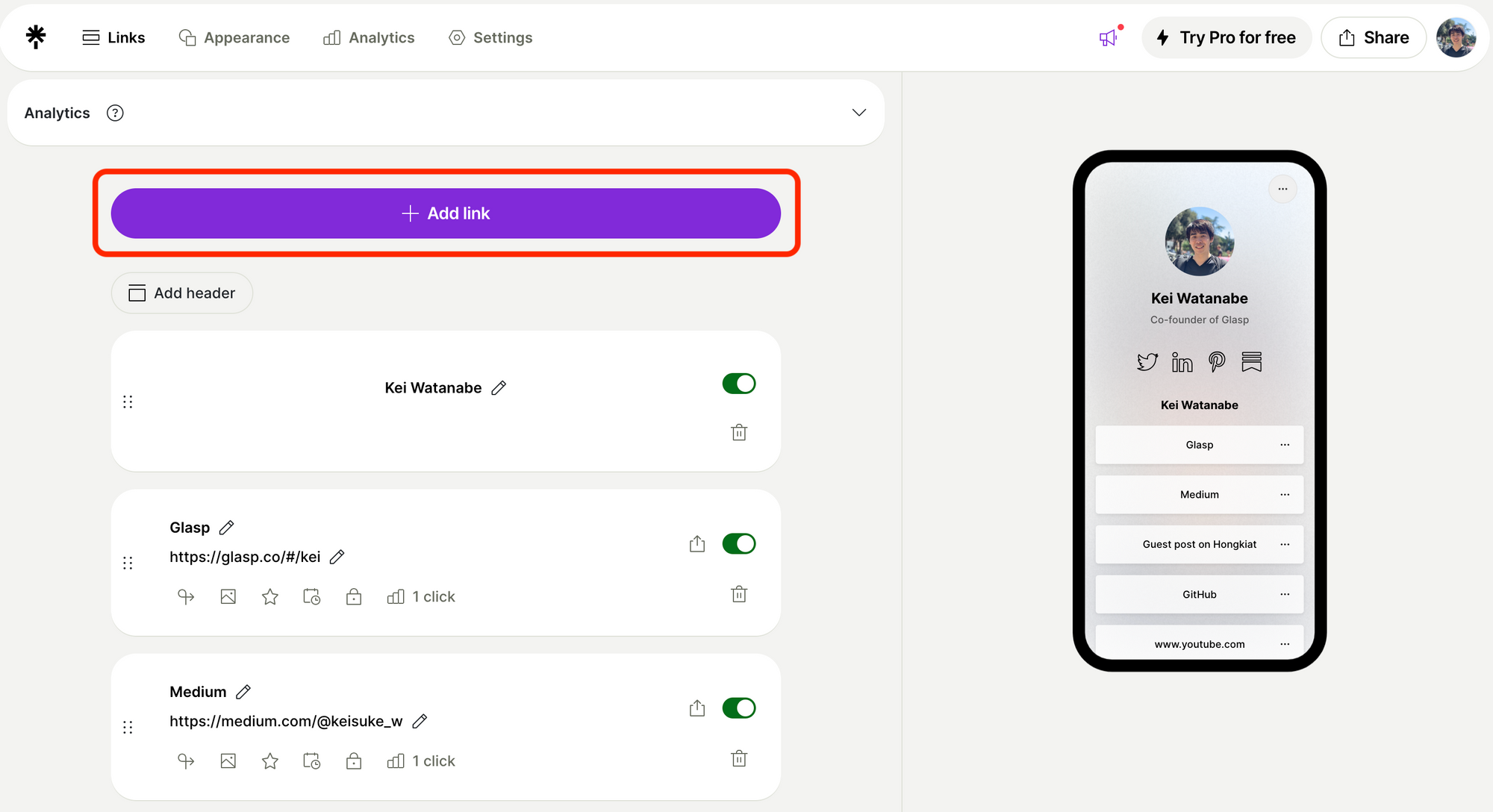
Paste the URL you copied in an empty space and click Add.
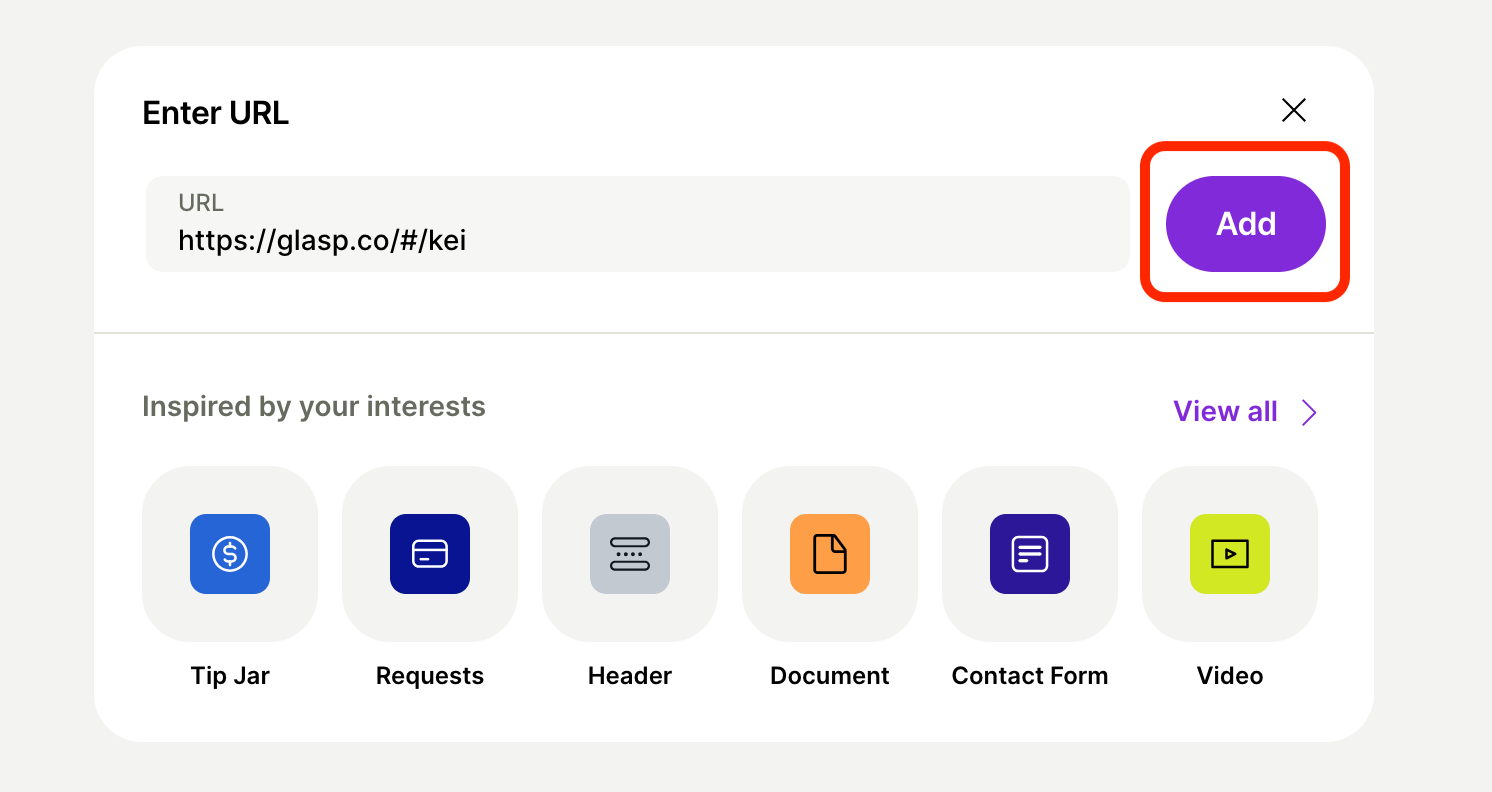
(Optional) Step 4: Edit the title as you want
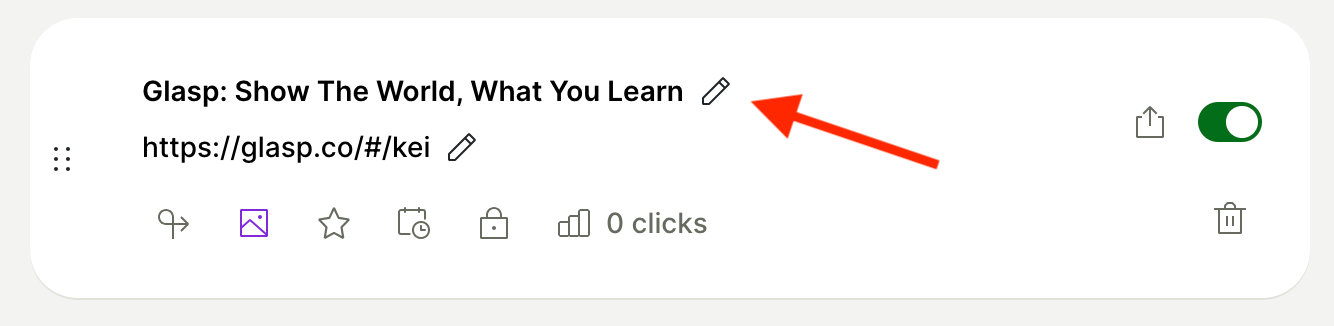
When you paste the URL, the default title is "Glasp: Show The World, What You Learn." If you'd like to edit it, please do so by clicking an edit icon.
FAQs
Q. Do I need a premium Linktree plan to add my Glasp profile?
No. Adding your Glasp profile link works perfectly with the free Linktree plan. A premium plan is only required if you want advanced features like analytics or custom designs.
Q. Where can I find my Glasp profile link?
Go to your profile page on Glasp and copy the URL from your browser’s address bar. That’s your personal profile link.
Q. Will my highlights on Glasp be visible to everyone from Linktree?
Yes. Glasp is a social learning platform, so your profile and highlights are public by default. If you want to keep something private, please update your visibility settings on Glasp.
Q. Can I track clicks from Linktree to my Glasp profile?
If you’re on a paid Linktree plan, you’ll get built-in analytics. On the free plan, you won’t see detailed click data, but you can use tools like Google Analytics with custom tracking links.
Q. Can Claude or ChatGPT read my Glasp highlights?
Yes. With the Glasp MCP Connector, AI assistants such as Claude, ChatGPT, and Claude Code can search and read your own highlights, notes, Kindle highlights, and AI summaries, including your YouTube summaries. The connection is read-only and private to you. See How to Connect Glasp to Claude, ChatGPT, and Claude Code (MCP Connector).
Q. Can I use Glasp on my phone?
Yes. Glasp has native apps for iPhone, iPad, and Android, and the Glasp Safari extension for iPhone and iPad comes with the iOS app. Your highlights sync between the apps, the web, and the desktop extension. See How to Use the Glasp Mobile App on iOS, iPad, and Android.
Before you leave
If you have any questions, please refer to the FAQ or contact us.
👉 FAQs
👉 X
See you next time,
Glasp team