Advanced Midjourney V5.1 Guide (Ultra Realistic AI Photography with Style Raw Mode - Prompt Study)
TL;DR
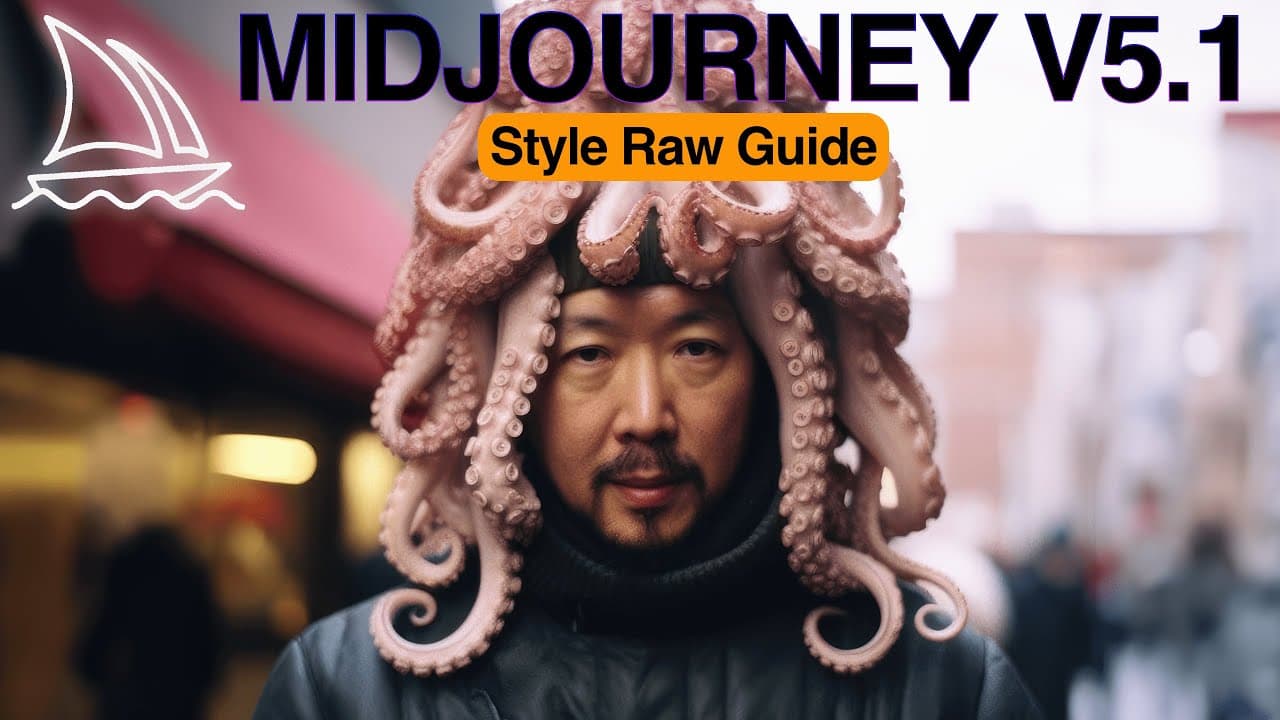
The style raw parameter in Mid-Journey 5.1 allows users to strip away default aesthetic styles and create more raw and realistic images.
Transcript
many people reached out to me to ask about style raw parameter introduced with mid-journey version 5.1 it seems there is some confusion about it in this video we'll Deep dive into the style raw parameter to better understand when and how to use it and we will try running some prompt studies to keep things empirical and scientific at the end of the ... Read More
Key Insights
- 🍓 The style raw parameter in Mid-Journey 5.1 offers users the option to create raw and unfiltered images with a more realistic look.
- 👤 Raw mod is more dependent on the artistic direction given by the creator, making it ideal for users who know what they want from their artwork.
- 🖕 Mid-Journey v51 is great for stylizing short prompts and serves well for average users who prefer autopilot stylization.
- 🍓 Raw mod excels in long prompts with detailed style descriptions or specific scenes, delivering better results than v51.
- 🍓 In regular portrait photography, there might not be a significant difference between the results of v51 and raw mod.
- 🍓 Creative direction is crucial when using raw mod, as it can deliver the desired style effectively.
- 🛀 The experimentation showed that raw mod is particularly effective when the subject is engaged in a special activity or specific posture.
Install to Summarize YouTube Videos and Get Transcripts
Explore YouTube Video Summarizer or Get YouTube Transcript Extractor
Questions & Answers
Q: What is the purpose of the style raw parameter in Mid-Journey 5.1?
The style raw parameter allows users to create more raw and realistic images by stripping away default aesthetic styles.
Q: How can the style raw parameter be activated?
The style raw parameter can be activated either for specific prompts by adding it to the input prompt or permanently activated in the mid-journey settings.
Q: How does the use of raw mod affect the stylization of shorter prompts?
When using raw mod with shorter prompts, the resulting images appear less stylized and more realistic, with minimal additional creativity.
Q: How does raw mod react to AI photography prompts?
Raw mod reacts well to AI photography prompts, especially when specific activities or actions are mentioned, delivering the desired output effectively.
Summary & Key Takeaways
-
The style raw parameter in Mid-Journey 5.1 allows for the creation of raw and unfiltered images with a more realistic look.
-
There are two ways to enable raw mod: using it for specific prompts or permanently activating it in the mid-journey settings.
-
Experimentation shows that raw mod is more dependent on the creator's artistic direction and is excellent for specific scenes or action scenes.
Read in Other Languages (beta)
Share This Summary 📚
Summarize YouTube Videos and Get Video Transcripts with 1-Click
Try YouTube Summary with ChatGPT & Claude or YouTube Transcript Generator
Explore More Summaries from Cyberjungle 📚
Summarize YouTube Videos and Get Video Transcripts with 1-Click
Try YouTube Summary with ChatGPT & Claude or YouTube Transcript Generator