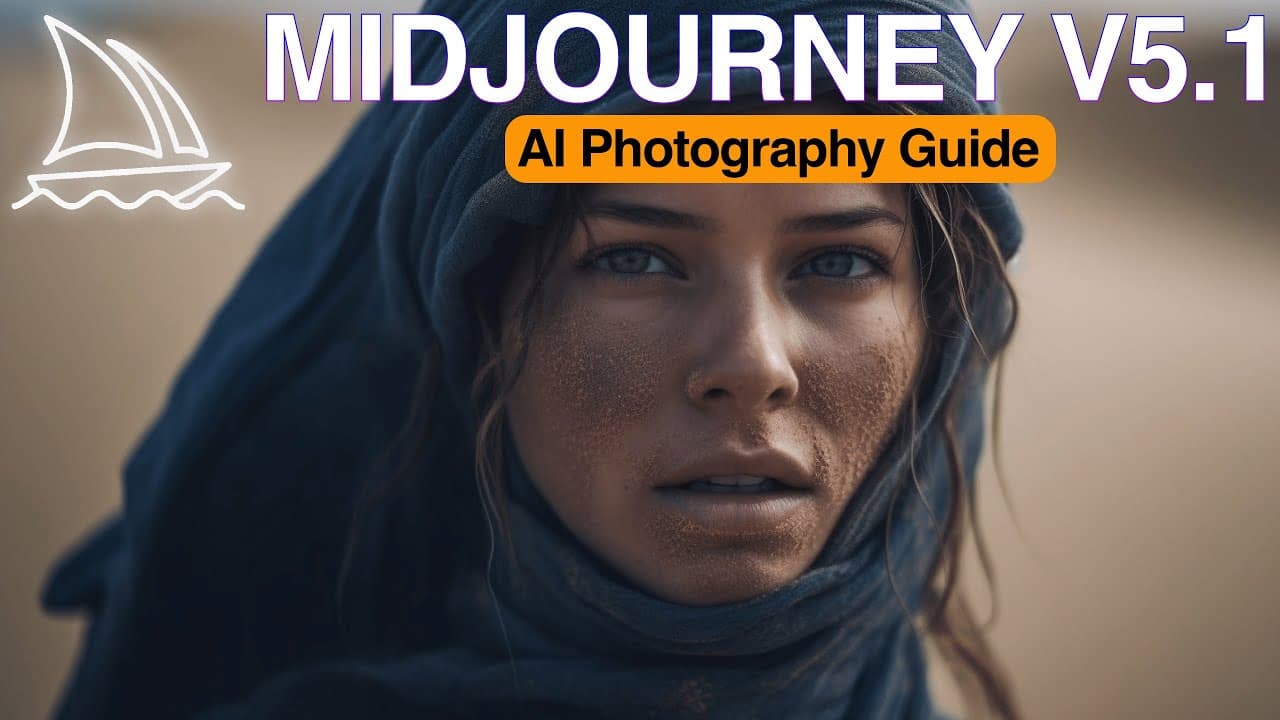
How Can You Create Stunning AI Photos with Midjourney?
TL;DR
Master the art of creating breathtaking AI photos using Midjourney's advanced techniques. Discover how to effectively craft prompts, utilize camera settings, and improve lighting for striking images that stand out.
Transcript
in this video I'm bringing you The Ultimate Guide to create stunning ultra realistic AI photos in minutes we'll Deep dive into the art of crafting mid-journey prompts using chat GPT explore describe command and multi-prompting on mid-journey you will Master everything related with mid-journey photography including cameras lenses camera angles shot ... Read More
Key Insights
- 🎥 AI photography: Mid-journey offers a range of tools and features to enhance AI photos, including deep diving into crafting mid-journey prompts using chat GPT and multi-prompting to blend multiple images and prompts together.
- 📸 Mastering mid-journey photography: Learn about cameras, lenses, camera angles, shot types, lighting, and visual styles inspired by renowned filmmakers and photographers to improve the quality and impact of your photos.
- 🔎 Describing images with mid-journey: The new "describe" function allows users to generate prompts based on existing images, providing detailed descriptions that can be used to generate similar photos. This opens up new possibilities for creativity.
- 💬 Writing prompts with chat GPT: Use chat GPT to write powerful mid-journey prompts, such as cinematic descriptions, to create specific visual effects and styles in your photos.
- 💡 Advantages of multi-prompting: Blend multiple prompts together using double colon signs to improve the composition and narrative of your photos. Assign weight numbers to individual prompts to prioritize certain elements in the final image.
- 📷 Enhancing photography with professional equipment: Choose the right camera and lens for your artistic vision, consider camera angles and shot types to create desired visual impact, and manipulate lighting to accentuate details and create unique effects.
- 🎨 Infusing style into your AI photos: Incorporate filmmaker and photographer names into your prompts to add specific styles, colors, lighting, and atmospheres to your images, resulting in consistent and visually appealing compositions.
- 🔍 Enhancing diversity and artistic expression: Use keywords like plus size and country names to depict diverse models and ethnicities, and experiment with different styles, textures, and material properties to create captivating visuals in your mid-journey images.
Install to Summarize YouTube Videos and Get Transcripts
Explore YouTube Video Summarizer or Get YouTube Transcript Extractor
Questions & Answers
Q: How can Mid-Journey's "Describe" function be used to generate prompts for creating AI photos?
Mid-Journey's "Describe" function allows users to upload an image and generate prompts based on its description, providing a unique starting point for creating AI photos. By choosing one of the alternatives, similar photos to the original image can be generated, expanding the creative possibilities.
Q: How does multi-prompting on Mid-Journey improve photography scenes?
Multi-prompting on Mid-Journey allows blending multiple prompts together, resulting in more diverse and visually appealing photography scenes. By assigning weight to individual prompts, specific elements can be prioritized, leading to enhanced compositions and desired outcomes.
Q: What are some tips for improving lighting in AI photos?
To enhance the details, colors, and textures in AI photos, consider manipulating the lighting. Experiment with weather conditions, time of day, different light sources, and color in directional light. Understanding the difference between hard and soft lighting can also add depth and atmosphere to your images.
Q: How can incorporating filmmakers' or photographers' names in prompts affect the style and mood of AI photos?
Adding a filmmaker's name to a prompt can infuse AI photos with the style, atmosphere, and visual elements associated with that filmmaker, creating a unique flavor. Similarly, incorporating a photographer's name can influence lighting, composition, and color grading, resulting in images that exhibit their signature style and aesthetic.
Summary & Key Takeaways
-
Mid-Journey's new "Describe" function allows users to generate prompts based on existing images, opening up new creative possibilities.
-
Multi-prompting on Mid-Journey allows blending multiple images and prompts together, with the ability to assign weight to individual prompts for improved photography scenes.
-
Enhance your AI photos by incorporating professional camera techniques, including choosing the right camera and lens, experimenting with camera angles and shot types, and manipulating lighting.
Read in Other Languages (beta)
Share This Summary 📚
Summarize YouTube Videos and Get Video Transcripts with 1-Click
Try YouTube Summary with ChatGPT & Claude or YouTube Transcript Generator
Explore More Summaries from Cyberjungle 📚
Summarize YouTube Videos and Get Video Transcripts with 1-Click
Try YouTube Summary with ChatGPT & Claude or YouTube Transcript Generator