How to Craft Viral Videos with VEO 3 Prompts
TL;DR
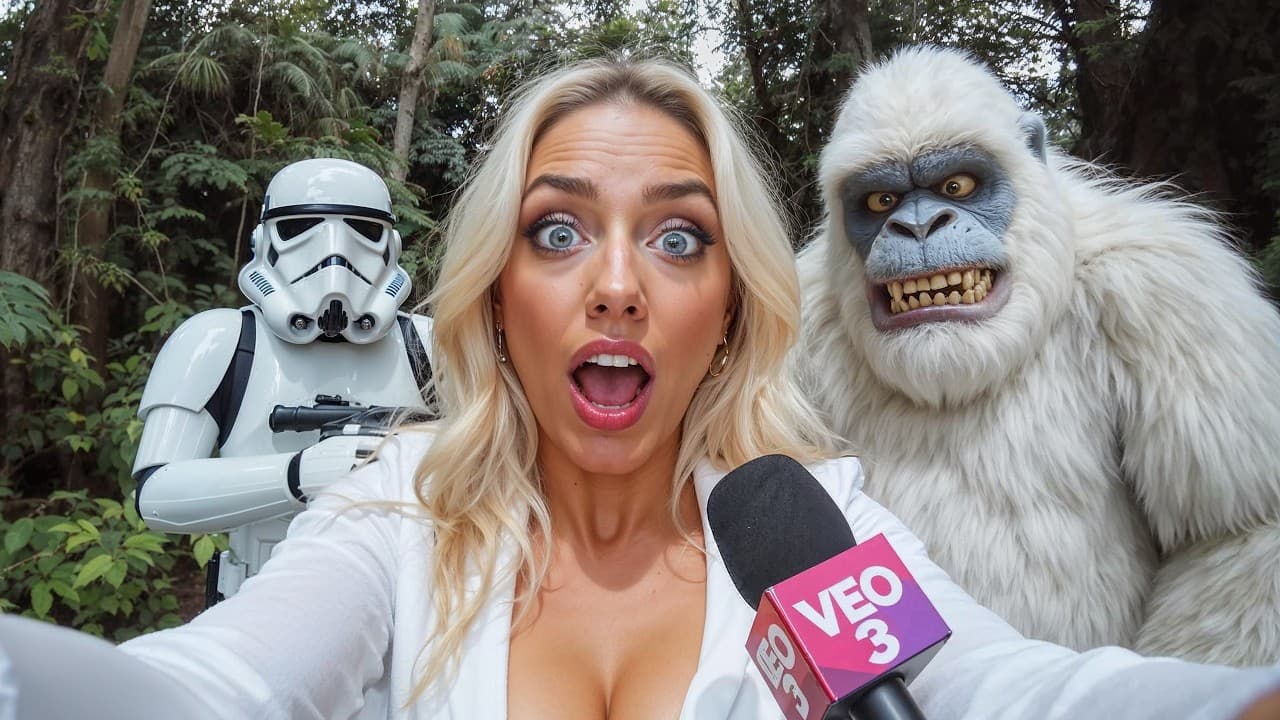
Create viral AI videos using VEO 3 by following detailed prompts for various formats like ASMR, vlogs, and street interviews. Key strategies include maintaining character consistency, controlling camera motion, and leveraging upscaling tools to enhance video quality.
Transcript
these AI generated V3 videos are blowing up on social media and already making money for many creators but almost no one explains how they are made in this video you will find eight viral VO3 formats and their prompts including cinematic prompt structure all of which are fully aligned with the official prompting guide published by the Google Labs T... Read More
Key Insights
- VEO 3 videos are trending on social media, offering creators opportunities to generate income through viral formats and prompts.
- The tutorial provides eight viral VEO 3 formats, including ASMR, selfie vlogs, and cinematic videos, with detailed prompt structures.
- ASMR videos benefit from using opaque glass and original fruit colors to maintain realism while allowing material changes for variety.
- Selfie-style vlogs require specific prompts to mimic authentic vlogging, emphasizing camera angles, actions, and natural behaviors.
- Street interviews and news reports with a twist add humor and creativity, using specific prompts to guide dialogue and background action.
- Cinematic videos benefit from consistent character descriptions and detailed camera motion prompts to achieve a professional look.
- High-fidelity refinement is possible through tools like Astra, which upscale videos to 4K, enhancing video quality and realism.
- Gemini can be used as a prompt builder to create detailed and effective prompts, aiding in the generation of high-quality VEO 3 content.
Install to Summarize YouTube Videos and Get Transcripts
Explore YouTube Video Summarizer or Get YouTube Transcript Extractor
Questions & Answers
Q: What are the benefits of VEO 3 videos?
VEO 3 videos are highly popular on social media, providing creators with opportunities to generate income through viral content. The tutorial outlines various formats and prompts that align with Google Labs' guidelines, offering a structured approach to creating engaging and high-quality videos.
Q: How can I create realistic ASMR videos using VEO 3?
To create realistic ASMR videos, it's essential to use opaque glass and original fruit colors in your prompts. This ensures that the final video maintains the original color and realism. Additionally, you can experiment with different materials and textures to diversify the content while maintaining a satisfying sensory experience.
Q: What makes a selfie-style vlog authentic in VEO 3?
Authentic selfie-style vlogs require specific prompts that mimic real-life vlogging behaviors. Key elements include specifying camera angles, such as holding the camera at arm's length, and incorporating natural actions like looking around or smiling. Adding details about the vlog's style, such as a YouTube vlog, enhances authenticity.
Q: How can I add humor to street interviews and news reports?
Adding humor to street interviews and news reports involves using prompts that guide dialogue and background actions creatively. For instance, setting a scene at a chaotic festival or involving humorous interactions between characters can add a satirical tone. Keeping dialogue concise and clear helps maintain comedic timing.
Q: What are the key components of cinematic videos in VEO 3?
Cinematic videos in VEO 3 rely on consistent character descriptions and detailed camera motion prompts. Using unique descriptions for characters ensures visual continuity, while specifying camera movements like dolly shots or aerial views adds a professional touch. These elements help create a distinctive and engaging cinematic experience.
Q: How can I upscale VEO 3 videos to 4K quality?
To upscale VEO 3 videos to 4K quality, tools like Astra can be used. Astra enhances video details, textures, and overall realism, offering options for speed and quality modes. This upscaling process significantly improves video quality, making it suitable for high-resolution displays and professional use.
Q: How does Gemini assist in creating VEO 3 prompts?
Gemini serves as a prompt builder, helping creators generate detailed and effective prompts for VEO 3. By specifying prompt structures and scene details, Gemini aids in crafting prompts that align with the creative vision, simplifying the process and enhancing the quality of the generated content.
Q: What advanced tips are provided for VEO 3 content creation?
Advanced tips for VEO 3 content creation include using the fast mode for cost-effective video generation, utilizing Gemini for detailed prompt creation, and employing high-fidelity refinement tools like Astra for video upscaling. These tips help creators optimize their workflow and produce high-quality, engaging content efficiently.
Summary & Key Takeaways
-
This tutorial explores the creation of viral AI videos using VEO 3, providing detailed prompts and structures for eight popular formats. It includes ASMR, selfie vlogs, street interviews, and cinematic videos, emphasizing prompt specificity and creativity.
-
Key techniques include maintaining character consistency, controlling camera motion, and utilizing upscaling tools like Astra for high-fidelity results. The guide also introduces Gemini for generating detailed prompts and enhancing video quality.
-
VEO 3 offers creators the ability to produce engaging content with minimal credits, providing a comprehensive guide for both beginners and seasoned creators to explore AI filmmaking and viral video production.
Read in Other Languages (beta)
Share This Summary 📚
Summarize YouTube Videos and Get Video Transcripts with 1-Click
Try YouTube Summary with ChatGPT & Claude or YouTube Transcript Generator
Explore More Summaries from CyberJungle 📚

Summarize YouTube Videos and Get Video Transcripts with 1-Click
Try YouTube Summary with ChatGPT & Claude or YouTube Transcript Generator