DIY Raspberry Pi Wifi Ethernet Bridge
TL;DR
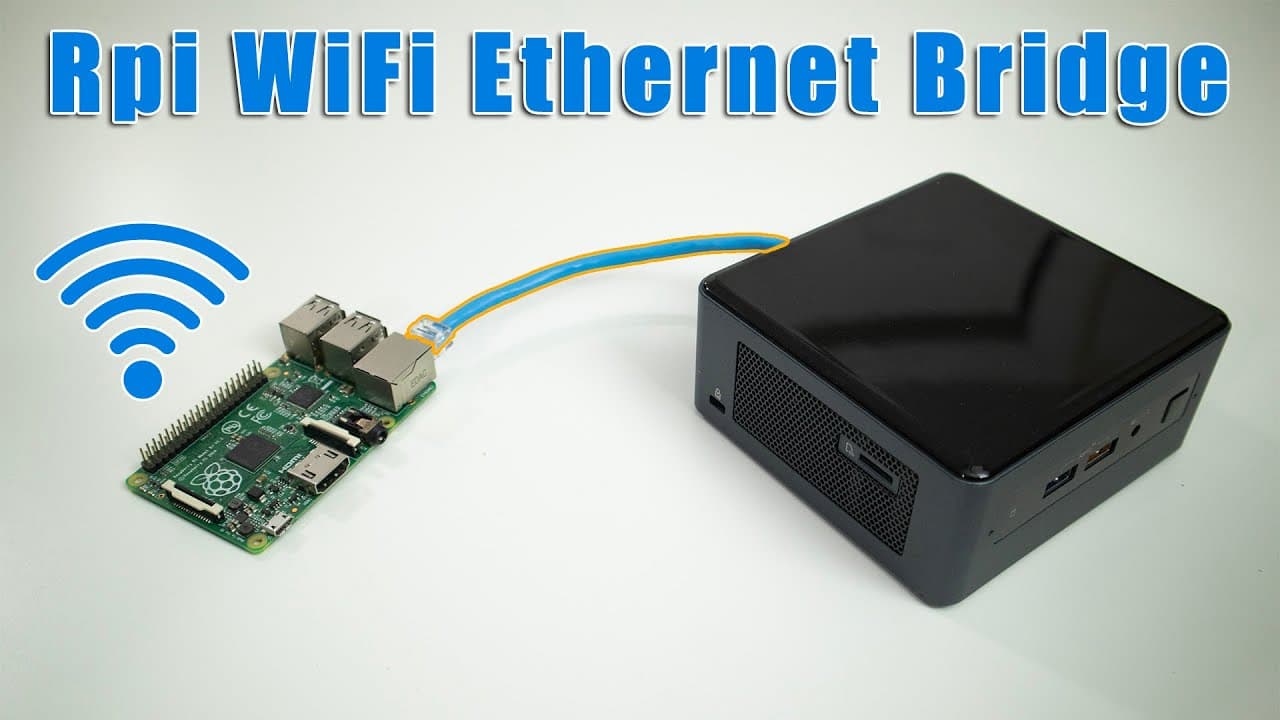
Learn how to create a Raspberry Pi Wi-Fi Ethernet bridge for various device connections.
Transcript
so it's definitely been a while since we did a Raspberry Pi Project so here we are today we are creating a Raspberry Pi Wi-Fi ethernet Bridge so let's get started so there are so many use case scenario that you could use this uh Raspberry Pi Wi-Fi ethernet bridge that I can't even name them all but for some context if you have like a printer that's... Read More
Key Insights
- 🇫🇮 Creating a Raspberry Pi Wi-Fi Ethernet bridge expands connectivity options for devices lacking Wi-Fi capabilities, making it versatile for various use cases.
- 🛟 The same subnet configuration preserves the original IP address scheme, making it easier for seamless integration with existing networks.
- 🏨 The separate subnet configuration effectively bypasses restrictions in environments like hotels, offering a network solution for multiple devices.
- 🐎 The speed and performance of the bridge depend significantly on the version of the Raspberry Pi being utilized.
- 👤 Utilizing Raspberry Pi Imager streamlines the setup process, saving time and effort for users tackling such projects.
- 💳 The automation provided by the script reduces the likelihood of errors during setup and simplifies network configuration tasks.
- 👤 Users can adapt the bridge setup to different environments by adjusting network interface names according to their device specifications.
Install to Summarize YouTube Videos and Get Transcripts
Explore YouTube Video Summarizer or Get YouTube Transcript Extractor
Questions & Answers
Q: What is a Raspberry Pi Wi-Fi Ethernet bridge used for?
A Raspberry Pi Wi-Fi Ethernet bridge is used to connect devices that only have Ethernet ports to Wi-Fi networks. This is particularly useful for devices like printers, gaming consoles, or legacy systems that do not support wireless connectivity, allowing them to access the internet seamlessly through the Raspberry Pi.
Q: What are the two methods of setting up the Raspberry Pi bridge?
The two methods of setting up the Raspberry Pi bridge are: the same subnet method, where devices connected to the Raspberry Pi maintain the same IP address scheme as the main network; and the separate subnet method, where the Raspberry Pi serves as a DHCP server that assigns a different range of IP addresses to connected devices, ideal for restrictive environments like hotels.
Q: How can the Raspberry Pi bridge be useful in a rental apartment?
In a rental apartment where only Wi-Fi is available, using a Raspberry Pi as an Ethernet bridge allows tenants to connect multiple Ethernet-only devices to the Wi-Fi network. This can be particularly beneficial if certain devices, such as gaming consoles or desktop computers, require a stable wired connection for optimal performance.
Q: Can I use any Raspberry Pi model for this project?
Yes, you can use any model from the Raspberry Pi 2, 3, or 4 for the Wi-Fi Ethernet bridge project. However, be mindful of their capabilities: Raspberry Pi 2 supports up to 10 Mbps, Raspberry Pi 3 supports up to 300 Mbps, and Raspberry Pi 4 supports gigabit speeds, which influences the efficiency of your bridge.
Q: What is the significance of using a script in this setup?
The script automates the configuration process necessary for setting up the Raspberry Pi as a Wi-Fi Ethernet bridge. It manages updates, installs packages, and sets up network interfaces, simplifying what would otherwise be a manual and complex setup procedure for users.
Q: How do I access the Raspberry Pi after setting it up?
After setting up the Raspberry Pi and connecting it to the network, users can access it through SSH using its assigned IP address. This allows for remote configuration and management, essential for users who prefer not to connect a monitor or keyboard directly to the device.
Q: Why would someone want to connect multiple devices to a Raspberry Pi bridge?
Connecting multiple devices to a Raspberry Pi bridge allows users to bypass limitations imposed by network providers, such as the restriction to a single connected device, commonly encountered in public Wi-Fi networks. This makes it feasible to connect several devices to a single Ethernet connection.
Summary & Key Takeaways
-
This content guides users on creating a Raspberry Pi Wi-Fi Ethernet bridge to provide Wi-Fi to devices that have only Ethernet connectivity.
-
Two methods are discussed: one keeps the same subnet for connected devices, while the other creates a separate subnet for unique IP addressing in specific environments like hotels.
-
The tutorial covers the setup process using Raspberry Pi Imager, script execution, and the potential applications of this bridge in diverse scenarios.
Read in Other Languages (beta)
Share This Summary 📚
Summarize YouTube Videos and Get Video Transcripts with 1-Click
Try YouTube Summary with ChatGPT & Claude or YouTube Transcript Generator
Explore More Summaries from Novaspirit Tech 📚






Summarize YouTube Videos and Get Video Transcripts with 1-Click
Try YouTube Summary with ChatGPT & Claude or YouTube Transcript Generator