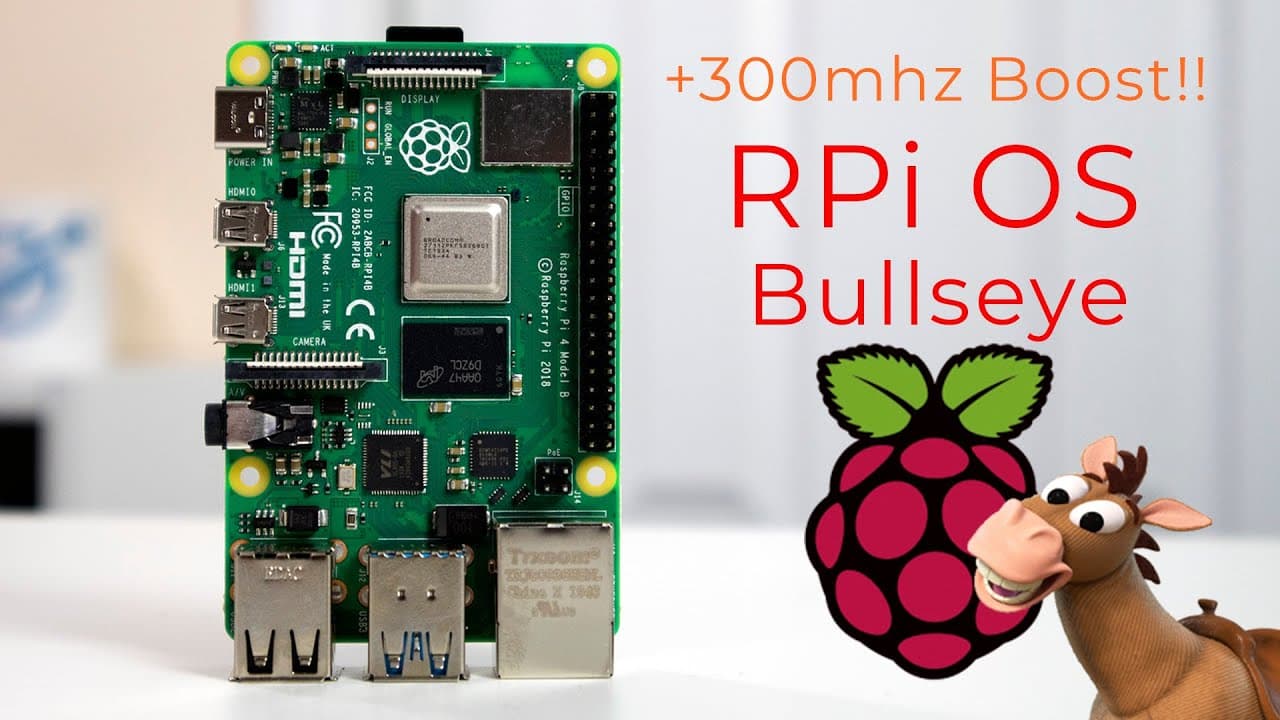
All New Raspberry Pi OS Bullseye Is Awesome! Clocked at 1.8Ghz!!!
TL;DR
Raspberry Pi OS has been updated to Bullseye, enhancing performance and user experience.
Transcript
hey guys what's going on it's don here from nova spare tech and welcome back to the channel and today we are going to be checking out the all new raspberry pi os bullseye so let's get started now as of a couple of days ago you can now download and upgrade your raspberry pi to the latest debian installment which is bullseye now there's a lot of upda... Read More
Key Insights
- 👶 The Raspberry Pi OS Bullseye upgrade brings notable performance enhancements, particularly in CPU speed for newer hardware models.
- 🙂 Transitioning to the Mutter window compositor improves the user interface, offering modern functionalities like animations, although at a slight cost to memory.
- 👶 The new desktop experience is particularly beneficial for users of Raspberry Pi 2GB and above, showcasing improvements in aesthetics and engagement.
- 👤 Simplified file management and notification systems introduce better usability and interaction, enhancing the overall experience for users.
- 🤗 The shift from GTK2 to GTK3 opens doors for more extensive theming options, inviting customization for users interested in personalizing their desktop.
- 🔉 Enhanced media capabilities in the Chromium browser upgrade facilitate a smoother experience when accessing multimedia content online.
- 🥶 The addition of free digital magazines in the bookshelf feature provides users with learning resources directly on their Raspberry Pi desktops.
Install to Summarize YouTube Videos and Get Transcripts
Explore YouTube Video Summarizer or Get YouTube Transcript Extractor
Questions & Answers
Q: What are the major performance improvements in Raspberry Pi OS Bullseye?
The key performance improvement is the increased CPU speed, with newer Raspberry Pi boards running at 1.8 GHz compared to the previous 1.5 GHz. Users can manually overclock older models to achieve similar speeds. Additionally, the new architecture allows for better resource management and a more responsive interface.
Q: How does the transition to Mutter affect system resources?
The switch from Openbox to Mutter provides an enhanced visual experience with modern animations and drop shadows for windows. However, this may slightly increase the memory usage, as Mutter requires more resources to render visuals, though the operating system still performs efficiently with a fresh boot consuming around 167 MB of RAM.
Q: What changes have been made to the file manager in Bullseye?
The file manager's interface has been simplified with fewer icons, allowing for a cleaner look. Users can easily zoom icons in and out with new intuitive controls. Additionally, animations have been integrated to provide a smoother interaction experience, enhancing overall usability on the desktop environment.
Q: Are there new features for notifications in the updated OS?
Yes, Raspberry Pi OS Bullseye includes an enhanced notification system that allows updates to appear in a visually appealing manner on the top right of the screen. Users can customize notification settings, including enabling or disabling them according to personal preferences, making it easier to manage system alerts.
Q: What is GTK3, and why is its incorporation significant?
GTK3 (GIMP Toolkit version 3) is a UI toolkit that facilitates the design of graphical interfaces. Its incorporation in Raspberry Pi OS Bullseye signifies a major upgrade, as it allows for more modern themes and customization options compared to the older GTK2. This change enhances the aesthetic and functional aspects of the operating system.
Q: What improvements have been made to the Chromium browser?
The Chromium browser in Raspberry Pi OS Bullseye has been updated to version 92, enabling better hardware acceleration for graphics. This enhancement should lead to improved video playback quality on platforms like YouTube, providing a more seamless browsing experience overall for users.
Q: How does the new bookshelf feature function in Bullseye?
The updated bookshelf feature now offers access to free magazines, including "Custom PC" among others. Users can download and read these PDFs directly from the Raspberry Pi, providing additional content that can be enjoyed while using the operating system, enriching the user experience.
Q: Can users upgrade from Buster to Bullseye easily?
Although the simplest method is to wipe and reinstall the operating system, users who need to upgrade from Buster to Bullseye without losing data may find it beneficial to get guidance on this process. The speaker is open to creating a video if there’s sufficient interest from the community, highlighting the importance of ensuring a smooth transition.
Summary & Key Takeaways
-
Raspberry Pi OS Bullseye introduces an upgraded desktop experience with improved CPU performance, allowing newer boards to run at 1.8 GHz.
-
The update features a new window compositor, Mutter, that enhances user interface elements such as animations and notifications, but requires slightly more memory.
-
Users can now enjoy a revamped file manager, updated Chromium browser, and the addition of free magazines/apps available for reading directly from the desktop.
Read in Other Languages (beta)
Share This Summary 📚
Summarize YouTube Videos and Get Video Transcripts with 1-Click
Try YouTube Summary with ChatGPT & Claude or YouTube Transcript Generator
Explore More Summaries from Novaspirit Tech 📚





Summarize YouTube Videos and Get Video Transcripts with 1-Click
Try YouTube Summary with ChatGPT & Claude or YouTube Transcript Generator