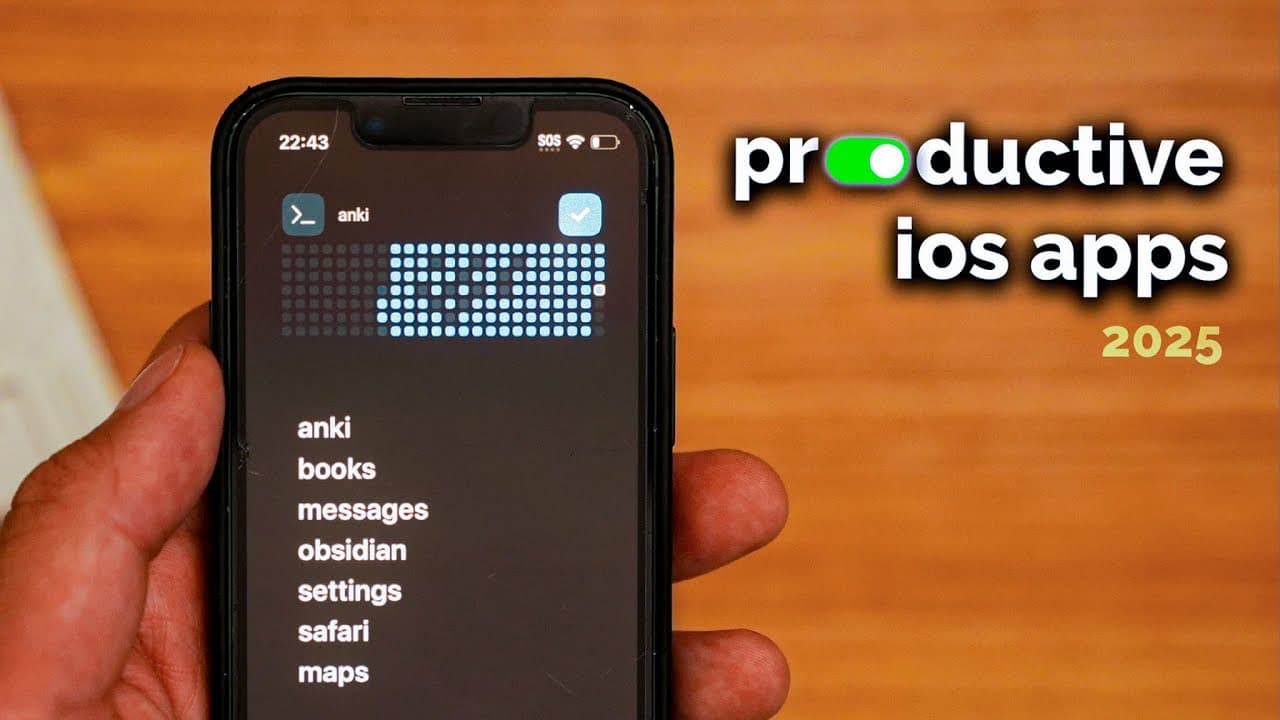
what's on my iphone mini in 2025
TL;DR
Optimize your iPhone Mini for productivity with these apps.
Transcript
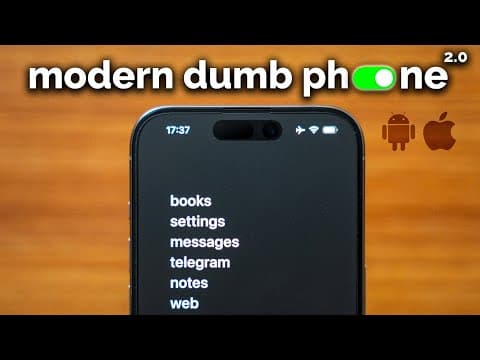
this is my iPhone Mini which is super optimized to reduce distractions and to be a productivity machine previously I made videos sharing how to set up your phone to be a modern dumb phone but I didn't actually share what apps that I use on my phone this past year I made significant progress in my personal goals I ran my first marathon I reached 100... Read More
Key Insights
- The speaker has optimized their iPhone Mini to minimize distractions and maximize productivity, using a variety of apps and widgets.
- Habit Kit is a digital habit tracker that visually displays streaks, helping users maintain consistency in their habits.
- Things 3 is a simple, one-time payment to-do app that syncs across Apple devices, offering features like to-do shortcuts in iOS 18.
- Notion Calendar is preferred over the default Apple calendar for its UI and design, allowing users to time block and plan effectively.
- Safari is optimized with extensions like Untra and Pacific Block to reduce distractions by blocking images, audio, and video.
- Perplexity is an AI-powered search engine that aggregates information from various sources, presenting it in a less distracting manner.
- Whoop is a fitness tracker that provides scores on recovery, sleep, and strain, aiding users in monitoring their health and fitness goals.
- The speaker uses multiple apps for language learning, time tracking, calorie tracking, and mood tracking to enhance personal productivity and well-being.
Install to Summarize YouTube Videos and Get Transcripts
Explore YouTube Video Summarizer or Get YouTube Transcript Extractor
Questions & Answers
Q: How does the speaker use Habit Kit?
The speaker uses Habit Kit as a digital habit tracker to visually display streaks of habits they are trying to maintain. Although they usually track habits in a journal, the digital streaks on their home screen provide an additional layer of motivation and accountability, especially when using the flashcard app Ani.
Q: What makes Things 3 a preferred to-do app?
Things 3 is favored for its simplicity and one-time payment model. It syncs seamlessly across the speaker's MacBook and Apple Watch, making it easy to add and check off tasks. The app also offers a to-do shortcut in iOS 18, enhancing its utility and convenience for users looking to manage their tasks efficiently.
Q: Why does the speaker prefer Notion Calendar?
The speaker prefers Notion Calendar over the default Apple calendar due to its user interface and design, which they find more visually appealing. It allows for effective time blocking and planning, enabling users to reflect on past activities and plan future tasks. Additionally, it offers features like sharing calendar links for scheduling.
Q: How does the speaker reduce distractions on Safari?
The speaker reduces distractions on Safari by utilizing extensions like Untra and Pacific Block. These extensions allow them to block images, audio, and video, transforming Safari into a text-based browser. This setup minimizes the likelihood of getting sidetracked by visual content, helping the speaker maintain focus while browsing.
Q: What is the advantage of using Perplexity?
Perplexity is an AI-powered search engine that aggregates information from multiple sources and presents it in a concise, less distracting format. This approach helps the speaker efficiently find relevant information without getting lost in unnecessary details, making it a preferred choice over traditional search engines like Safari.
Q: How does Whoop support the speaker's fitness goals?
Whoop is a fitness tracker that provides scores on recovery, sleep, and strain, offering valuable insights into the speaker's health metrics. This information is particularly beneficial as the speaker trains for a marathon, allowing them to monitor their recovery and sleep patterns, ensuring optimal performance and well-being.
Q: What role do language apps play in the speaker's setup?
The speaker uses language apps like Japanese and Chinese dictionaries to support their language learning efforts. These apps offer fast and efficient look-up capabilities, enabling the speaker to create lists and track their progress in learning new languages. This integration of language apps complements their broader productivity goals.
Q: Why is mood tracking important in the speaker's setup?
Mood tracking is crucial for the speaker as it helps them understand and categorize their emotions, providing insights into emotional patterns over time. Using the How We Feel app, they can track their mood based on a framework developed with Yale University, allowing for better self-awareness and mental health management.
Summary & Key Takeaways
-
The speaker shares their iPhone Mini setup, focusing on productivity and minimizing distractions. They use various apps and widgets to track habits, manage tasks, and plan their schedule effectively. The setup includes apps like Habit Kit, Things 3, and Notion Calendar, which aid in maintaining focus and achieving personal goals.
-
To reduce distractions, the speaker uses Safari extensions to block images and videos, creating a text-based browser experience. Additionally, they use AI-powered search engine Perplexity for efficient information retrieval. Other apps like Whoop and dictionary apps support fitness tracking and language learning, enhancing overall productivity.
-
The speaker emphasizes the importance of tracking time and mood to optimize personal productivity. They recommend time tracking for a few months to understand time allocation and make necessary adjustments. Mood tracking with the How We Feel app aids in recognizing emotional patterns and improving mental well-being.
Read in Other Languages (beta)
Share This Summary 📚
Summarize YouTube Videos and Get Video Transcripts with 1-Click
Try YouTube Summary with ChatGPT & Claude or YouTube Transcript Generator
Explore More Summaries from Reysu 📚

Summarize YouTube Videos and Get Video Transcripts with 1-Click
Try YouTube Summary with ChatGPT & Claude or YouTube Transcript Generator