How Can You Use YouTube as Your AI Mentor?
TL;DR
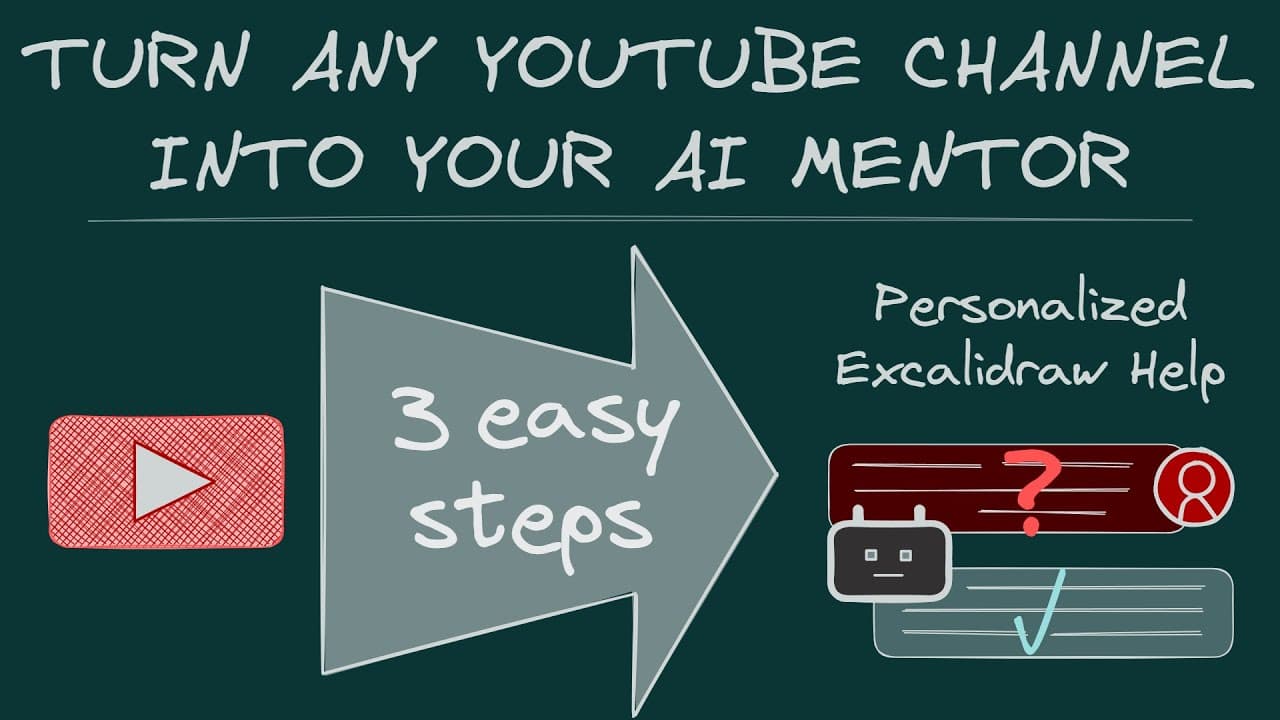
Transform YouTube channels into personalized AI mentors by utilizing Obsidian and Notebook LM. This method automates the extraction and organization of video transcripts, creating a dynamic and searchable knowledge base that enhances your personal knowledge management process.
Transcript
hey everyone it's jolt here happy New Year and welcome to visual PKM today's video is inspired by this problem that even though I have over 250 videos about obsidian exol draw and visual PKM on YouTube and I have over 400 detailed release notes on GitHub about each of the plug-in releases then you have a specific question it'... Read More
Key Insights
- Obsidian serves as a powerful automation workbench for personal knowledge management (PKM), enabling the transformation of YouTube content into a structured knowledge base.
- The video addresses the challenge of finding specific information within a vast collection of videos and release notes, proposing a solution using AI tools like Notebook LM.
- Notebook LM is a Google tool that allows users to drop documents and create a searchable database, aiding in understanding complex topics by generating podcasts and mind maps.
- The process involves downloading YouTube transcripts, summarizing content, and extracting key insights to feed into Notebook LM, creating a condensed and searchable resource.
- Scripts were developed using ChatGPT to automate the downloading and processing of video data, including creating markdown notes with summaries and timestamps.
- Obsidian's capabilities are expanded through plugins like Templator and AI for Templator, which facilitate script execution and integration of AI models for enhanced PKM workflows.
- The video introduces a new Techno-Visual PKM community, aiming to foster collaboration and learning around PKM automation and scripting using tools like Obsidian and AI.
- Despite limitations in sharing Notebook LM models publicly, viewers are encouraged to create their own models using provided training files to explore the potential of this workflow.
Install to Summarize YouTube Videos and Get Transcripts
Explore YouTube Video Summarizer or Get YouTube Transcript Extractor
Questions & Answers
Q: What problem does the video aim to solve?
The video addresses the difficulty of finding specific information within a vast collection of YouTube videos and release notes related to Obsidian and PKM tools. It proposes a solution that leverages AI tools like Notebook LM to create a searchable knowledge base from these resources.
Q: How does Notebook LM enhance PKM workflows?
Notebook LM, a tool from Google, allows users to drop documents and create a searchable database. It aids in understanding complex topics by generating podcasts and mind maps, thus providing a structured way to learn and engage with content on platforms like YouTube.
Q: What role does Obsidian play in the proposed solution?
Obsidian acts as a powerful automation workbench for PKM. It facilitates the transformation of YouTube content into a structured knowledge base through its plugins like Templator and AI for Templator, which enable script execution and integration of AI models for enhanced workflows.
Q: What are the key components of the solution presented in the video?
The solution involves downloading YouTube transcripts, summarizing content, and extracting key insights to feed into Notebook LM. Scripts are used to automate these processes, creating markdown notes with summaries and timestamps, which are then compiled into a condensed and searchable resource.
Q: What challenges are associated with sharing Notebook LM models?
One challenge is that Google does not allow public sharing of Notebook LM models, meaning users cannot directly share their trained models. However, viewers are encouraged to create their own models using provided training files to explore the potential of the workflow presented in the video.
Q: How can viewers create their own Notebook LM models?
Viewers can create their own Notebook LM models by downloading YouTube transcripts and processing them using scripts provided in the video. These scripts help generate summaries and key insights, which are then fed into Notebook LM to create a personalized, searchable knowledge base.
Q: What is the Techno-Visual PKM community?
The Techno-Visual PKM community is a new initiative launched in the video, aimed at fostering collaboration and learning around PKM automation. It focuses on using tools like Obsidian and AI for scripting and automating knowledge management processes, providing a platform for like-minded individuals to share projects and ideas.
Q: What is the significance of using Obsidian for PKM automation?
Obsidian is highlighted as the perfect workbench for PKM automation due to its robust API, extensive plugin support, and integration capabilities. It allows users to automate various processes, such as downloading and processing YouTube content, thereby enhancing personal knowledge management and learning efficiency.
Summary & Key Takeaways
-
The video introduces a method to transform YouTube channels into personal AI mentors using Obsidian and Notebook LM. By automating the downloading and processing of video transcripts, the content is structured into a searchable knowledge base, enhancing personal knowledge management.
-
Obsidian, with its powerful plugins like Templator, serves as the ultimate automation workbench for PKM. The video demonstrates how to use AI tools like Notebook LM to create podcasts and mind maps from YouTube content, making learning more efficient and organized.
-
A new Techno-Visual PKM community is launched, offering a platform for collaboration and learning around PKM automation. The community will focus on using tools like Obsidian and AI for scripting and automating knowledge management processes.
Read in Other Languages (beta)
Share This Summary 📚
Summarize YouTube Videos and Get Video Transcripts with 1-Click
Try YouTube Summary with ChatGPT & Claude or YouTube Transcript Generator
Explore More Summaries from Zsolt's Visual Personal Knowledge Management 📚
Summarize YouTube Videos and Get Video Transcripts with 1-Click
Try YouTube Summary with ChatGPT & Claude or YouTube Transcript Generator