An Introduction to Omnifocus
TL;DR
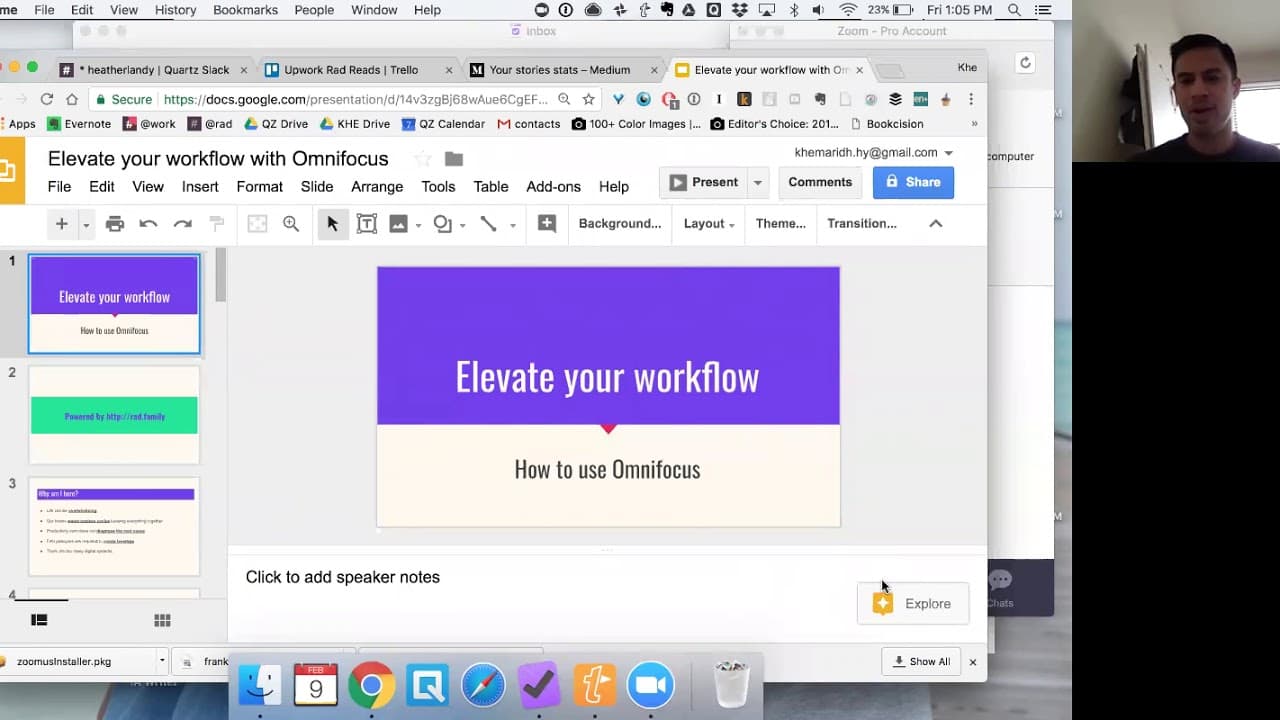
Learn how OmniFocus enhances productivity with efficient task management.
Transcript
you you you you hey guys I know you can't you guys are probably muted but I am communicating with you through chat and just giving it a few minutes before before we get started but I hope everyone is having a happy Friday this is the first time I've done one of these so if I'm awkward as just tell me hello Kayleigh welcome I was just telling every... Read More
Key Insights
- OmniFocus is a powerful productivity app designed for Apple users, offering a comprehensive system for task management and workflow optimization.
- The app is based on the GTD (Getting Things Done) methodology by David Allen, emphasizing capturing, clarifying, organizing, reflecting, and engaging with tasks.
- OmniFocus allows users to create projects and tasks with metadata, enabling advanced organization and prioritization through sequencing and tagging.
- A key feature of OmniFocus is its ability to handle deferred start dates, allowing tasks to remain hidden until they become relevant, reducing cognitive overload.
- The app's review function ensures users regularly check in on long-term goals and important tasks without due dates, preventing them from being overshadowed by urgent tasks.
- OmniFocus offers geo-tracking capabilities, providing location-based reminders for tasks, enhancing convenience and efficiency.
- Despite its steep learning curve, OmniFocus provides significant leverage in managing complex workflows, but requires full commitment for effective use.
- OmniFocus is an individual tool with no built-in sharing features, making it best suited for personal task management rather than team collaboration.
Install to Summarize YouTube Videos and Get Transcripts
Explore YouTube Video Summarizer or Get YouTube Transcript Extractor
Questions & Answers
Q: What is the core philosophy behind OmniFocus?
OmniFocus is built on the GTD (Getting Things Done) methodology by David Allen, which emphasizes a five-step process for task management: capture, clarify, organize, reflect, and engage. This approach helps users manage tasks efficiently by capturing all potential tasks, clarifying them into actionable items, organizing them with metadata, reflecting on them regularly, and engaging with them at the right time.
Q: How does OmniFocus handle tasks without due dates?
OmniFocus addresses tasks without due dates through its review function. This feature prompts users to regularly check in on tasks and projects, ensuring that important but non-urgent tasks are not overlooked. By setting custom review intervals, users can keep track of long-term goals and important activities, preventing them from being overshadowed by more urgent tasks with due dates.
Q: What makes OmniFocus different from traditional to-do list apps?
OmniFocus stands out from traditional to-do list apps by offering advanced features like project-based task organization, metadata tagging, and deferred start dates. These features allow for more sophisticated task management, enabling users to sequence tasks, prioritize them based on context and energy levels, and hide tasks until they become relevant. This reduces cognitive overload and enhances productivity.
Q: Can OmniFocus be used on non-Apple devices?
OmniFocus is primarily designed for Apple devices and does not have a native version for non-Apple platforms like Windows or Android. However, users can access some functionality through the web interface or by integrating with other apps using services like IFTTT. For full functionality, an Apple device is recommended.
Q: How does geo-tracking work in OmniFocus?
OmniFocus includes geo-tracking capabilities, allowing users to set location-based reminders for tasks. By tagging tasks with specific locations, the app can trigger reminders when the user is near the designated location. This feature is useful for tasks that need to be completed at specific places, such as picking up items from a pharmacy or delivering documents.
Q: What are the limitations of OmniFocus in terms of collaboration?
OmniFocus is primarily designed for individual task management and does not include built-in features for sharing tasks or projects with others. This limits its use for team collaboration, as tasks cannot be directly assigned or shared within the app. Users often need to use additional tools like Trello or Basecamp for team project management and collaboration.
Q: How does OmniFocus help with managing energy levels?
OmniFocus allows users to tag tasks based on energy levels, such as high or low energy. This helps users align their tasks with their personal energy patterns, ensuring they tackle high-energy tasks when they are most alert and reserve low-energy tasks for times when they are more fatigued. This approach optimizes productivity by matching tasks to the user's natural energy fluctuations.
Q: What is the learning curve like for OmniFocus?
OmniFocus has a steep learning curve due to its complex features and advanced task management capabilities. Users need to invest time in understanding its functionalities, such as project creation, metadata tagging, and sequencing. However, once mastered, OmniFocus offers significant benefits in terms of workflow efficiency and productivity, making the initial learning effort worthwhile.
Summary & Key Takeaways
-
OmniFocus is a productivity app tailored for Apple users, leveraging the GTD methodology to enhance task management and workflow efficiency. It offers features like project creation, metadata tagging, and deferred start dates to streamline task organization and prioritization.
-
The app's review function helps users maintain focus on long-term goals and important tasks without due dates, while geo-tracking capabilities provide location-based reminders, making task management more convenient and efficient.
-
Despite its complexity and steep learning curve, OmniFocus offers significant advantages for personal productivity, requiring full commitment for effective use. However, it lacks built-in sharing features, limiting its use for team collaboration.
Read in Other Languages (beta)
Share This Summary 📚
Summarize YouTube Videos and Get Video Transcripts with 1-Click
Try YouTube Summary with ChatGPT & Claude or YouTube Transcript Generator
Explore More Summaries from Khe Hy - RadReads 📚




Summarize YouTube Videos and Get Video Transcripts with 1-Click
Try YouTube Summary with ChatGPT & Claude or YouTube Transcript Generator