How to Create an Effective Study Desk Setup
TL;DR
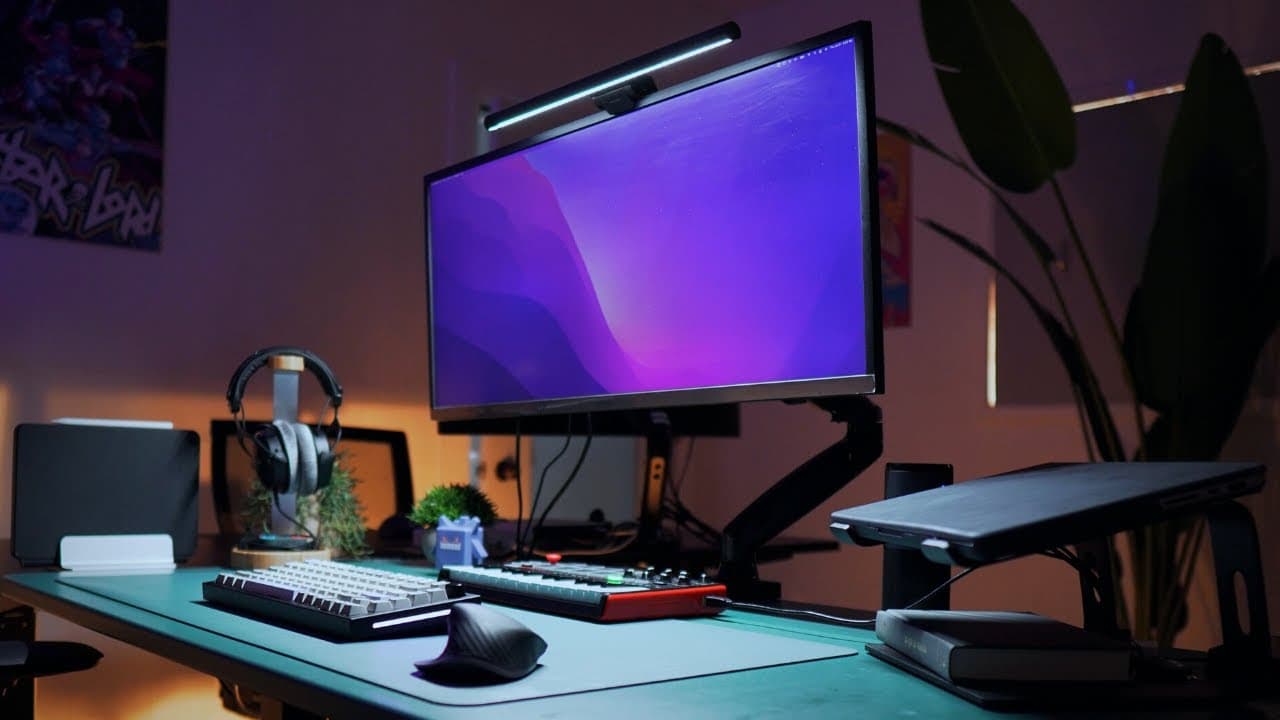
To create a productive study desk setup, invest in ergonomic furniture like a standing desk and chair, and use dual monitors to enhance multitasking. Incorporate personalized touches and a charging station for convenience, and prioritize wired gear to avoid latency issues, ensuring a comfortable and efficient workspace.
Transcript
foreign my desk has evolved dramatically over the years every item was carefully chosen as I ran into problems with my productivity one by one my focus problems disappeared until I finally achieved my dream desk the only problem that remains is my laziness so I'm going to show you what's in my setup and explain how it helps me stay organized focuse... Read More
Key Insights
- 💁 Ergonomic furniture like a standing desk and ergonomic chair promote comfort and support during long study sessions.
- 🦾 Dual monitors and a monitor arm enhance multitasking capabilities and improve workflow efficiency.
- ⚙️ Utilizing a MacBook Pro as the central device ensures seamless synchronization with all gear, maximizing productivity.
- 💟 Anker Gan Prime charging station facilitates quick and efficient charging for multiple devices, promoting convenience and eco-friendliness.
- 🚠 Incorporating a docking hub for connectivity streamlines cable management and optimizes device usage.
- ⛑️ Personalized touches like environmental cues, collaborative focus spaces, and plant decor contribute to a conducive work environment.
- 🛜 Prioritizing wired gear over wireless options can mitigate potential latency and audio issues for a smoother workflow.
Install to Summarize YouTube Videos and Get Transcripts
Explore YouTube Video Summarizer or Get YouTube Transcript Extractor
Questions & Answers
Q: How does the standing desk contribute to productivity?
The standing desk by Autonomous allows quick transitions between sitting and standing, aiding focus and minimizing spinal compression issues caused by prolonged sitting.
Q: What role does the monitor arm play in the setup?
The monitor arm elevates the monitor to eye level, reducing neck strain and enhancing viewing comfort, especially when using the screen for editing videos or music production.
Q: How does the MacBook Pro enhance productivity in this setup?
The MacBook Pro syncs seamlessly with all devices, eliminating the need for file conversions and ensuring a streamlined workflow, ideal for focusing on tasks efficiently.
Q: What benefits does the Anker Gan Prime charging station offer?
The Anker Gan Prime charging station provides fast and efficient charging for multiple devices, promoting convenience and eco-friendly energy distribution, making it a valuable addition to the setup.
Summary & Key Takeaways
-
Carefully chosen items in the setup solved productivity issues, leading to optimal focus.
-
Standing desk, ergonomic chair, dual monitors, laptop stand, and charging station enhance efficiency.
-
Personalized touches like a clean light air purifier and collaborative focus space boost creativity.
Read in Other Languages (beta)
Share This Summary 📚
Summarize YouTube Videos and Get Video Transcripts with 1-Click
Try YouTube Summary with ChatGPT & Claude or YouTube Transcript Generator
Explore More Summaries from Cajun Koi Academy 📚



Summarize YouTube Videos and Get Video Transcripts with 1-Click
Try YouTube Summary with ChatGPT & Claude or YouTube Transcript Generator