How to: Deploy Your Web Chat | Code vs No-Code
TL;DR
Learn how to deploy web chat widgets on various platforms.
Transcript
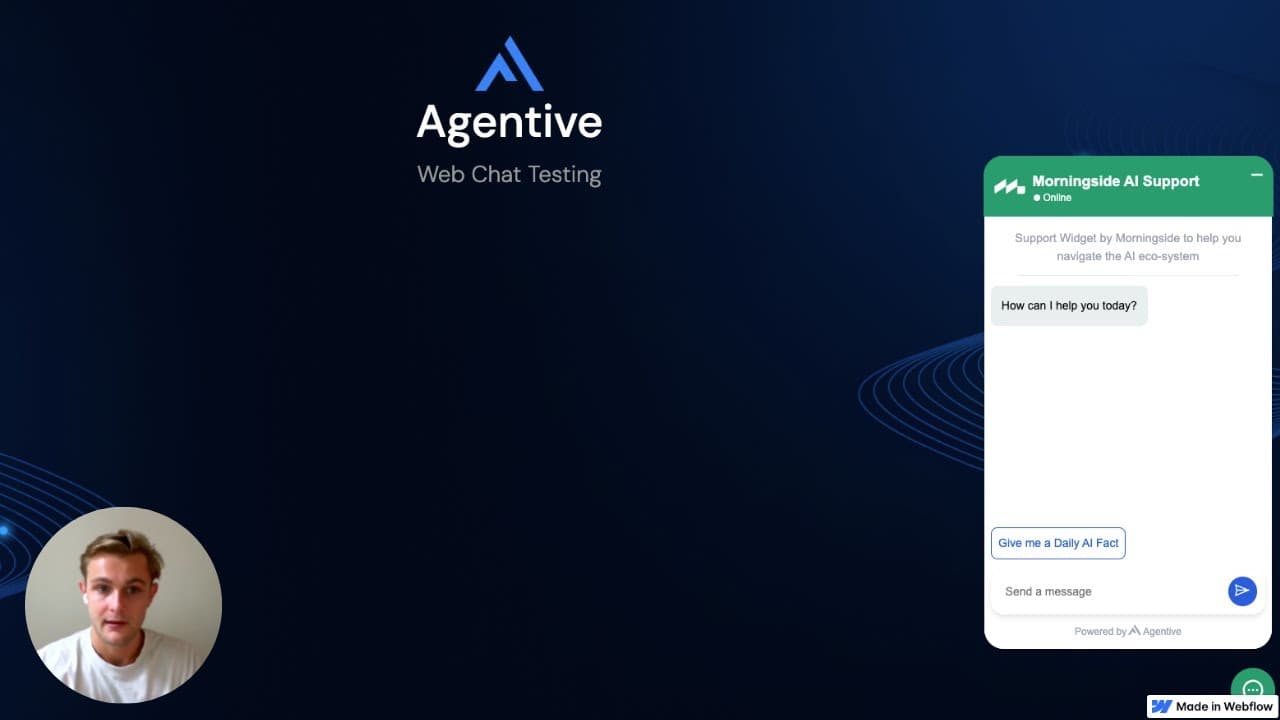
hey guys how's it going uh this is a web chat deployment tutorial for you guys uh for those of you who are a little unsure on where or how to uh insert your agent of web chat into different websites um this yeah tutorials for you so cool firstly make an agent and make a web chat widget specifically deployment type which if you are unsure yo... Read More
Key Insights
- The tutorial provides a step-by-step guide for deploying web chat widgets on popular no-code platforms like Webflow, WordPress, and Framer.
- For Webflow, insert the script tag into the head tag of your website settings and republish the site to see changes.
- WordPress users can integrate the script via the 'additional CSS' section or use plugins like 'Code Snippet' for easier integration.
- Framer allows users to add custom code in the site settings, although a paid plan may be required for full access.
- Custom code deployments for frameworks like Next.js and React involve creating a React component and importing it into your application.
- The tutorial emphasizes the importance of republishing the website after adding the script to ensure proper functionality.
- For code editors like Brackets, the script can be directly copied into a file and run on a local host for testing.
- Utilizing tools like ChatGPT can assist in generating the necessary code components for custom deployments.
Install to Summarize YouTube Videos and Get Transcripts
Explore YouTube Video Summarizer or Get YouTube Transcript Extractor
Questions & Answers
Q: How can you deploy a web chat widget on Webflow?
To deploy a web chat widget on Webflow, you need to insert the provided script tag into the head tag of your website's settings. After inserting the script, ensure that you republish your website to apply the changes and make the widget visible on your site.
Q: What is the process for integrating a web chat widget into WordPress?
For WordPress integration, you can add the script tag in the 'additional CSS' section within the site customization settings. Alternatively, plugins like 'Code Snippet' can be used to facilitate the process. Remember to republish your WordPress site after adding the script to activate the widget.
Q: How do you add a web chat widget to a Framer site?
In Framer, navigate to the site settings and locate the custom code section. Insert the script tag at the start of the head tag. Note that a paid plan might be necessary to access this feature. After inserting the script, publish your site to enable the widget.
Q: What steps are involved in deploying a web chat widget in a Next.js application?
For a Next.js application, you can create a React component with the script tag and import it into your application. This involves copying the script into a JavaScript page and integrating it as a component within your app. Running your application will then display the widget.
Q: How can ChatGPT assist in deploying web chat widgets?
ChatGPT can generate code components, such as React components, that are necessary for embedding web chat widgets into custom applications. By providing the script and asking ChatGPT to create a component, you can streamline the integration process and ensure proper deployment.
Q: What should be done after adding a script to a website for the widget to work?
After adding the script to your website, it's crucial to republish the site. Republishing ensures that the changes take effect and the web chat widget becomes visible and functional on your site. This step is necessary across all platforms mentioned in the tutorial.
Q: How is the web chat widget deployed using Brackets?
In Brackets, you can directly copy the script tag into a file and run it on a local host. This method allows you to test the widget's functionality in a local environment before deploying it live. Running the local host will display the widget, confirming its deployment.
Q: What are the benefits of using no-code platforms for web chat deployment?
No-code platforms like Webflow, WordPress, and Framer simplify the deployment process by allowing users to insert script tags without extensive coding knowledge. These platforms provide user-friendly interfaces for customization and integration, making it accessible for individuals with varying technical skills.
Summary & Key Takeaways
-
This tutorial offers guidance on deploying web chat widgets across various platforms, both no-code and custom-coded. It covers integration methods for Webflow, WordPress, and Framer, emphasizing the importance of placing the script in the correct section and republishing the website.
-
The video also provides examples for custom code deployment using Next.js and React. It highlights the use of tools like ChatGPT to create React components, simplifying the process of embedding chat widgets into applications.
-
For those using code editors like Brackets, the tutorial demonstrates direct script insertion and running on a local host. Overall, the tutorial aims to make web chat deployment straightforward, regardless of the platform or coding experience.
Read in Other Languages (beta)
Share This Summary 📚
Summarize YouTube Videos and Get Video Transcripts with 1-Click
Try YouTube Summary with ChatGPT & Claude or YouTube Transcript Generator
Explore More Summaries from Morningside AI 📚


Summarize YouTube Videos and Get Video Transcripts with 1-Click
Try YouTube Summary with ChatGPT & Claude or YouTube Transcript Generator