How Does Computer Hardware Function Inside a PC?

TL;DR
Computer hardware functions by integrating components like the CPU, motherboard, GPU, and storage drives, each playing a vital role. The CPU acts as the brain, executing commands, while the motherboard connects all parts for communication. Components such as DRAM and SSD manage memory and storage, allowing the system to operate efficiently and perform complex tasks.
Transcript
Throughout this video we’re going to do a desktop computer dissection using 3D animation. Kind of like a dissection lab in biology class, but instead, we’ll journey through the inside of this computer and disassemble every piece of hardware. We’ll then use a microscope and zoom in to give you a nanoscopic view of the transistors and other structu... Read More
Key Insights
- 🧠 The CPU is the brain of the computer, responsible for executing programs and instructions.
- 🧑🏭 Transistors in the CPU are incredibly small and act as switches to control the flow of data.
- 💻 The motherboard connects and facilitates communication between various components of the computer.
- 🅰️ SSDs and HDDs are two different types of storage devices with varying functionality.
- 🖐️ Each component inside a computer plays a specific role in its overall operation.
- 💻 3D animation can provide a detailed and immersive understanding of computer hardware.
- ⌛ Computer hardware has evolved significantly over time, with advancements in technology and increased complexity.
Install to Summarize YouTube Videos and Get Transcripts
Explore YouTube Video Summarizer or Get YouTube Transcript Extractor
Questions & Answers
Q: What is the purpose of the Central Processing Unit (CPU) in a computer?
The CPU is the brain of the computer, responsible for executing programs and instructions. It contains multiple cores, each of which can handle different tasks simultaneously.
Q: How do transistors in the CPU contribute to its functionality?
Transistors in the CPU are incredibly small components that act as switches, allowing electrical signals to flow or be blocked. They are used to process and control the flow of data within the CPU.
Q: What role does the motherboard play in a computer?
The motherboard is a printed circuit board that connects and facilitates communication between various components of the computer, such as the CPU, memory, and peripherals.
Q: How does an SSD differ from a hard disk drive (HDD)?
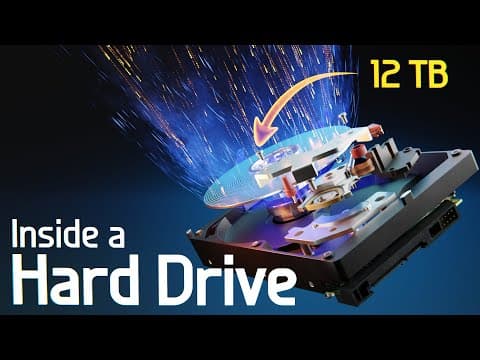
SSDs and HDDs are both storage devices, but they function differently. SSDs use flash memory to store data, allowing for faster access times and greater durability. HDDs, on the other hand, use spinning disks and read/write heads to access data.
Key Insights:
- The CPU is the brain of the computer, responsible for executing programs and instructions.
- Transistors in the CPU are incredibly small and act as switches to control the flow of data.
- The motherboard connects and facilitates communication between various components of the computer.
- SSDs and HDDs are two different types of storage devices with varying functionality.
- Each component inside a computer plays a specific role in its overall operation.
- 3D animation can provide a detailed and immersive understanding of computer hardware.
- Computer hardware has evolved significantly over time, with advancements in technology and increased complexity.
- Multidisciplinary education is important in understanding the various aspects of computer hardware.
Summary & Key Takeaways
-
The video uses 3D animation to explore the inside of a desktop computer, disassembling and examining each component.
-
The Central Processing Unit (CPU) is explored, including its integrated circuit and multiple cores.
-
The motherboard, voltage regulator module, power supply, GPU, DRAM, SSDs, and hard disk drive are also dissected and explained.
Read in Other Languages (beta)
Share This Summary 📚
Summarize YouTube Videos and Get Video Transcripts with 1-Click
Try YouTube Summary with ChatGPT & Claude or YouTube Transcript Generator
Explore More Summaries from Branch Education 📚

Summarize YouTube Videos and Get Video Transcripts with 1-Click
Try YouTube Summary with ChatGPT & Claude or YouTube Transcript Generator