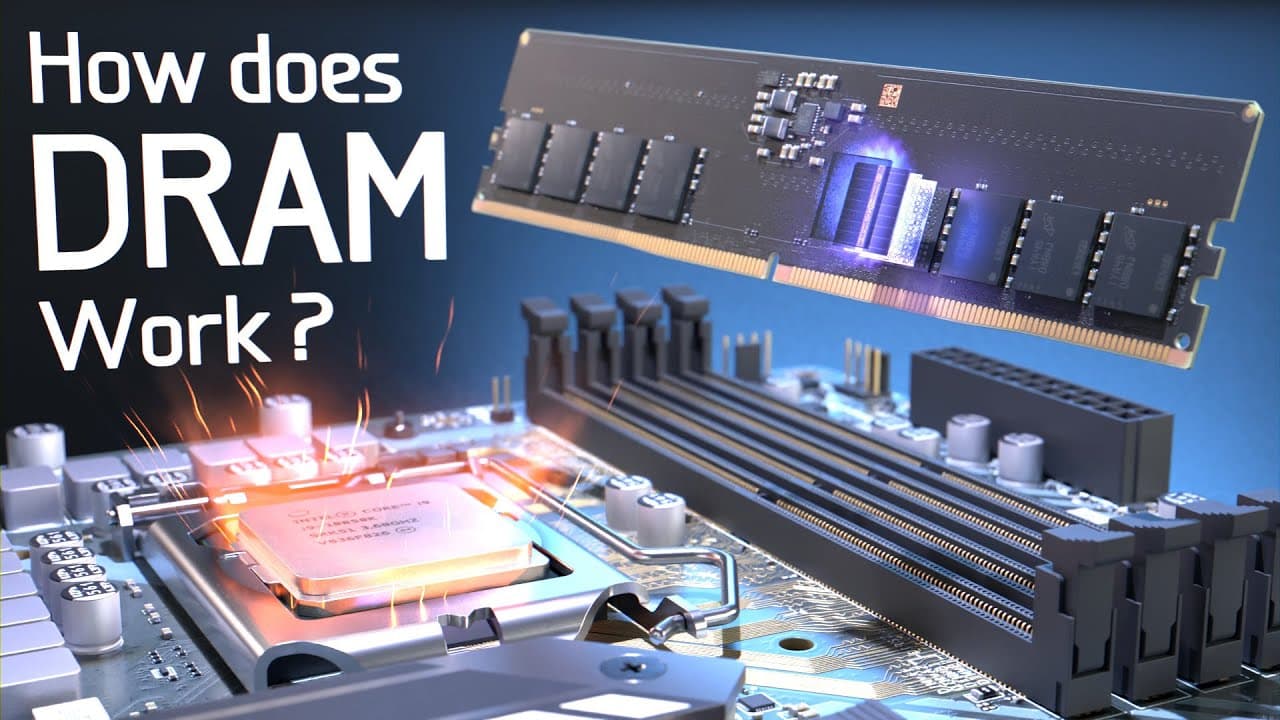
How Does DRAM Memory Work Inside a Computer?
TL;DR
DRAM (Dynamic Random-Access Memory) temporarily stores data for quick access by the CPU, operating 3000 times faster than SSDs. It facilitates data transfer from the solid-state drive (SSD) to the CPU, allowing for quick program loading and responsive performance. DRAM’s architecture includes memory cells organized into banks, and it requires periodic refreshing to maintain data integrity.
Transcript
Have you ever wondered what’s happening inside your computer when you load a program or video game? Well, millions of operations are happening, but perhaps the most common is simply just copying data from a solid-state drive or SSD into dynamic random-access memory or DRAM. An SSD stores all the programs and data for long-term storage, ... Read More
Key Insights
- 💻 The common operation in a computer is copying data from an SSD to DRAM, which takes time and results in loading bars.
- 💾 SSDs provide long-term storage, while DRAM serves as working memory; SSDs store terabytes of data, but DRAM is faster.
- ⚡ DRAM is 3000 times faster than SSDs, comparable to the speed difference between a supersonic jet and a tortoise.
- 💡 DRAM offers smaller capacity than SSDs, but it requires less power and can hold data that is preemptively copied.
- 🔍 DRAM is used in video games to load and access large amounts of data quickly, improving gameplay experience.
- 📮 A stick of DRAM, also known as DIMM, has 8 DRAM chips and is directly connected to the CPU via memory channels.
- 🏗️ DRAM memory cells are organized into banks and subarrays for efficient access and storage.
- 🔄 DRAM utilizes burst buffers and a hierarchical row decoding scheme to optimize data access and transfer speed.
Install to Summarize YouTube Videos and Get Transcripts
Explore YouTube Video Summarizer or Get YouTube Transcript Extractor
Questions & Answers
Q: How does data move from an SSD to DRAM in a computer?
When a computer wants to use data stored in an SSD, it first needs to copy the appropriate files into the DRAM. This copying process takes time and is responsible for the loading bar you see.
Q: What is the difference between DRAM and SSD in terms of speed?
Reading or writing data from a DRAM capacitor memory cell takes about 17 nanoseconds, which is approximately 3000 times faster than accessing the data from an SSD, which takes about 50 microseconds.
Q: Why does a computer use both SSDs and DRAM?
SSDs provide large storage capacity, while DRAM offers faster access speeds. By using both, computers can store terabytes of data on SSDs and quickly access the required data from DRAM when needed.
Q: Why is DRAM periodically refreshed?
DRAM cells have a tendency to leak charge over time, which can cause the stored values to change. The refreshing process, which occurs every 64 milliseconds, restores the charge in the memory cells to maintain the integrity of the data.
Q: How does the organization of DRAM memory cells affect performance?
DRAM memory cells are organized into banks and subarrays to improve efficiency and reduce access times. By subdividing the massive array and using hierarchical row decoding, the time required for accessing specific rows and columns is decreased.
Q: What is the role of a burst buffer in DRAM?
A burst buffer temporarily stores data from the DRAM, allowing for quick access to sets of data. This improves overall performance as multiple sets of data can be accessed rapidly without repeating the initial steps required for opening memory rows.
Q: How does the use of a sense amplifier enhance the functionality of DRAM?
The sense amplifier is responsible for detecting and amplifying voltage changes on bitlines during the read and write operations. It helps accurately read data from memory cells and drive bitline voltages during write operations, ensuring the integrity of the stored data.
Summary & Key Takeaways
-
DRAM is responsible for temporarily storing and transferring data from a solid-state drive (SSD) to the CPU.
-
SSDs provide long-term storage of data, while DRAM provides working memory for the CPU to process data.
-
DRAM has faster access speeds than SSDs but has lower storage capacity, which is why both are used in computers.
Read in Other Languages (beta)
Share This Summary 📚
Summarize YouTube Videos and Get Video Transcripts with 1-Click
Try YouTube Summary with ChatGPT & Claude or YouTube Transcript Generator
Explore More Summaries from Branch Education 📚

Summarize YouTube Videos and Get Video Transcripts with 1-Click
Try YouTube Summary with ChatGPT & Claude or YouTube Transcript Generator