How to Use Buttons in Notion for Better Organization
TL;DR
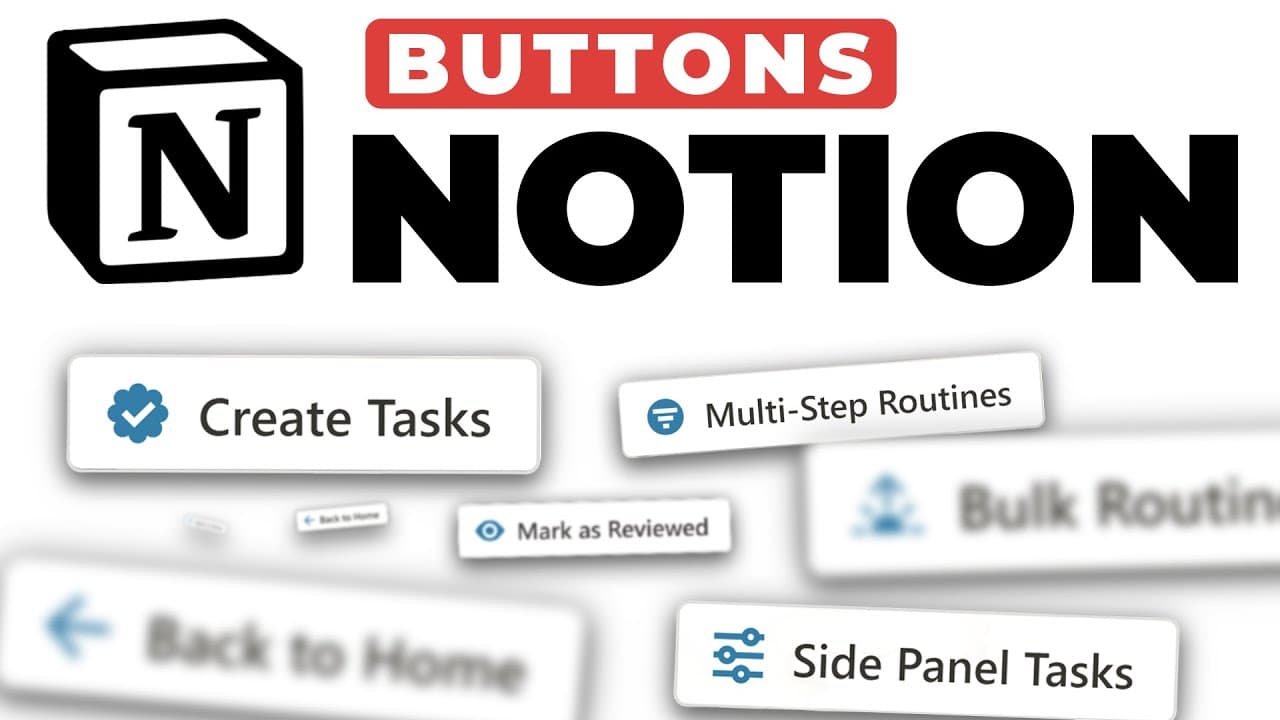
You can use buttons in Notion to quickly capture tasks, open pages as side panels, mark items as reviewed, create multi-step routines, and add bulk routines to your databases. Additionally, a back-to-home button enhances navigation throughout your Notion workspace, streamlining your overall workflow.
Transcript
in today's video I'm sharing six ways that you can use notion buttons to make your notion workspace more streamlined and more aesthetically pleasing tip number one is to use buttons to Quick capture items into your notion databases so let's just create a notion database for my tasks I'm going to hit slash and I'm going to type database and for this... Read More
Key Insights
- 👻 Buttons in Notion provide increased functionality and efficiency, allowing for streamlined workflows and enhanced organization.
- 🔄 Quick capture buttons enable the rapid addition of tasks to specific databases from anywhere in the Notion workspace.
- 😄 Opening pages as side panels and dragging items from them improves productivity and ease of use.
- ✅ Marking items as reviewed with buttons simplifies the tracking and updating of item status.
- 🔄 Multi-step routines can be created with buttons, automating complex sequences of actions in Notion.
- 🐎 Buttons can be used to add bulk routines, speeding up the process of populating databases with multiple items.
- 👪 Creating a back to home button enhances navigation within the Notion account, improving overall user experience.
Install to Summarize YouTube Videos and Get Transcripts
Explore YouTube Video Summarizer or Get YouTube Transcript Extractor
Questions & Answers
Q: How can buttons be used to quickly capture tasks in Notion?
By creating a button with a quick capture function, you can easily add tasks to a specific database from anywhere in your Notion workspace. This saves time and ensures tasks are added to the correct location.
Q: How can pages be opened as side panels and items be dragged from them in Notion?
By utilizing buttons, you can open pages as side panels and easily drag items from them into other pages or databases. This allows for seamless workflow and organization within Notion.
Q: How can items be marked as reviewed with the click of a button in Notion?
By setting up a button to edit pages, you can mark an item as reviewed in your database. This simplifies the process of tracking and updating the status of items within Notion.
Q: How can multi-step routines be created with buttons in Notion?
Buttons can be used to create multi-step routines, where multiple pages can be opened and actions can be performed with just one click. This feature allows for efficient execution of complex sequences within Notion.
Q: How can bulk routines be added using buttons in Notion?
Buttons can be utilized to add multiple items to a database in bulk. By setting up a button with predefined tasks or routines, you can quickly populate a database with just one click.
Q: How can a back to home button be created in Notion?
By creating a button that opens a specific page (such as the home page) in full view, you can create a back to home button that enables easy navigation within your Notion account.
Key Insights:
- Buttons in Notion provide increased functionality and efficiency, allowing for streamlined workflows and enhanced organization.
- Quick capture buttons enable the rapid addition of tasks to specific databases from anywhere in the Notion workspace.
- Opening pages as side panels and dragging items from them improves productivity and ease of use.
- Marking items as reviewed with buttons simplifies the tracking and updating of item status.
- Multi-step routines can be created with buttons, automating complex sequences of actions in Notion.
- Buttons can be used to add bulk routines, speeding up the process of populating databases with multiple items.
- Creating a back to home button enhances navigation within the Notion account, improving overall user experience.
- Implementing buttons in Notion empowers users to customize their workspace and tailor it to their specific needs and preferences.
Summary & Key Takeaways
-
Use buttons to quickly capture tasks and add them to a specific database, making it easier to stay organized.
-
Open pages as side panels and drag items from them into other pages or databases, improving workflow efficiency.
-
Mark items as reviewed with a button click, allowing for easy tracking and updating of status.
-
Create multi-step routines with buttons, opening multiple pages and performing actions with one click.
-
Add bulk routines using a button, enabling the addition of multiple items to a database with ease.
-
Create a back to home button for easy navigation within your Notion account.
Read in Other Languages (beta)
Share This Summary 📚
Summarize YouTube Videos and Get Video Transcripts with 1-Click
Try YouTube Summary with ChatGPT & Claude or YouTube Transcript Generator
Explore More Summaries from Productive Dude 📚
![34 Unique Notion Tips and Tricks [2023 Notion Tutorial] ✨💻 thumbnail](/_next/image?url=https%3A%2F%2Fi.ytimg.com%2Fvi%2FjotMZGebDxU%2Fhqdefault.jpg&w=750&q=75)
Summarize YouTube Videos and Get Video Transcripts with 1-Click
Try YouTube Summary with ChatGPT & Claude or YouTube Transcript Generator