How to Create Colorful Custom Dividers in Notion
TL;DR
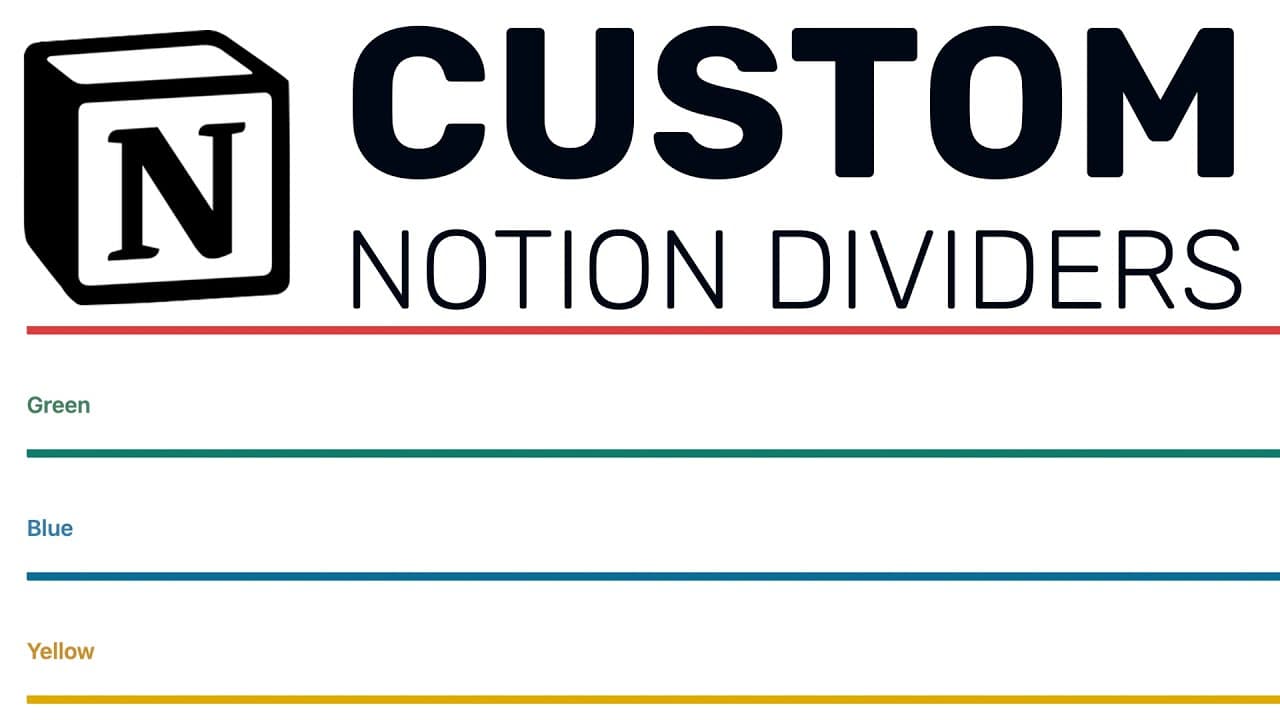
You can create customizable dividers in Notion by copying and pasting a specific code into a text block. Change the divider's color using a hex code, and adjust its height and width to suit your design preferences. This method enhances the overall aesthetic of your Notion workspace beyond the default gray dividers.
Transcript
hello fellow notion users and welcome back to another notion tutorial in today's quick simple tutorial i'm going to show you how to create dividers that are different colors and different widths and notion right now with the basic notion setup we're limited to gray dividers simple gray dividers but what i have kind of figured out here is you can cr... Read More
Key Insights
- 🗂️ The basic Notion setup only provides gray dividers, but with a simple code, you can customize dividers with different colors and widths.
- 👨💻 To create custom dividers, you can copy and paste the provided code into a text block in your Notion workspace.
- 👀 The color of the dividers can be changed using a hex code, and the height and width can be adjusted to create the desired look.
- 🥺 Visiting the Notion subreddit can lead to finding useful tips and tricks like creating custom dividers.
- 👨💻 Websites like htmlcolorcodes.com can help generate hex codes for specific colors.
- 😑 Pressing "Done" after editing the code is necessary to apply the changes to the dividers.
- 🗂️ Custom dividers can enhance the aesthetic and organization of your Notion workspace.
Install to Summarize YouTube Videos and Get Transcripts
Explore YouTube Video Summarizer or Get YouTube Transcript Extractor
Questions & Answers
Q: How can I create custom dividers with different colors and widths in Notion?
To create custom dividers, you need to copy and paste the provided code into a text block in Notion. Then, you can change the color using a hex code and adjust the height and width parameters according to your preference.
Q: Where can I find the hex code for a specific color?
You can visit websites like htmlcolorcodes.com and use their color picker tool to generate the hex code for the color you want. Simply select your desired color and copy the corresponding hex code.
Q: Can I change the height and width of the dividers?
Yes, you can adjust the height and width parameters in the code. Changing the height value will make the divider taller or shorter, while changing the width value will make it thicker or thinner.
Q: Do I need to press "Done" after editing the code for the changes to take effect?
Yes, it's important to press "Done" after making any edits to the code in order for the changes to be applied to the dividers in your Notion workspace.
Key Insights:
- The basic Notion setup only provides gray dividers, but with a simple code, you can customize dividers with different colors and widths.
- To create custom dividers, you can copy and paste the provided code into a text block in your Notion workspace.
- The color of the dividers can be changed using a hex code, and the height and width can be adjusted to create the desired look.
- Visiting the Notion subreddit can lead to finding useful tips and tricks like creating custom dividers.
- Websites like htmlcolorcodes.com can help generate hex codes for specific colors.
- Pressing "Done" after editing the code is necessary to apply the changes to the dividers.
- Custom dividers can enhance the aesthetic and organization of your Notion workspace.
- Exploring the original subreddit post can provide further understanding of the code and its functionality.
Summary & Key Takeaways
-
The basic Notion setup only allows for gray dividers, but with a simple code, you can create dividers with different colors and widths.
-
By copying and pasting the provided code, you can change the color using a hex code and adjust the height and width of the dividers.
-
The Notion subreddit is a great source for finding hidden gem tips like this one.
Read in Other Languages (beta)
Share This Summary 📚
Summarize YouTube Videos and Get Video Transcripts with 1-Click
Try YouTube Summary with ChatGPT & Claude or YouTube Transcript Generator
Explore More Summaries from Productive Dude 📚
![Notion Tutorial - Full Course for Beginners [2025] thumbnail](/_next/image?url=https%3A%2F%2Fi.ytimg.com%2Fvi%2FkOf3QSBV29Y%2Fhqdefault.jpg&w=750&q=75)


Summarize YouTube Videos and Get Video Transcripts with 1-Click
Try YouTube Summary with ChatGPT & Claude or YouTube Transcript Generator