All Notion Databases Explained in Under 30 Minutes! (Full Guide)
TL;DR
Learn how to use Notion databases effectively to create task trackers, grocery lists, recipe collections, and more.
Transcript
hello and welcome back to another notion video thanks for showing up my name is carter sirach i'm the productive dude here on youtube in today's video we are going to be tackling notion databases notion databases can be confusing when you're first starting out but in this video it's my goal to help you understand databases so that you can really st... Read More
Key Insights
- 🔍 Databases in Notion can be used for various purposes, such as task tracking, grocery list management, food recipes, house plant inventory, and watch collection.
- 💡 Full page databases in Notion are recommended over inline databases because they provide more functionality and flexibility.
- 📊 Notion databases offer different types of properties, including text, number, select, multi-select, date, person, checkbox, URL, email, and phone.
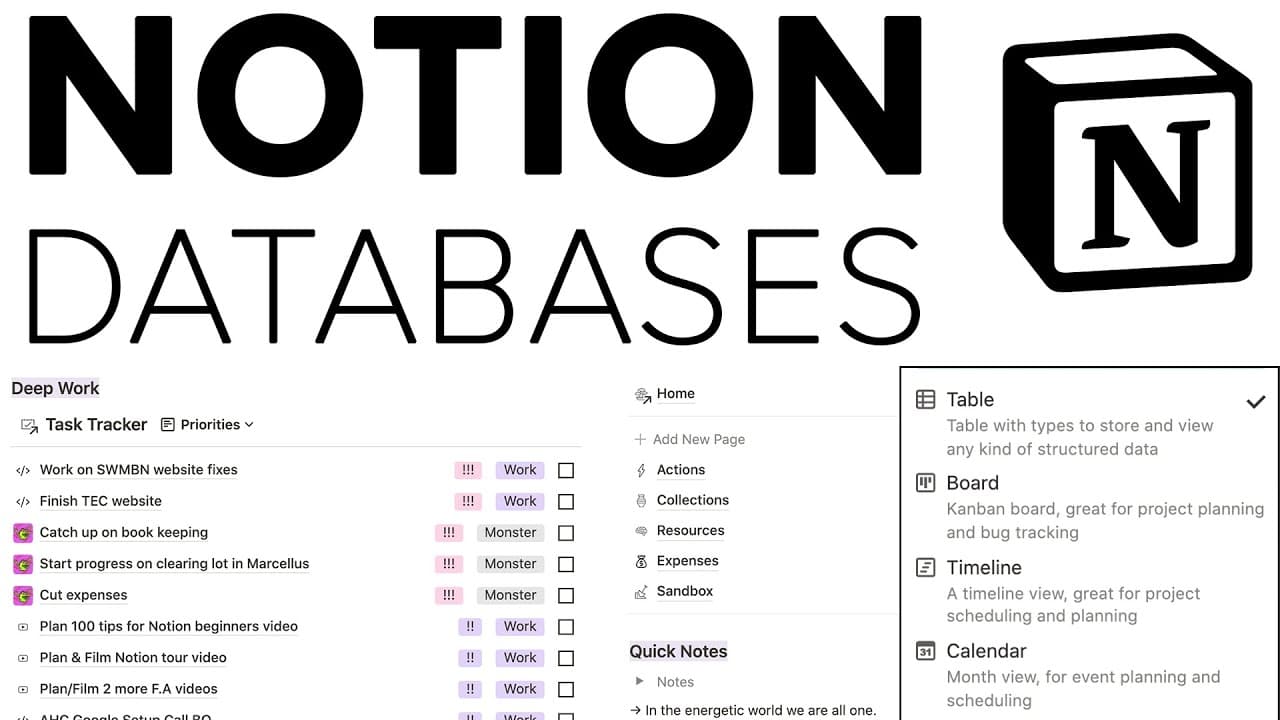
- 🔍 Notion provides six different views for databases: table, board, timeline, calendar, list, and gallery. Each view offers unique ways to organize and display data.
- 🔀 Databases in Notion can be linked or related to other databases, allowing for seamless navigation and organization of information.
- 🔍 The search bar in Notion allows for quick and easy retrieval of specific data within databases.
- 🖼️ The gallery view in Notion is ideal for displaying images, such as book covers, creating an aesthetically pleasing visual representation of data.
- 🔗 Notion databases can be used in conjunction with other features, such as notes, to create comprehensive and interconnected systems for organizing information.
Install to Summarize YouTube Videos and Get Transcripts
Explore YouTube Video Summarizer or Get YouTube Transcript Extractor
Questions & Answers
Q: How can Notion databases be used for personal organization?
Notion databases can be used for personal organization in various ways. For example, they can be used as task trackers, allowing users to easily manage their to-do lists and track completed tasks. Databases can also be used for grocery lists, recipe collections, and even keeping track of personal items like houseplants and watches.
Q: What are the advantages of using full-page databases over inline databases in Notion?
Full-page databases offer more flexibility and functionality compared to inline databases. With full-page databases, users can store databases in one location and embed them anywhere they need them. This allows for better organization and ease of access. Additionally, full-page databases can be linked and related to other databases, enhancing the overall efficiency of data management.
Q: How can different properties in Notion databases be used to manipulate data?
Properties in Notion databases, such as text, number, select, date, person, files and media, checkbox, URL, email, and phone, can be used to manipulate data in various ways. For example, text properties can be used to add descriptions or summaries, number properties can be used to add numerical values, select properties can be used for categorization, and date properties can be used to track dates and deadlines.
Q: How can database views in Notion be utilized to enhance data organization?
Notion offers six database views: table, board, list, calendar, timeline, and gallery. Each view has its advantages and can be used based on the specific needs of the user. For example, a table view is useful for viewing and editing data in a compact format, while a board view is ideal for organizing data based on categories or statuses. The calendar view is beneficial for visualizing and managing dates, and the gallery view is great for showcasing images or covers of items.
Q: How can databases in Notion be linked and related to each other?
Databases in Notion can be linked and related to each other, allowing for seamless navigation and organization of data. Users can create relationships between databases by adding a relation property and selecting the relevant database. This enables easy access to related information and enhances the overall structure and organization of data within Notion.
Summary & Key Takeaways
-
Notion databases can be utilized for various purposes, such as task tracking, grocery lists, recipe collections, and managing houseplants and watches.
-
There are two types of databases in Notion: inline databases that can be added anywhere on a page, and full-page databases that allow for more flexibility and embedding.
-
Databases in Notion have different properties, including text, number, select, date, person, files and media, checkbox, URL, email, and phone. These properties can be used to manipulate and organize data.
-
Notion offers six database views: table, board, list, calendar, timeline, and gallery. Each view has its advantages and can be used based on the specific needs of the user.
-
Databases can also be linked and related to each other, allowing for seamless navigation and organization of data within Notion.
Read in Other Languages (beta)
Share This Summary 📚
Summarize YouTube Videos and Get Video Transcripts with 1-Click
Try YouTube Summary with ChatGPT & Claude or YouTube Transcript Generator
Explore More Summaries from Productive Dude 📚
![34 Unique Notion Tips and Tricks [2023 Notion Tutorial] ✨💻 thumbnail](/_next/image?url=https%3A%2F%2Fi.ytimg.com%2Fvi%2FjotMZGebDxU%2Fhqdefault.jpg&w=750&q=75)



Summarize YouTube Videos and Get Video Transcripts with 1-Click
Try YouTube Summary with ChatGPT & Claude or YouTube Transcript Generator