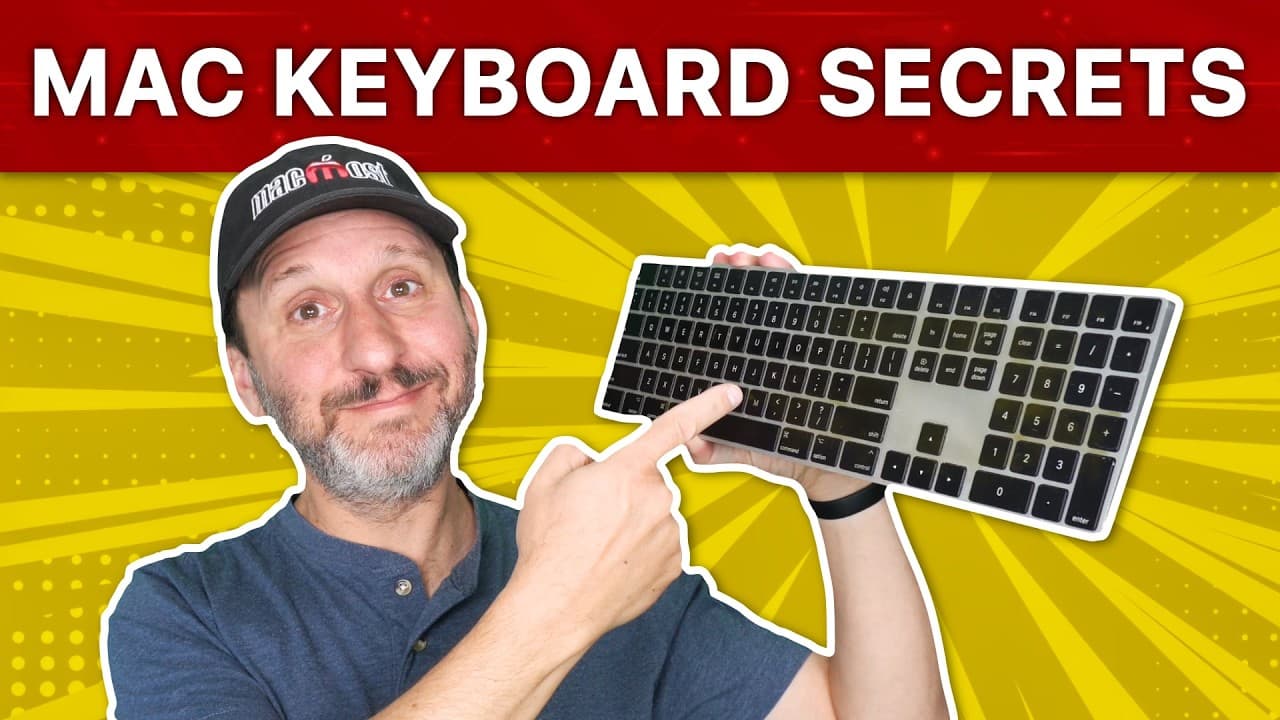
37 Secret Features of the Mac Keyboard
TL;DR
Learn about the hidden features of your Mac keyboard, including typing accent marks, accessing special characters, using modifier keys, and customizing keyboard shortcuts.
Transcript
hi this is Gary with mmos.com let's take a look at some secret features of your max keyboard MMOs is brought to you thanks to a great group of more than a thousand supporters go to mmos.com patreon there you could read more about it join us and get exclusive content and course discounts of course you use your max keyboard all day long for typing an... Read More
Key Insights
- 🎹 Holding down a key on your Mac keyboard can reveal alternative characters and symbols that you can type, making it easy to type accent marks and special characters.
- 🎹 Modifier keys, such as option, shift, and command, can be used to access hidden functions and alternative symbols on the keyboard and to modify resizing, rotation, and menu commands.
- 🔐 The function of modifier keys can be customized, allowing you to switch their functionality to suit your needs or adjust the behavior of the caps lock key.
- 👶 Keyboard shortcuts can be customized and new shortcuts can be added to enhance efficiency and productivity.
- 🎹 The special character viewer and access to menu commands through keyboard shortcuts make it easy to find and use hidden features on your Mac keyboard.
- 🎹 Dvorak keyboard layout offers optimized typing experience for those who prefer a different layout.
- 🥶 Old emac commands and shortcuts can still be used on Mac for specific applications.
- 🤢 The search field in the Help menu and the ability to navigate the menu bar using the keyboard provide quick access to commands and functions.
- 👾 The keyboard offers various typing features, such as automatic capitalization and adding a period with a double space, to enhance typing efficiency.
Install to Summarize YouTube Videos and Get Transcripts
Explore YouTube Video Summarizer or Get YouTube Transcript Extractor
Questions & Answers
Q: How can I type accent marks on my Mac keyboard?
You can type accent marks by holding down a key and selecting an alternative character from the options that appear. Alternatively, you can hold down the option key and type the corresponding key to get accent marks.
Q: How can I access special characters and symbols on my Mac keyboard?
You can access special characters and symbols by using modifier keys, such as the option key or shift key, to reveal alternatives to what is shown on the keyboard. You can also use keyboard shortcuts to bring up the special character viewer.
Q: Can I customize my keyboard shortcuts on a Mac?
Yes, you can customize keyboard shortcuts on your Mac by going to system settings, selecting keyboard shortcuts, and modifying the existing shortcuts or adding new ones. This allows you to personalize your keyboard shortcuts to suit your preferences.
Q: How can I change the function of the caps lock key on my Mac keyboard?
You can change the function of the caps lock key by going to system settings, selecting the keyboard preferences, and choosing to disable the caps lock key or reassign it to another function, such as an Escape key or the FN key.
Key Insights:
- Holding down a key on your Mac keyboard can reveal alternative characters and symbols that you can type, making it easy to type accent marks and special characters.
- Modifier keys, such as option, shift, and command, can be used to access hidden functions and alternative symbols on the keyboard and to modify resizing, rotation, and menu commands.
- The function of modifier keys can be customized, allowing you to switch their functionality to suit your needs or adjust the behavior of the caps lock key.
- Keyboard shortcuts can be customized and new shortcuts can be added to enhance efficiency and productivity.
- The special character viewer and access to menu commands through keyboard shortcuts make it easy to find and use hidden features on your Mac keyboard.
- Dvorak keyboard layout offers optimized typing experience for those who prefer a different layout.
- Old emac commands and shortcuts can still be used on Mac for specific applications.
- The search field in the Help menu and the ability to navigate the menu bar using the keyboard provide quick access to commands and functions.
- The keyboard offers various typing features, such as automatic capitalization and adding a period with a double space, to enhance typing efficiency.
- Hidden features like sticky keys, mouse keys, and customizable text replacements can assist users with accessibility needs and improve typing capabilities.
Summary & Key Takeaways
-
Your Mac keyboard has many hidden features that you may not know about, including typing accent marks by holding down a key and selecting an alternative character.
-
You can access special characters and symbols by using modifier keys, such as the option key or shift key.
-
Modifier keys can also be used to type alternative symbols on the number keys and to modify resizing and rotation features.
-
You can customize keyboard shortcuts, change the function of modifier keys, and adjust the behavior of the caps lock key.
Read in Other Languages (beta)
Share This Summary 📚
Summarize YouTube Videos and Get Video Transcripts with 1-Click
Try YouTube Summary with ChatGPT & Claude or YouTube Transcript Generator
Explore More Summaries from macmostvideo 📚


Summarize YouTube Videos and Get Video Transcripts with 1-Click
Try YouTube Summary with ChatGPT & Claude or YouTube Transcript Generator