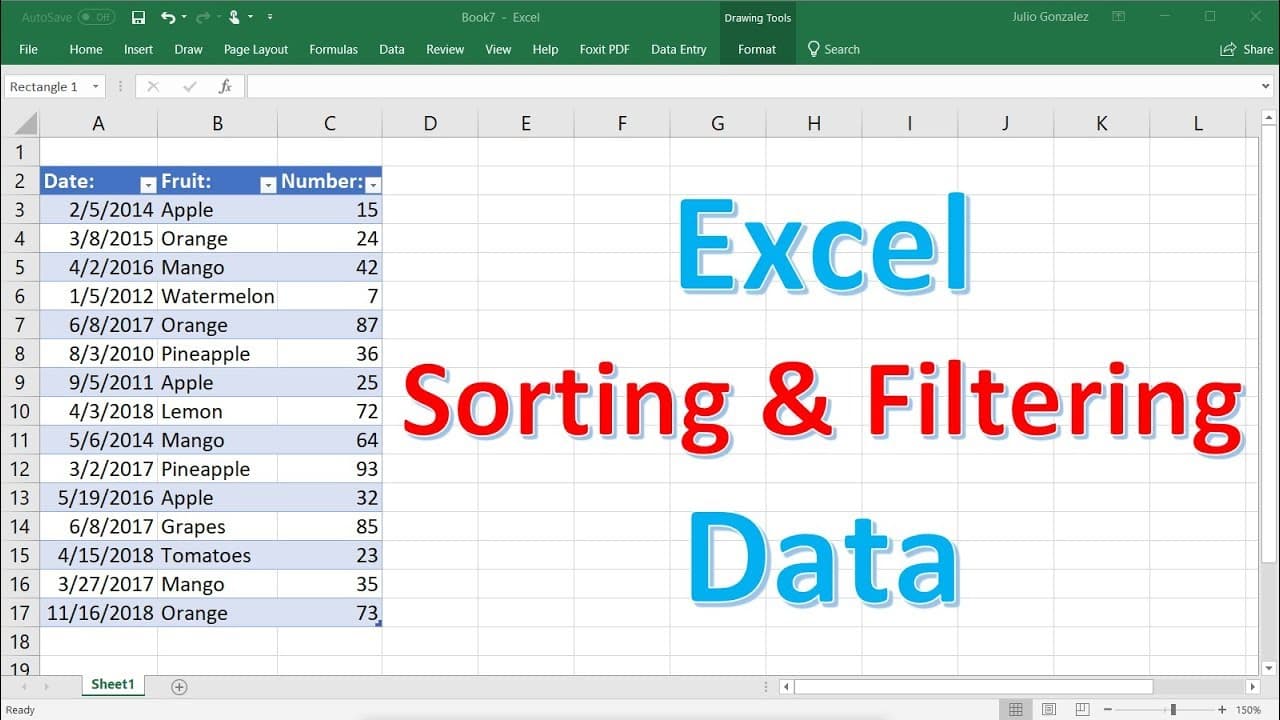
Excel Sorting and Filtering Data
TL;DR
Learn how to easily sort and filter data in Excel, whether it's letters, numbers, or dates.
Transcript
in this video we're going to talk about how to sort and filter data in excel so let's go ahead and begin so let's start with sorting letters so what i'm going to do right now is i'm going to write a few names so give me a minute to do just that so let's say we have john sarah megan kelly let's say christine jared lucy arnold tim and let's say jacki... Read More
Key Insights
- 💤 Sorting letters in Excel can be done easily with the "Sort A to Z" or "Sort Z to A" options.
- 🪈 Numbers can be sorted in ascending or descending order by selecting the "Smallest to Largest" or "Largest to Smallest" options.
- ↔️ Sorting data horizontally requires using the "Sort Left to Right" option in the "Data" tab.
- ❓ When sorting data with adjacent columns, you can choose to either expand the selection or sort both columns simultaneously.
- 👻 Filtering data in Excel allows you to display specific values by selecting them with the Filter function.
- 🧡 Filtering can also be done with numbers by selecting a range or using specific filters like "greater than" or "less than."
- 🏪 Converting data into a table provides the convenience of automatic filtering.
Install to Summarize YouTube Videos and Get Transcripts
Explore YouTube Video Summarizer or Get YouTube Transcript Extractor
Questions & Answers
Q: How can I sort names in alphabetical order in Excel?
To sort names alphabetically, highlight the column, right-click, choose "Sort A to Z" for ascending order or "Sort Z to A" for descending order.
Q: Can I sort numbers in Excel as well?
Yes, you can sort numbers by selecting the column, right-clicking, and choosing "Sort Smallest to Largest" or "Sort Largest to Smallest."
Q: How can I sort data horizontally in Excel?
To sort data horizontally, go to the "Data" tab, click "Sort," select "Sort Left to Right," and highlight the row you want to sort.
Q: What happens when I have additional columns beside the one I want to sort?
When sorting columns with adjacent ones, you can choose to either expand the selection and sort both columns simultaneously or separate them by selecting "Continue with the Current Selection."
Q: How can I filter data in Excel to only show specific values?
You can filter data by selecting the column, right-clicking, choosing "Filter," and then selecting the specific value or range you want to display.
Q: Can I filter data based on both values and numbers?
Yes, by converting the data into a table, you can use the Filter function to display specific values or use number filters to show data within a certain range.
Summary & Key Takeaways
-
Sorting in Excel can be done by highlighting the desired column, right-clicking, and selecting "Sort A to Z" or "Sort Z to A" for letters, or "Smallest to Largest" for numbers.
-
To sort data horizontally, go to the "Data" tab, click "Sort," select "Sort Left to Right," and highlight the row to sort.
-
When sorting data in columns with adjacent columns, be mindful of the options to either expand the selection or sort both columns simultaneously.
-
Filtering data in Excel can be done by using the Filter function, allowing you to show specific data by selecting the desired value or range.
Read in Other Languages (beta)
Share This Summary 📚
Summarize YouTube Videos and Get Video Transcripts with 1-Click
Try YouTube Summary with ChatGPT & Claude or YouTube Transcript Generator
Explore More Summaries from The Organic Chemistry Tutor 📚





Summarize YouTube Videos and Get Video Transcripts with 1-Click
Try YouTube Summary with ChatGPT & Claude or YouTube Transcript Generator